General Operations
Physical fader assignment
Use this feature to combine or unify fixture control attributes for different fixtures. For example; if you were
controlling 4 moving mirrors and 4 moving yokes, the color, gobo and dimmer channels may not line up
ideally on the physical faders. Use this function to re-assign the dimmer, color and gobo channels to
faders 1, 2 and 3. From now on you will be able to control the same attributes on all fixtures using the
same fader location.
1. Select the page which the DMX channel (CHNO) you wish to assign is in.
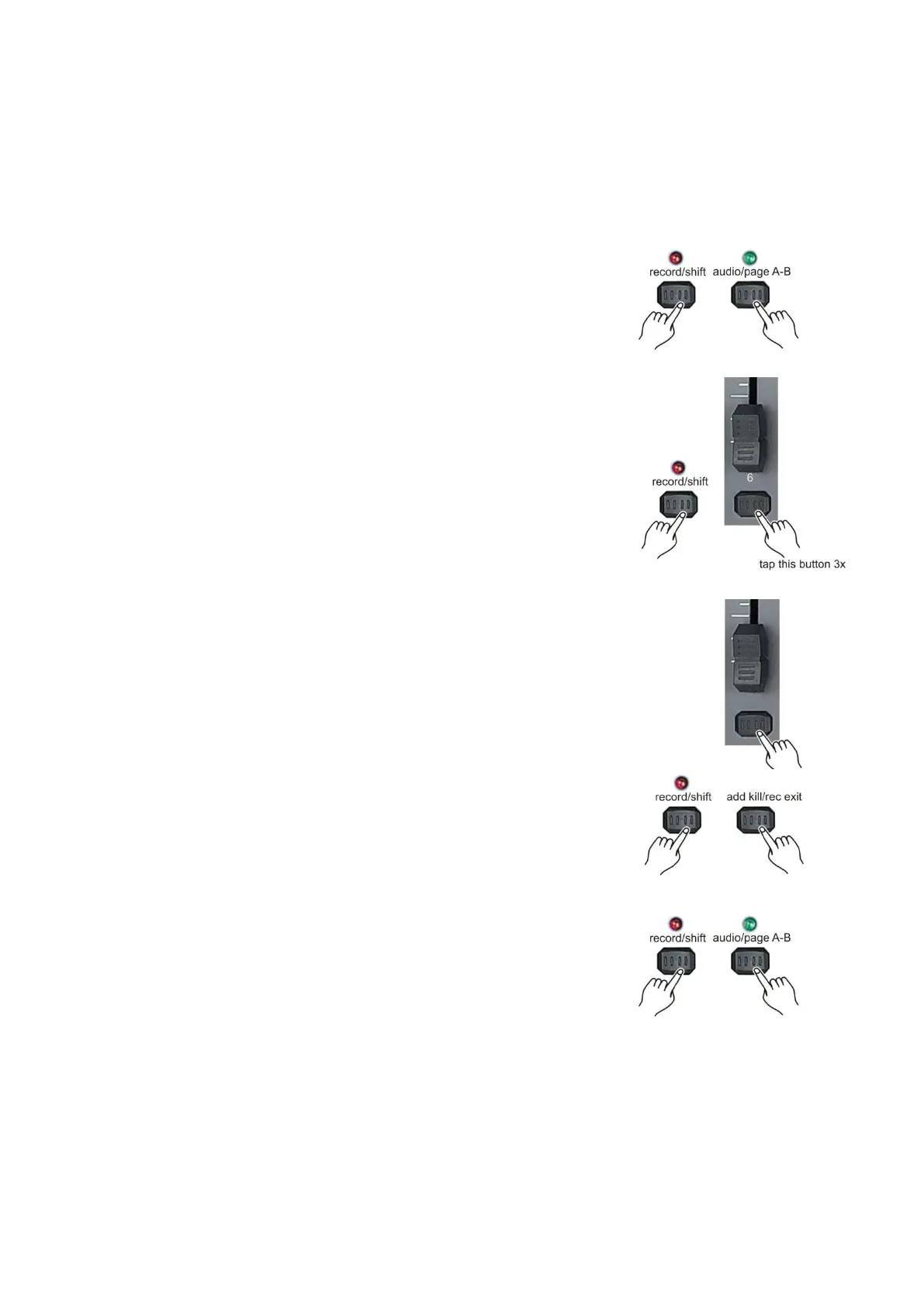
Push and hold the record/shift (14) button and tap the audio/page A B (16)
button to toggle between page A and page B. The page selected is
indicated in the LCD (27) display
2. While holding the record/shift (14) button tap flash button #6
three times.
3. Tap the flash (3) button of the DMX channel (CHNO) you want to assign
to a fader.
Page A selected: Fader 1-24.
Page B selected: Fader 25-48.
4. If you want to assign the DMX channel (CHNO) to a fader in
another page then the one that you are into right now, push and
hold the record/shift (14) button while tapping the add kill/rec (12)
button to exit fader assignment mode. If the fader is on the same page,
proceed with step 7.
5. Select the page which the DMX channel (CHNO) you wish to assign is in.
Push and hold the record/shift (14) button and tap the audio/page A B (16)
button to toggle between page A and page B. The page selected is
indicated in the LCD (27) display



 To Next Page