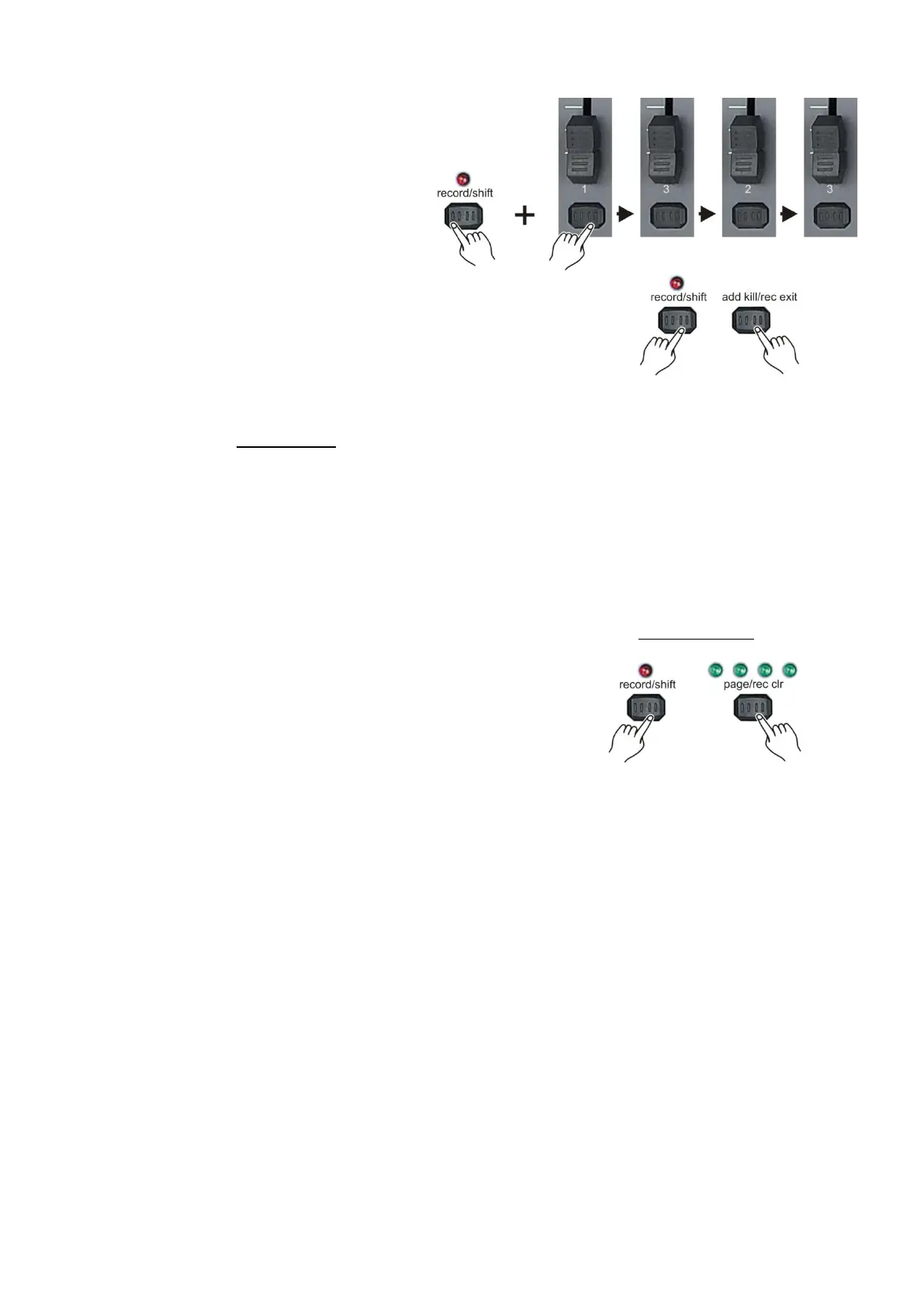
Delete all scenes/chases
1. While holding the record/shift (14) button,
tap the flash (3) buttons #1-3-2-3 in sequence.
All LEDs will light indicating all scenes/chases
are erased.
2. Push and hold the record/shift (14) button
and tap the Add kill/Rec Exit (12) button.
Notes:
You must be in record mode to reset the controller.
The LED above the record button will light, indicating the record mode operation.
Following parameters can be edited while a chase is running.
Warning!
This action will reset the controller to its factory defaults. This will erase all programs and settings.
Delete a scene/chase in temporary memory
1. If you‟re not satisfied with a chase while programming (as described on page 14/15: Create a
scene/chase), you have the option to delete the chase without leaving the program mode.
2. If you‟re not happy with the result, push and
hold the record/shift (14) button while tapping
the page/record clr (8) button. All LED‟s will flash,
indicating the scene/chase is deleted.
Note:
All the scenes stored in the temporary memory of the controller will be erased by this process.
This process will not affect the scenes already programmed into a scene/chase fader.



 To Next Page