Midi operation
The controller will only respond to MIDI commands on the MIDI channel that it is assigned to. All MIDI
control is performed using Note on commands. All other MIDI instructions are ignored. To stop a chase,
send the blackout on note. Also see appendix 1: MIDI Implementation.
Setting up MIDI in
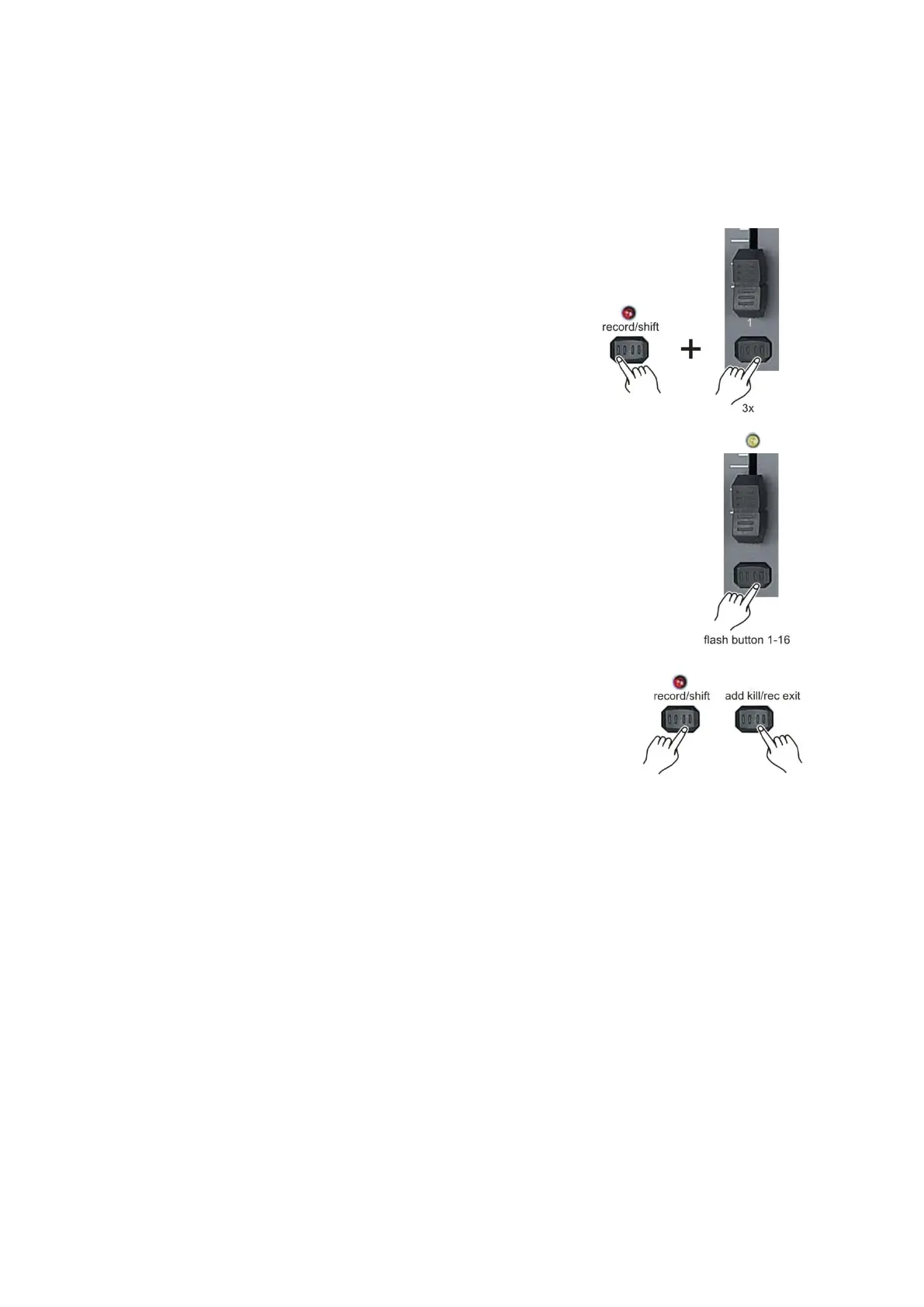
1. While holding down the record/shift (14) record button,
simultaneously tap the flash button #1 three times. The display reads
MIDI CHANNEL IN to indicate channel setup is available.
2. Select the MIDI control channel (1-16) by tapping flash (3)
buttons #1-16. The relevant channel LED lights indicating the
MIDI in channel is set.
3. While holding down the record/shift (14) button, tap the
add kill/rec exit (12) button to exit MIDI setting.
Note:
This is the channel on which the controller will receive MIDI note on commands.



 To Next Page