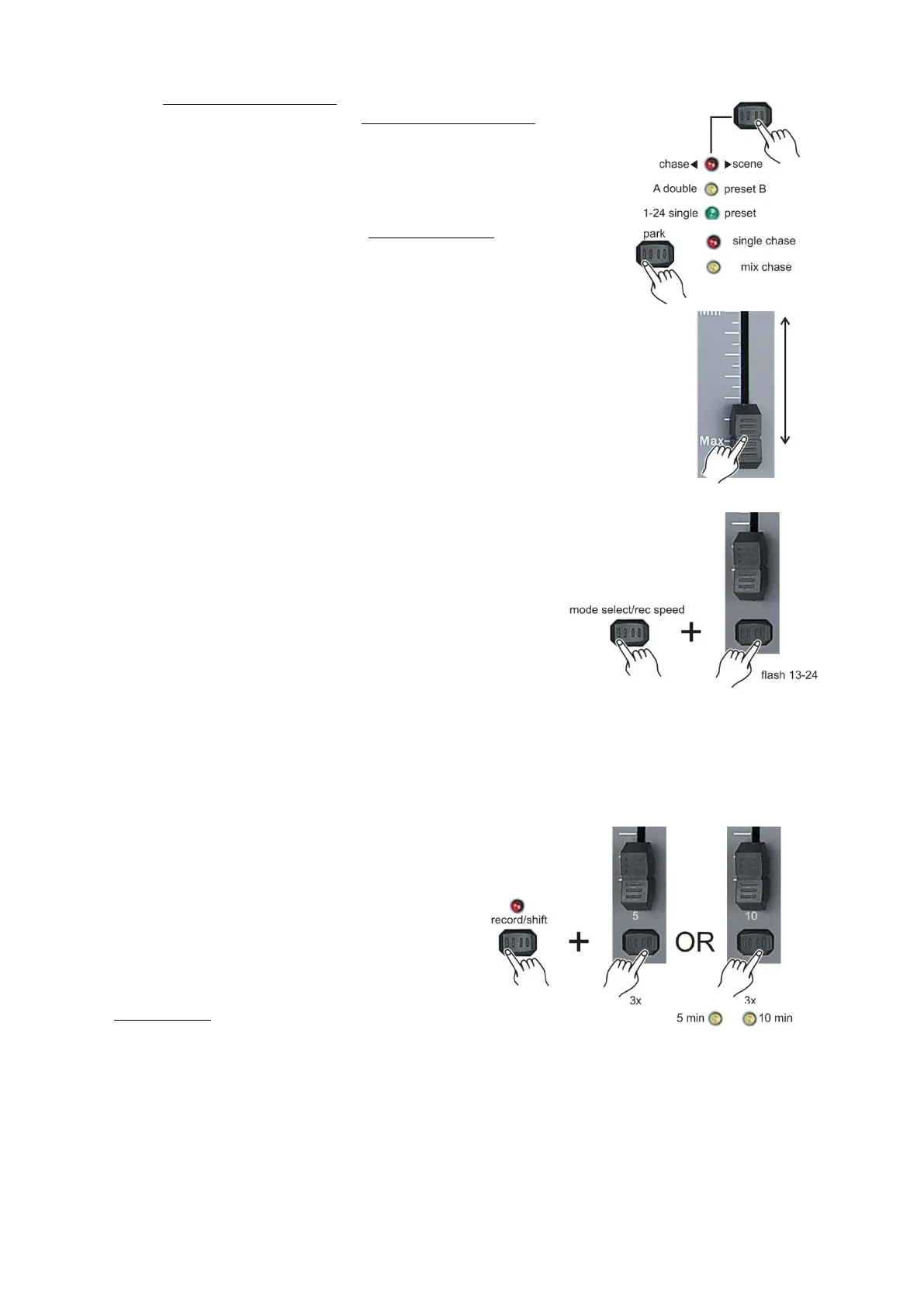
Playing a scene/chase with the stored beat.
1. Select the chase < > scene mode by tapping the
mode select/rec speed (5) button. The chase < > scene mode
gives you control of all 24 channels in the selected page.
2. Tap the park (32) button to select the mix chase mode.
3. Play a chase/scene as described in playing a chase/scene
on page 22.
4. Move the speed fader in until the display reads the desired
value.
5. Push and hold the mode select/record speed (5) button while
tapping the the corresponding flash button #13 - #24.
To store the scene. The scene with the time set or beat when
engaged.
6. Repeat step 4 and 5 to set a new beat time.
Notes:
Be sure audio mode is disengaged.
As an alternative to using the speed slider to change the speed, you can also use the tap sync
(24) button (2 times) to set the speed.
Change the speed mode between 5 and 10 minutes.
1. While holding the record/shift (14) button,
tap either flash (3) button #5 or flash (3) button #6
three times.
2. The speed mode you‟re in, is indicated by either
The 5 min or the 10 min LED.



 To Next Page