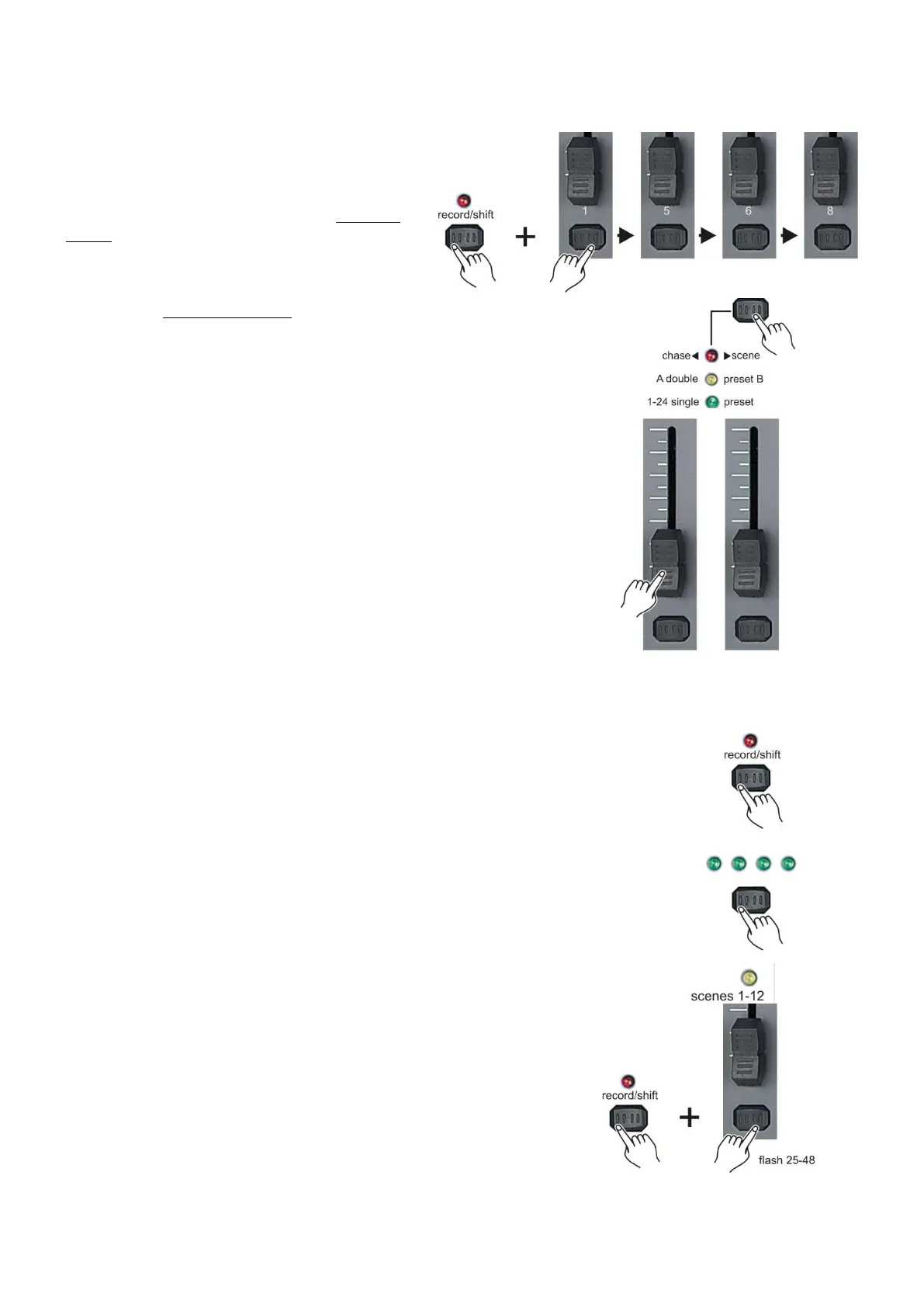
Recording
Create a scene/chase
1. While holding the record/shift (14) button,
tap the flash (3) buttons #1-5-6-8 in sequence.
2. Release the record/shift (14) button. The
record LED will light. Now you are in Program
mode (record enable).
3. Select the 1-24 Single mode by tapping the
Mode Select/rec speed (5) button give you
control of all 24 channels of the first page.
4. Compose a scene by moving the channel faders
(changes in fixture attribute such as colors and gobos,
or simply dimmer values).
5. Tap the record/shift (14) button to store the scene into the temporary
memory.
6. If you wish to create a chase, add scenes by repeating steps 2 – 4
until you have your desired chase.
7. Tap the page (8) button to select a page (1-4) in which you want to
Store your scene/chase.
8. Press and hold the record/shift (14) button and tap the flash
button for the memory number indicated by the scene LED
(1-12) in which you want to store your scene/chase. All LEDs will
flash briefly, indicating the scene/ chase has been stored into
memory. Flash button 13-24 allow you to store scenes/chases
in memory 1-12.



 To Next Page