Playback
Playing a scene/chase
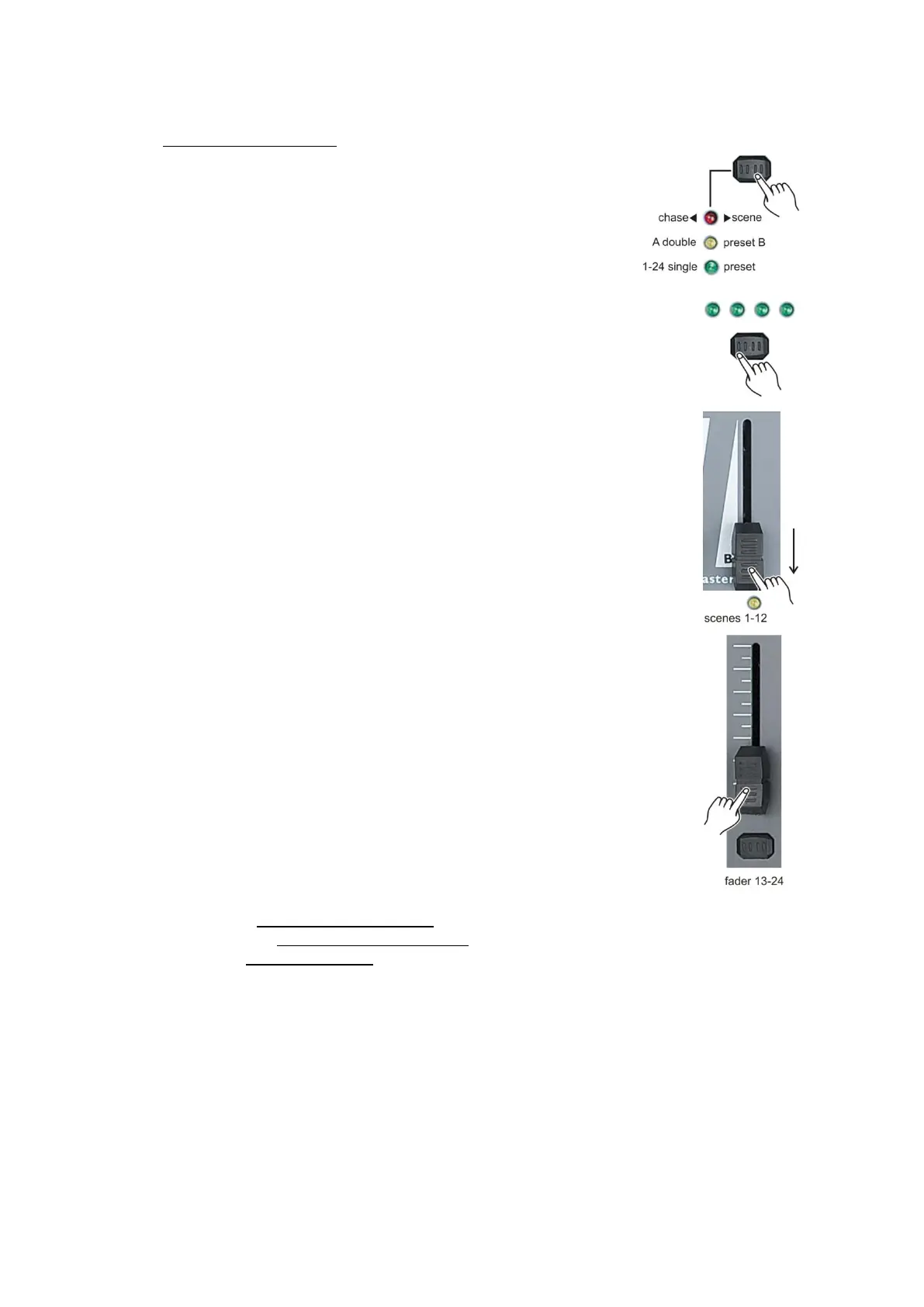
1. Select the chase < > scene mode by tapping the
mode select/rec speed (5) button give you control of all 24
channels of the selected page.
2. Tap the page (8) button to select the page, where the
scene/chase, you want for playback is stored in.
3. Move the master B (34) fader to its maximum position (fully down).
4. Move the corresponding chase/scene fader (channel fader 13-24)
to its maximum position to start the chase/scene. The chase/scene will
fade in depending upon the current fade time.
5. Move the corresponding chase/scene fader (channel fader 13-24)
to adjust the overall output of the chase/scene.
Notes:
The current mode is indicated by the 3 LEDs:
Red indicates the Chase◄►Scene mode is selected.
Yellow indicates the 2-scene preset A/B mode selected.
Green indicates 1-24 single mode selected.
You may press and hold down the relevant flash button for the scene to trigger the button
momentarily.



 To Next Page