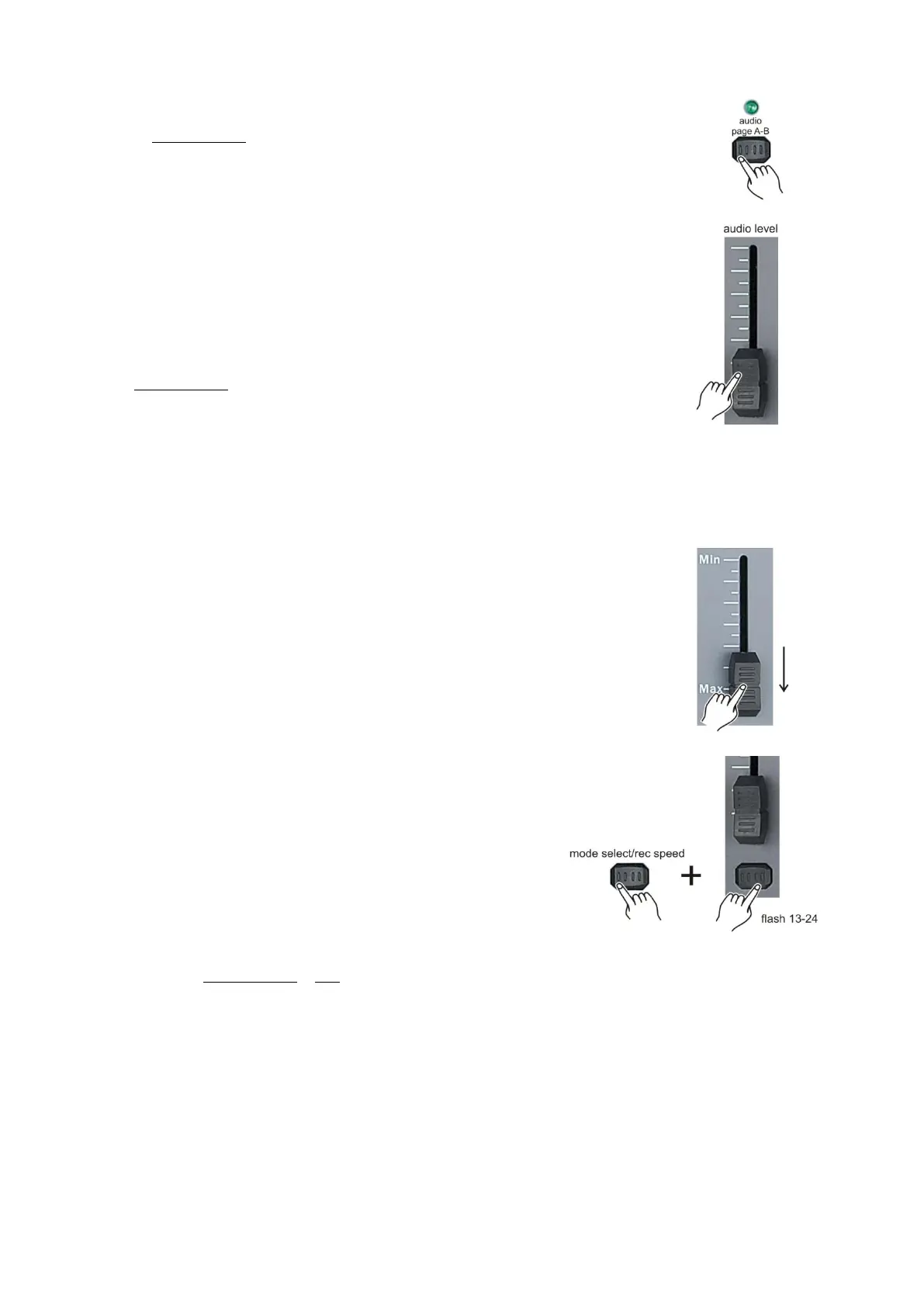
Playing a scene/chase with audio triggering
1. Play a chase/scene as described in playing a chase/scene on page 22.
2. Activate audio mode by tapping the audio/page A-B (16) button.
Audio mode is active as the LED is lit.
3. Adjust the sensitivity moving the audio level (19) fader.
4. To exit audio mode tap the audio/page A-B (16) button. The LED will dim.
Note: You can use the audio mode with either the built in microphone or connect a line level audio
source at the audio (42) input.
Playing a scene/chase while adjusting speed with the speed fader
1. Play a chase/scene as described in playing a chase/scene on page 22.
2. Move the speed fader in minimum position (fully down).
3. Push and hold the mode select/record speed (5) button while
tapping the the corresponding flash button #13 - #24.
The scene selected, will no longer run with the standard beat.
4. Move the speed fader to change the speed.
Note:
Make sure audio mode is not activated.
Step 3 is not nescessary if the selected chase/scene is not recorded with a standard beat.



 To Next Page