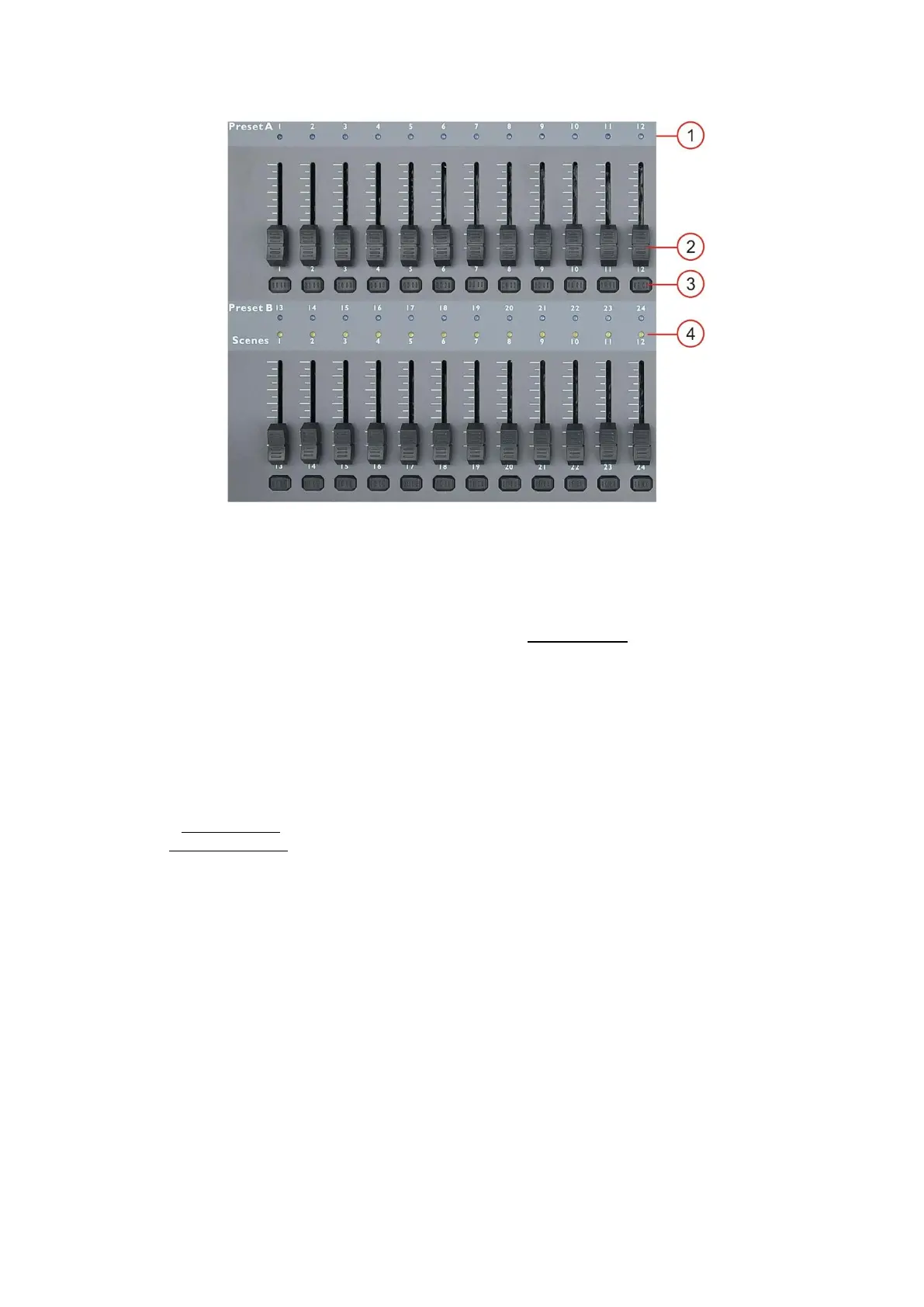
Controller Front
1. DMX-channel LEDs
Indicate the status of the DMX channel 1-24 when page A is selected, 25-48 when page B is selected.
2. Channel faders
Allow you to control DMX channel 1-24 when in Page A and DMX channel 25-48 when in page B in
directly or use them for programming scenes/chases when in record mode.
Fader 13-24 can also be used to start/ stop scenes for playback.
3. Flash buttons
Pushing a flash button will send value of 100% to the according DMX channel. The flash button control
DMX channel 1-24 when Page A is selected and DMX channel 25-48 when Page B is selected.
Flash button 13 -24 can also be used to store scenes, speed settings for a particular scene and deleting
scenes in programming mode or edit mode.
While pushing and holding the Record/shift (15) button, the Flash buttons 1-12 can be used to enter
different programming modes.
#6 three times: Patch mode.
#1-#5-#6-#8: Program mode.
4. Chase LEDs
Indicate the status of Chase 1-12.



 To Next Page