Shure Incorporated
16/42
7.
1.
2.
3.
4.
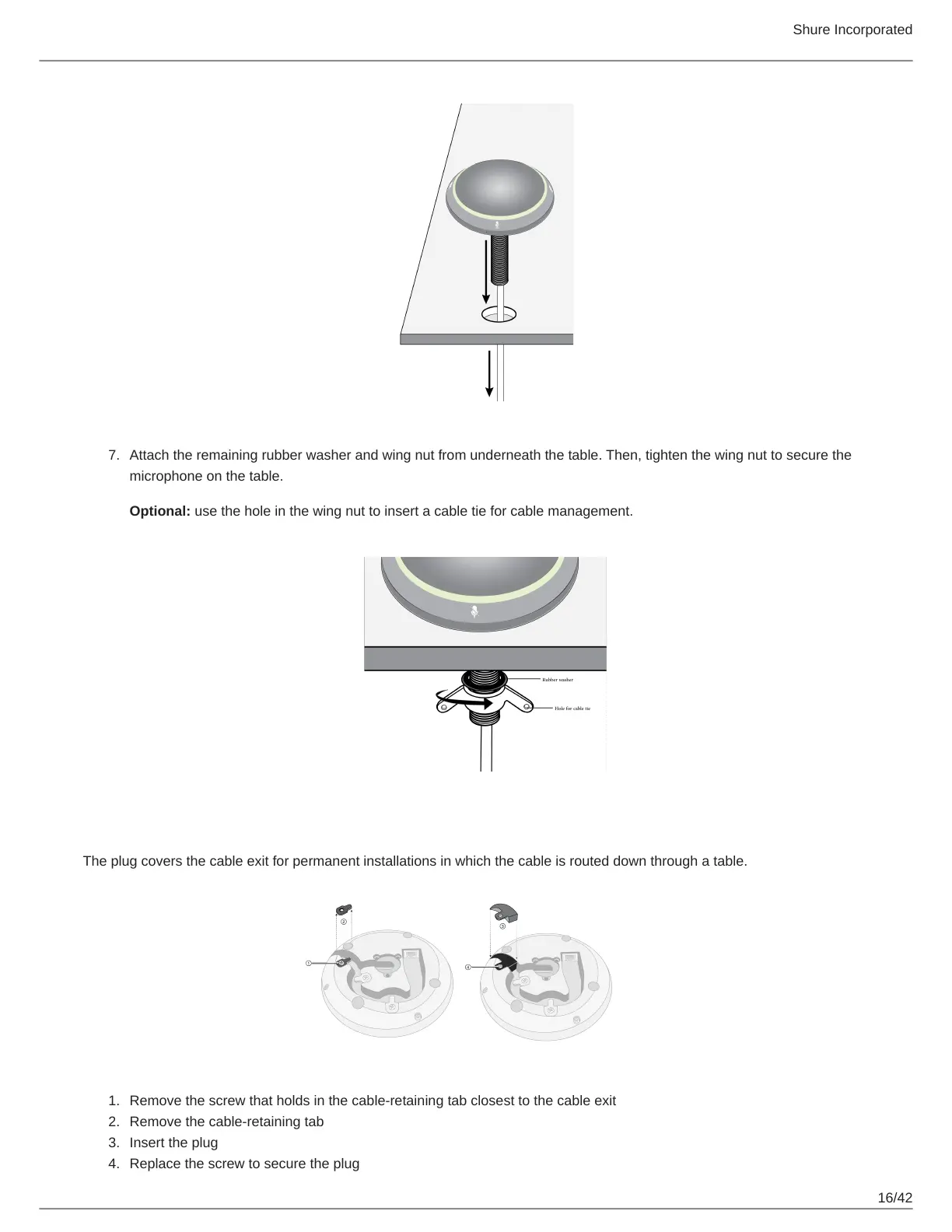
Attach the remaining rubber washer and wing nut from underneath the table. Then, tighten the wing nut to secure the
microphone on the table.
Optional: use the hole in the wing nut to insert a cable tie for cable management.
Installing the Cable-Exit Plug
The plug covers the cable exit for permanent installations in which the cable is routed down through a table.
Remove the screw that holds in the cable-retaining tab closest to the cable exit
Remove the cable-retaining tab
Insert the plug
Replace the screw to secure the plug












 To Next Page