Shure Incorporated
18/42
•
•
•
•
1.
2.
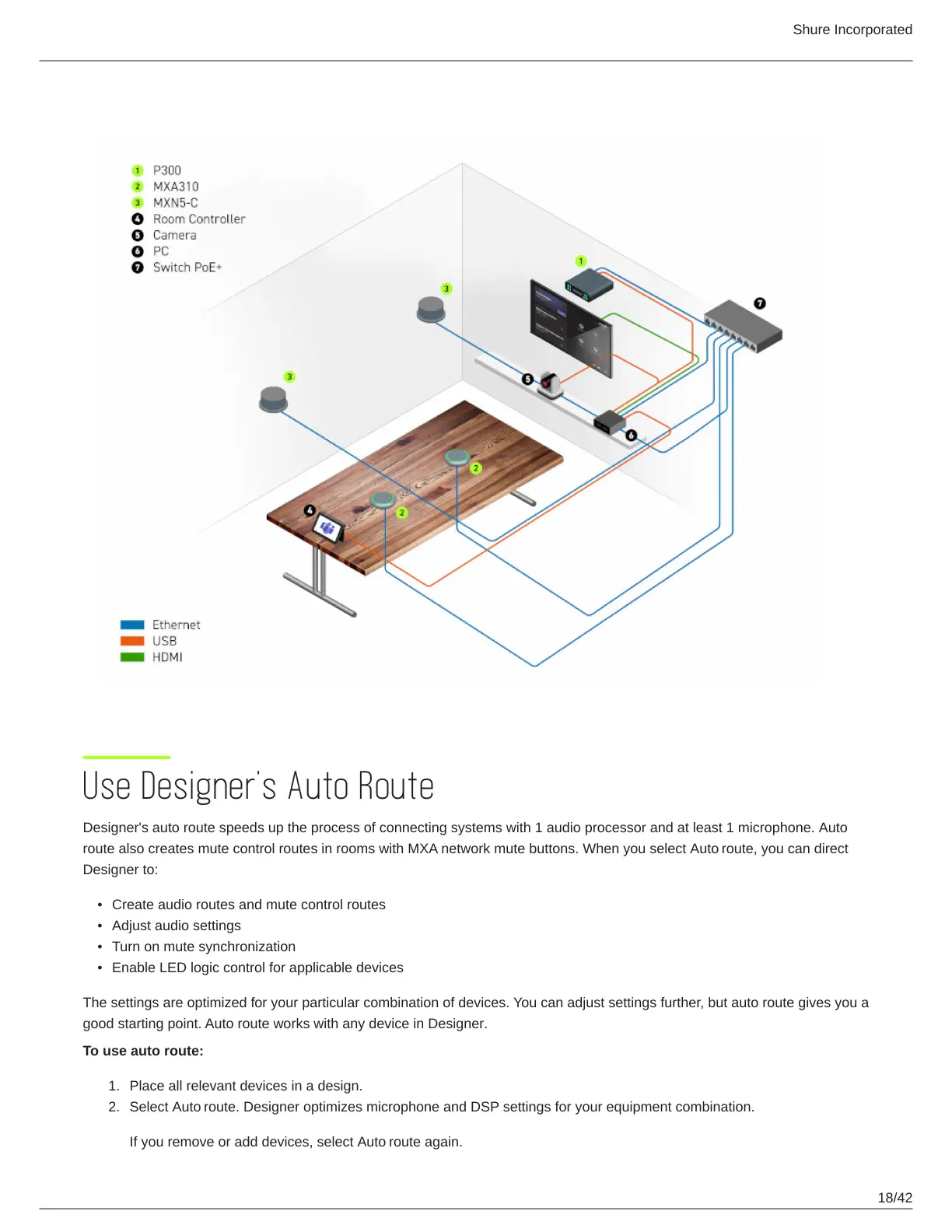
Medium Room with 2 MXA310s, 2 MXN5-Cs, and P300
Use Designer's Auto Route
Designer's auto route speeds up the process of connecting systems with 1 audio processor and at least 1 microphone. Auto
route also creates mute control routes in rooms with MXA network mute buttons. When you select Auto route, you can direct
Designer to:
Create audio routes and mute control routes
Adjust audio settings
Turn on mute synchronization
Enable LED logic control for applicable devices
The settings are optimized for your particular combination of devices. You can adjust settings further, but auto route gives you a
good starting point. Auto route works with any device in Designer.
To use auto route:
Place all relevant devices in a design.
Select Auto route. Designer optimizes microphone and DSP settings for your equipment combination.
If you remove or add devices, select Auto route again.












 To Next Page