Shure Incorporated
5/42
MXA310 Parts
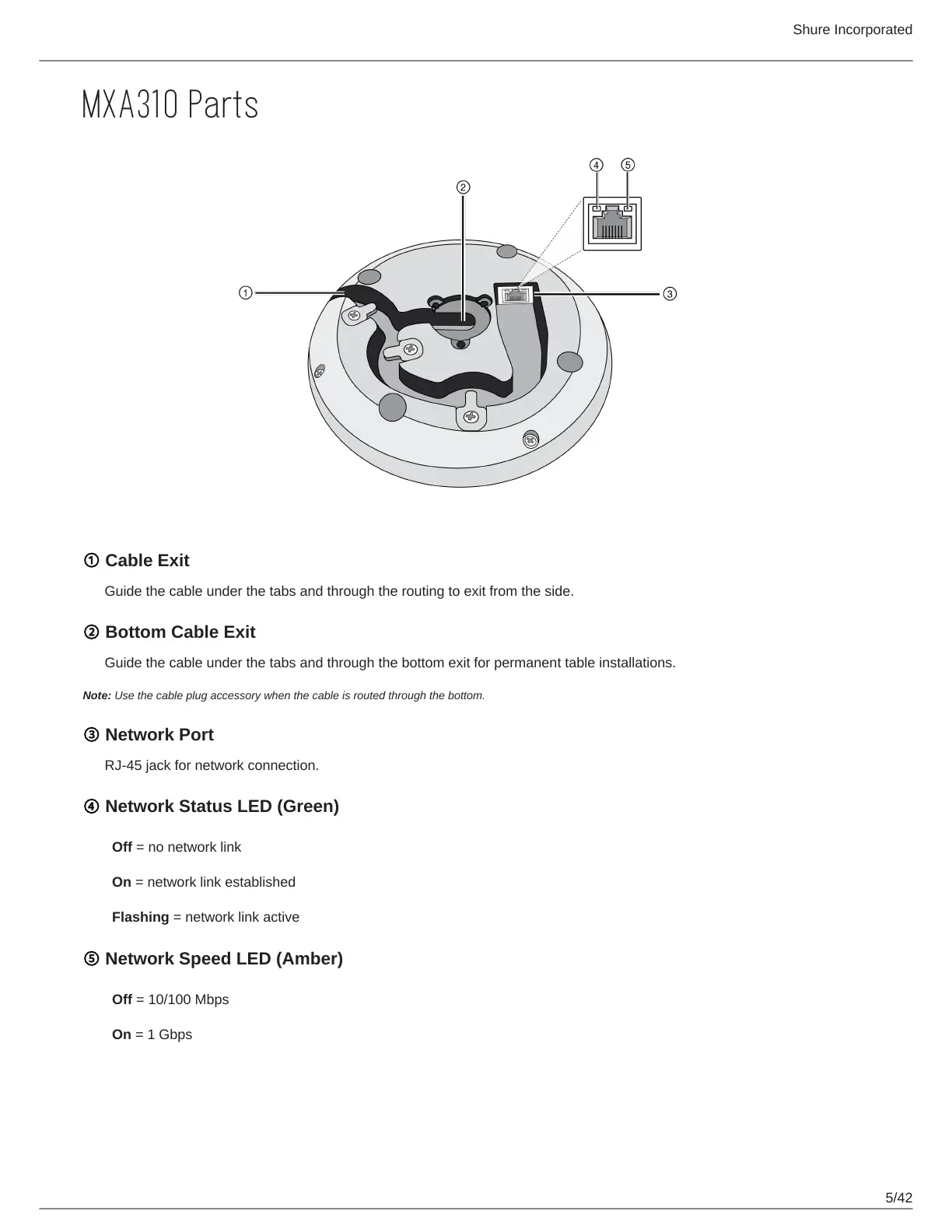
① Cable Exit
Guide the cable under the tabs and through the routing to exit from the side.
② Bottom Cable Exit
Guide the cable under the tabs and through the bottom exit for permanent table installations.
Note: Use the cable plug accessory when the cable is routed through the bottom.
③ Network Port
RJ-45 jack for network connection.
④ Network Status LED (Green)
Off = no network link
On = network link established
Flashing = network link active
⑤ Network Speed LED (Amber)
Off = 10/100 Mbps
On = 1 Gbps












 To Next Page