2
25A1090 (Rev.3)
DETAILED DESCRIPTION
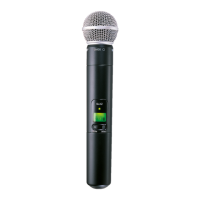
Features
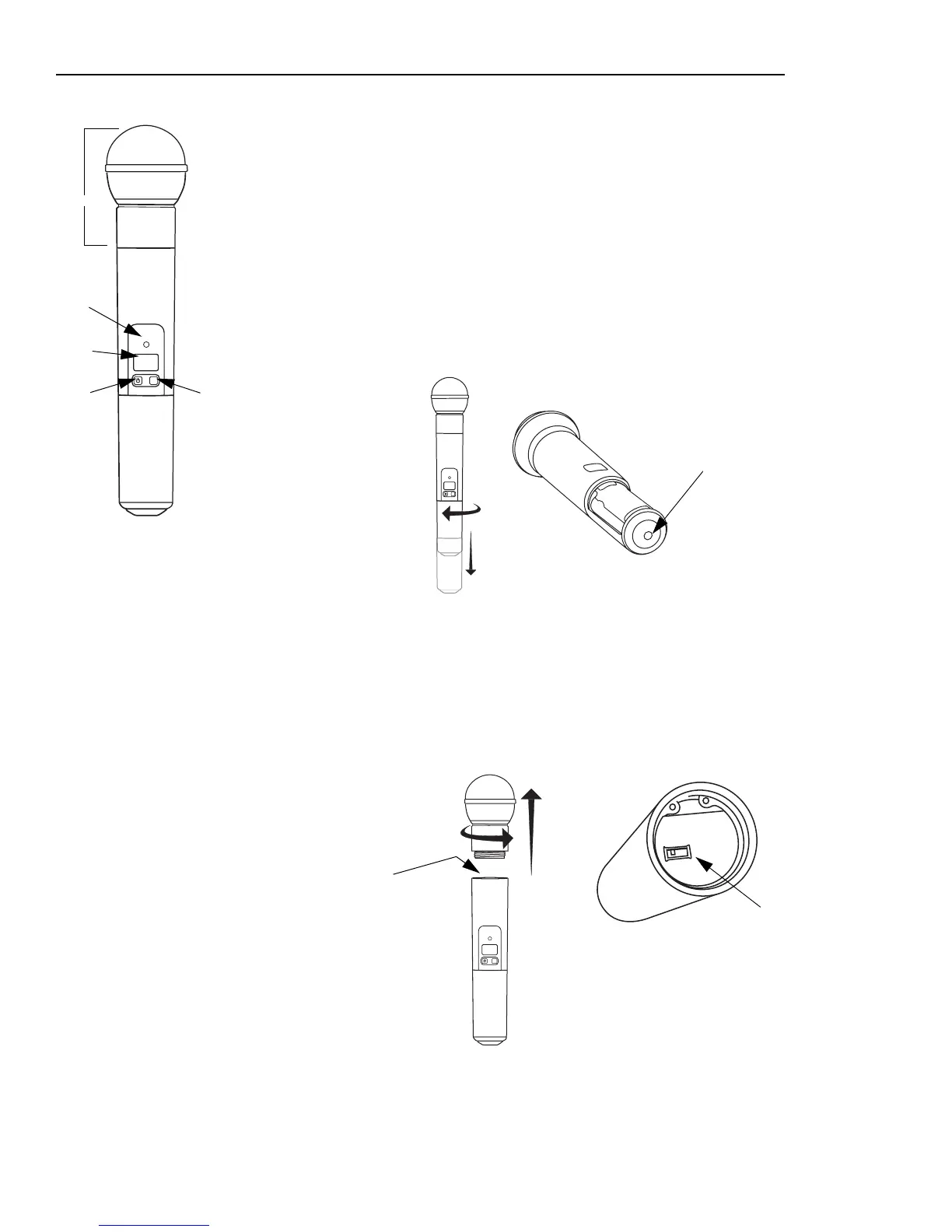
1 Interchangeable microphone head (SM58 pictured)
2 Power / Infrared (IR) / Mute indicator
Green: ready
Amber: mute on
Flashing red: IR transmission in process
Glowing red: battery power low
Pulsing red: battery dead (transmitter cannot be turned off until batteries are changed)
3 LCD screen
4 On-off / mute switch
Press and hold to turn on or off. Press and release to mute or unmute.
5 Select switch
6IR port
Receives infrared beam to synchronize frequencies. When using multiple systems, only one
transmitter IR port should be exposed at a time.
Adjusting Gain
Access the gain adjustment switch a by unscrewing the head of the microphone.
Two gain settings are available on the SLX2. Choose a setting appropriate for vocal volume
and for the performing environment. Use the tip of a pen or a small screwdriver to move the
switch.
•
0dB:
For quiet to normal vocal performance.
•
–10dB
: For loud vocal performance.
SLX
mute select
1
2
3
4
5
SLX
mute select
6
SLX
mute select
BIAS
AUDIO
0dB
-10dB
a
b


 To Next Page