Shure Incorporated
30/70
1.
2.
3.
4.
Multiple System Setup
A setup using networked receivers is the fastest and easiest way to distribute the best open channel to each system. See Net
working ULX-D Receivers for networking details.
Note: Networked receivers must all be within the same frequency band.
Networked Receivers
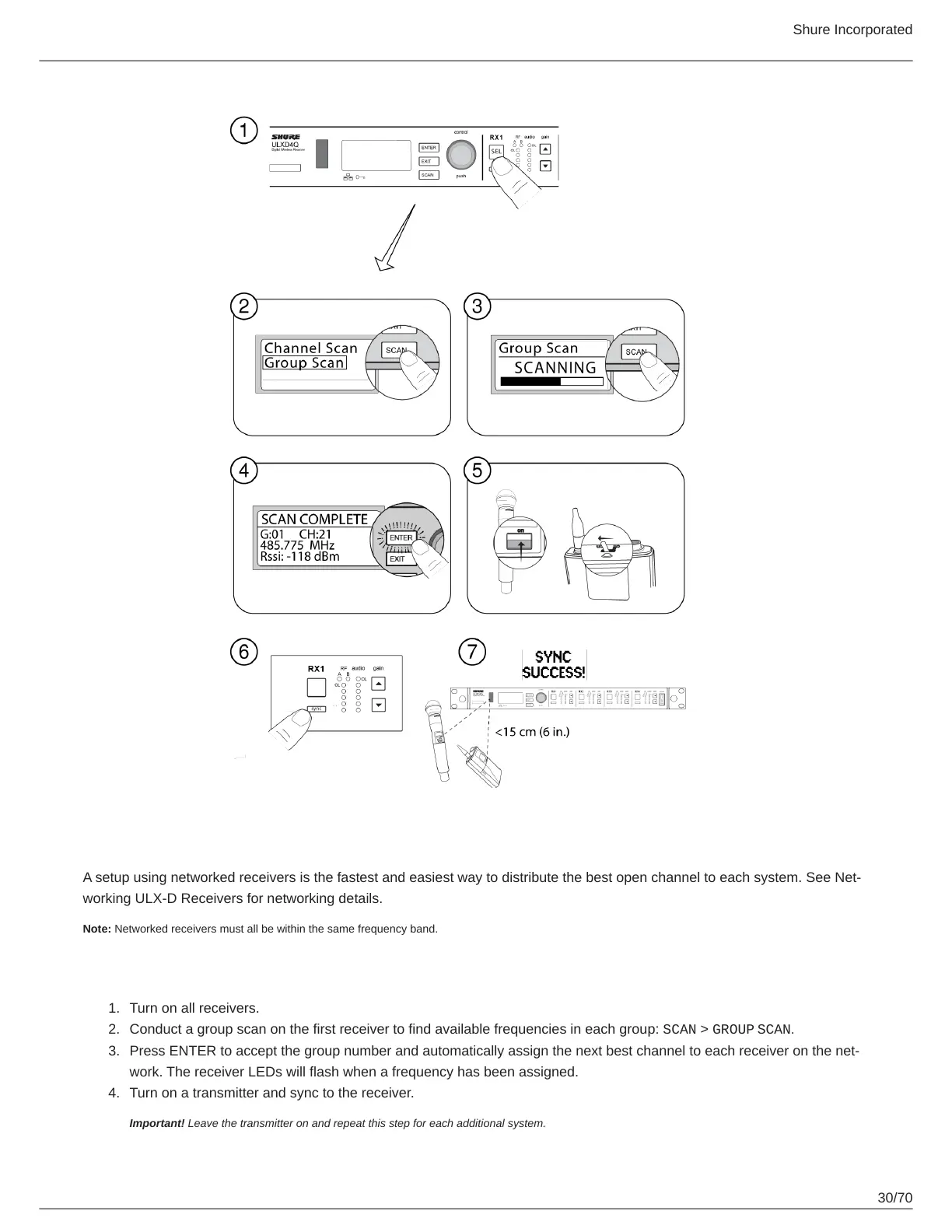
Turn on all receivers.
Conduct a group scan on the first receiver to find available frequencies in each group: SCAN > GROUP SCAN.
Press ENTER to accept the group number and automatically assign the next best channel to each receiver on the net
work. The receiver LEDs will flash when a frequency has been assigned.
Turn on a transmitter and sync to the receiver.
Important! Leave the transmitter on and repeat this step for each additional system.



 To Next Page