Shure Incorporated
17/70
◦
◦
◦
◦
◦
Transmitter
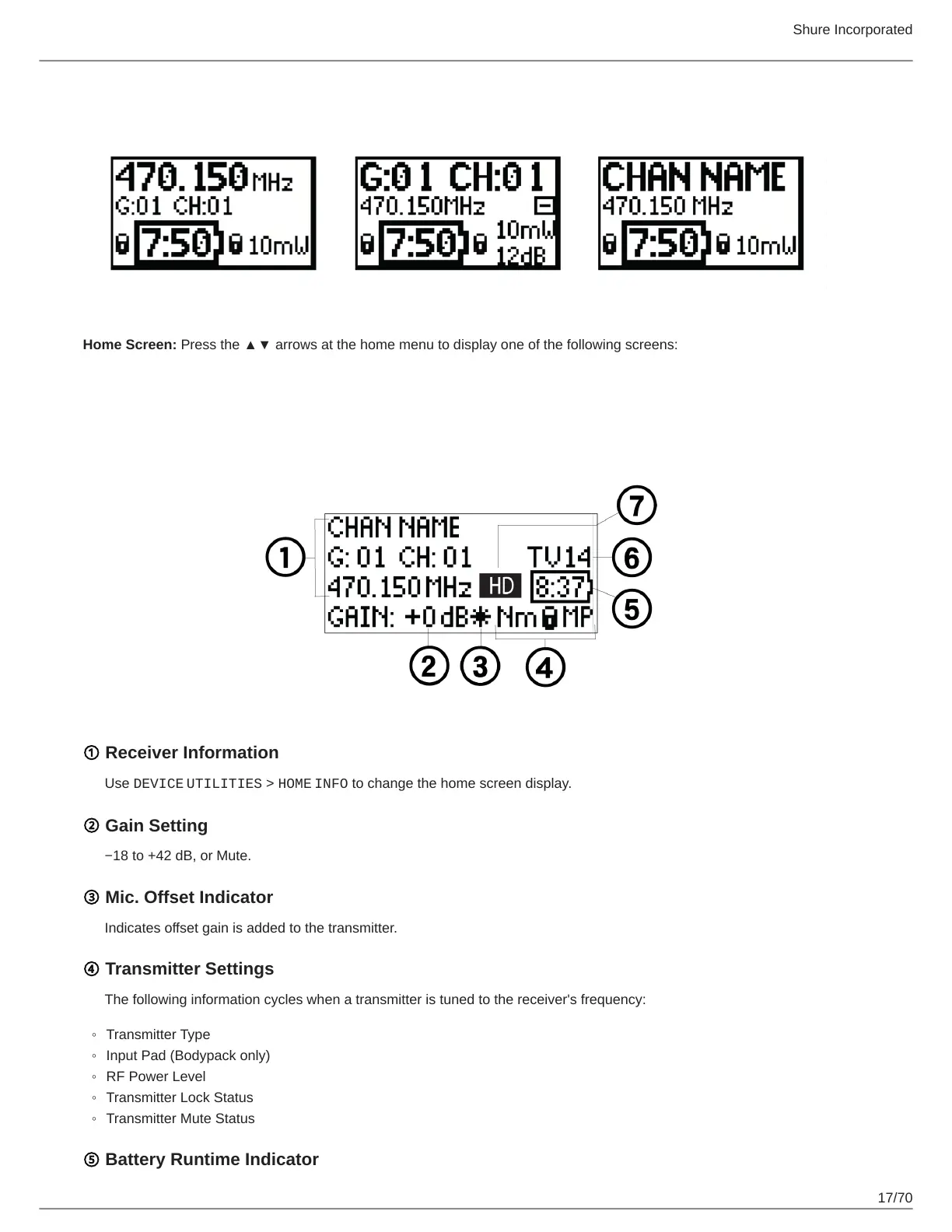
Home Screen: Press the ▲▼ arrows at the home menu to display one of the following screens:
Menu Screens
Receiver Channel
① Receiver Information
Use DEVICE UTILITIES > HOME INFO to change the home screen display.
② Gain Setting
−18 to +42 dB, or Mute.
③ Mic. Offset Indicator
Indicates offset gain is added to the transmitter.
④ Transmitter Settings
The following information cycles when a transmitter is tuned to the receiver's frequency:
Transmitter Type
Input Pad (Bodypack only)
RF Power Level
Transmitter Lock Status
Transmitter Mute Status
⑤ Battery Runtime Indicator



 To Next Page