Shure Incorporated
45/70
•
•
•
•
•
•
•
•
•
1.
2.
3.
4.
Dante Transmitters
Devices that send or add audio into the network such as:
Receiver Outputs
Amplifier Outputs
Mixer Outputs
Signal Processor Outputs
Recorder Playback Outputs
Dante Receivers
Devices that receive audio from the network such as:
Amplifier Inputs
Mixer Inputs
Signal Processor Inputs
Recorder Inputs
Forming an Audio Route
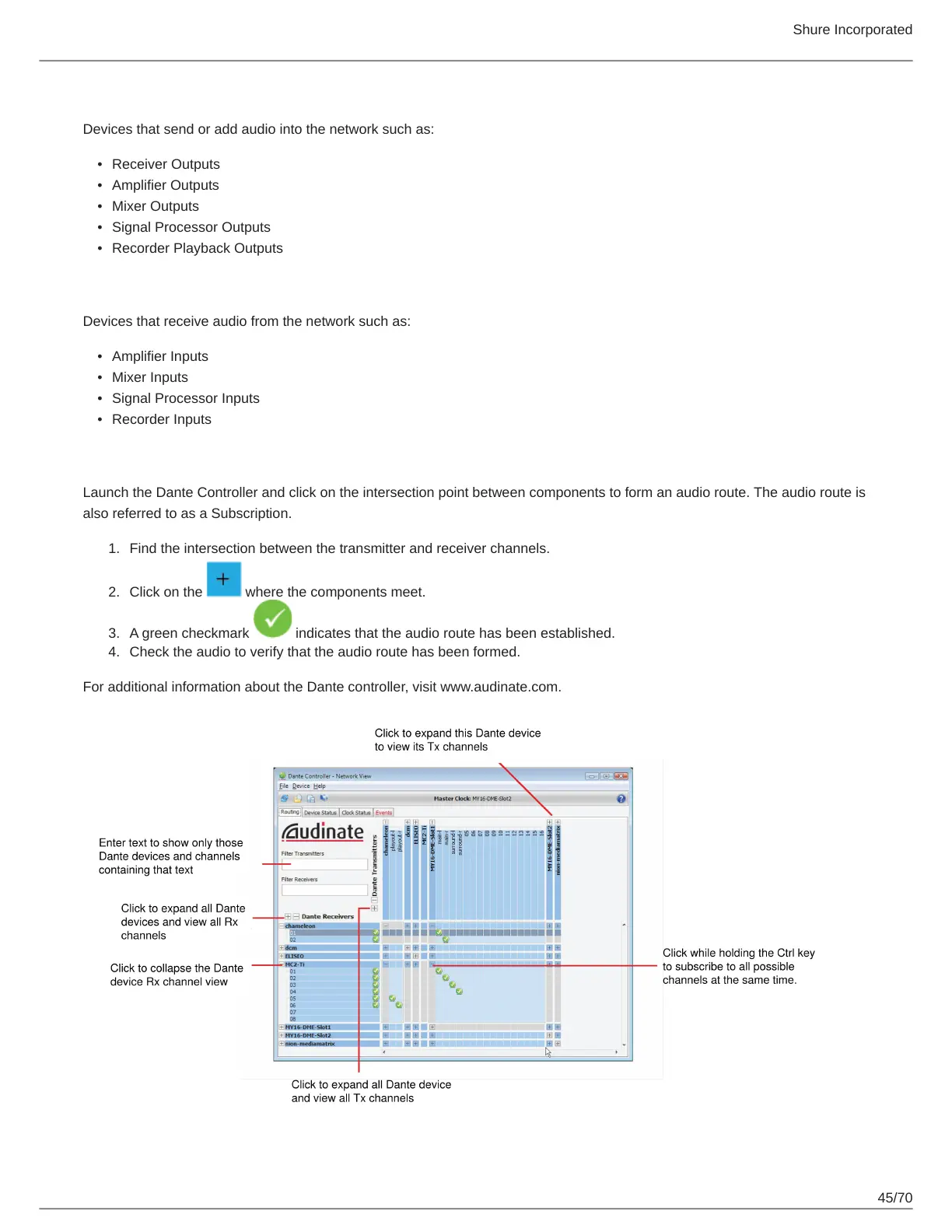
Launch the Dante Controller and click on the intersection point between components to form an audio route. The audio route is
also referred to as a Subscription.
Find the intersection between the transmitter and receiver channels.
Click on the where the components meet.
A green checkmark indicates that the audio route has been established.
Check the audio to verify that the audio route has been formed.
For additional information about the Dante controller, visit www.audinate.com.



 To Next Page