User Manual S60 79
UK
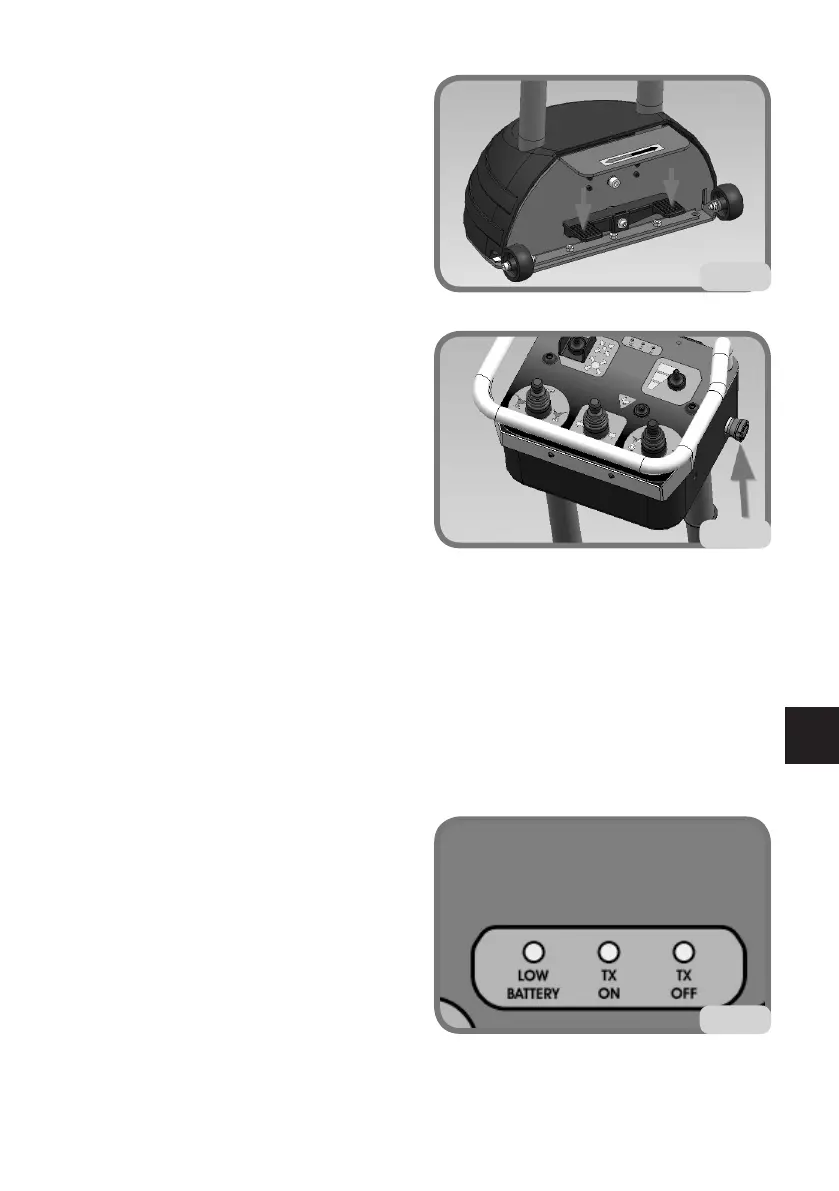
Pedals with central rest position (G fig. 14a)
Activate the pedal to start turntable
spindle clockwise/counter clockwise
rotation.
Pressing RH pedal the turntable will
rotate clockwise. Release the pedal to
stop rotation.
PressingLHpedaltheturntablewillrotate
counter clockwise. Release the pedal to
stop rotation.
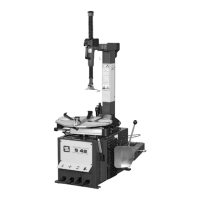
StopBUTTON(Hg.14b)
Press the stop button to stop all machine
signals that are transmitted by the control
lever. The button stops the communication
both in radio transmission mode and cable
transmission mode.
To restore the controls simply reset the
stop button. Wait for a few seconds for the
automatic restoring of the signal commu-
nication before giving any other command.
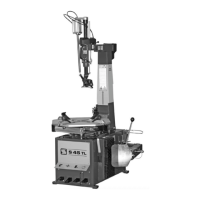
MONITORING TRANSMISSION STATUS
FROM LEDS PLACED ON THE CONTROL
LEVER
YELLOWLED-LOWBATTERY
ThisLEDturnsonwhenthevoltageofthepowersupplybattery,oftheradiotransmis-
sion, is below the minimum operating voltage. Recharge the batteries.
GREENLED-TXON
ThisLEDturnsontoindicateactivedata
transmission between the transmitter and
receiver units.
REDLED-TXOFF
ThisLEDturnsontoindicatenegativedata
transmission between the transmitter and
receiver units.
14a
14b
14c


 To Next Page