Value Quality
1 - 30
7.7.1.3 Dynamic teach-in (KTS-Wx7xx factory setting)
Suitable for teaching in moving objects.
1. Press the SET pushbutton.
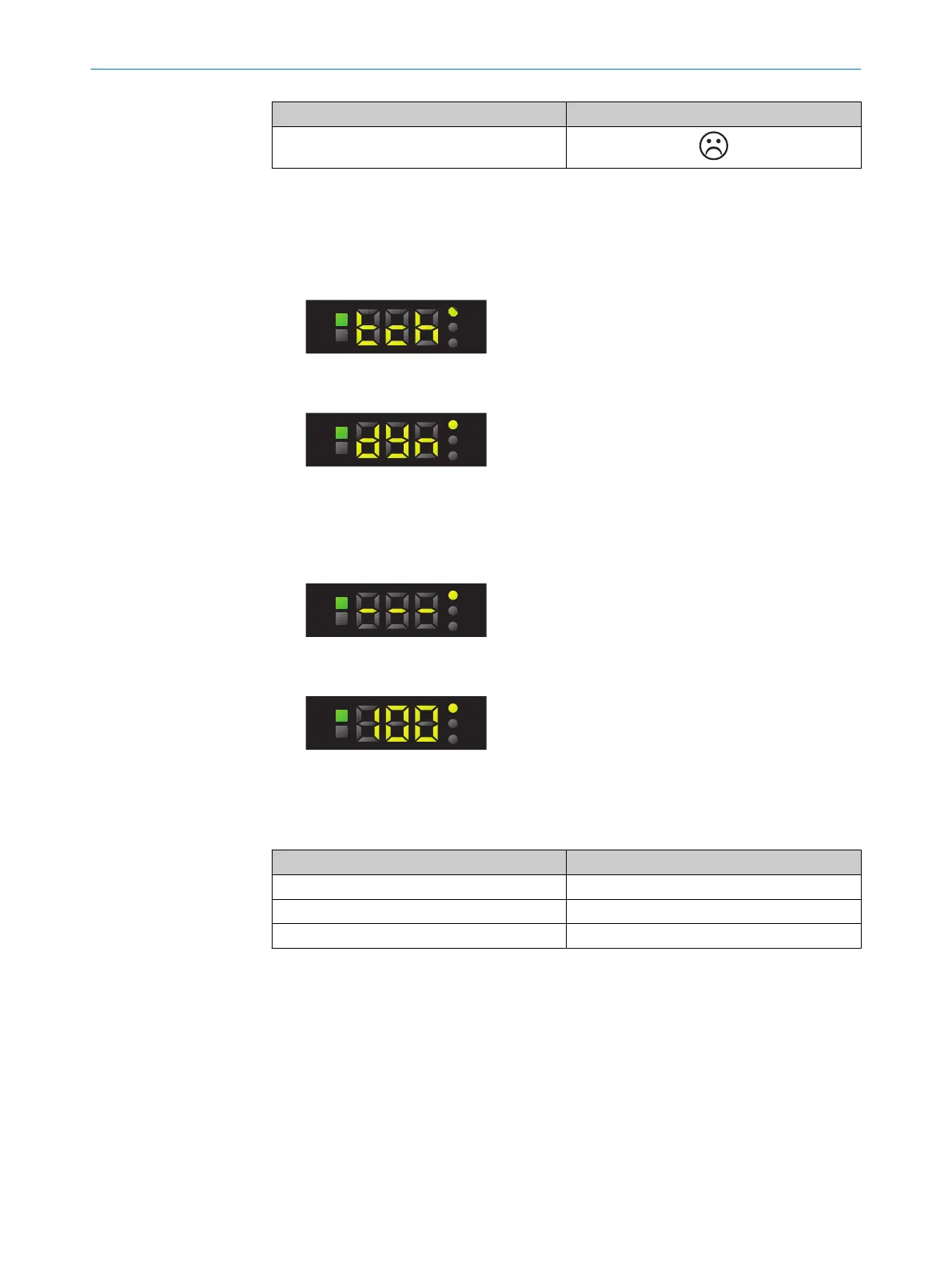
2. Use the plus or minus button to select tch.
3. Press the SET pushbutton.
4. Use the plus or minus button to select dYn.
5. Press the SET pushbutton.
6. Position mark or background under light spot.
The display lights up during repeat length detection. One repeat length is sufficient
for web lengths of between 0 m/s and 2 m/s. At least 2 or 3 repeat lengths are
recommended.
7. Press the SET pushbutton to quit the teach-in operation. The Quality of Teach is
displayed.
8. The live measured value is displayed after the Quality of Teach.
Quality of Teach
Table 12: Quality of Teach display
Indication Meaning
61 - 100 Excellent detection reliability
31 - 60 Good detection reliability
1 - 30 Poor detection reliability
7.7.2 Adjusting the switching threshold
During teach-in, the remission value of the switching threshold displayed is automati‐
cally set between the mark and background and corresponds to a switching threshold
of 50%.
If the switching events do not correspond to the expected results, the switching thresh‐
old can be adjusted independently of the teach-in process.
1. Press SET button.
Use the plus or minus button to select thr.
7 OPERATION
24
O P E R A T I N G I N S T R U C T I O N S | KTS Core 8026298/2021-08-11 | SICK
Subject to change without notice














 To Next Page