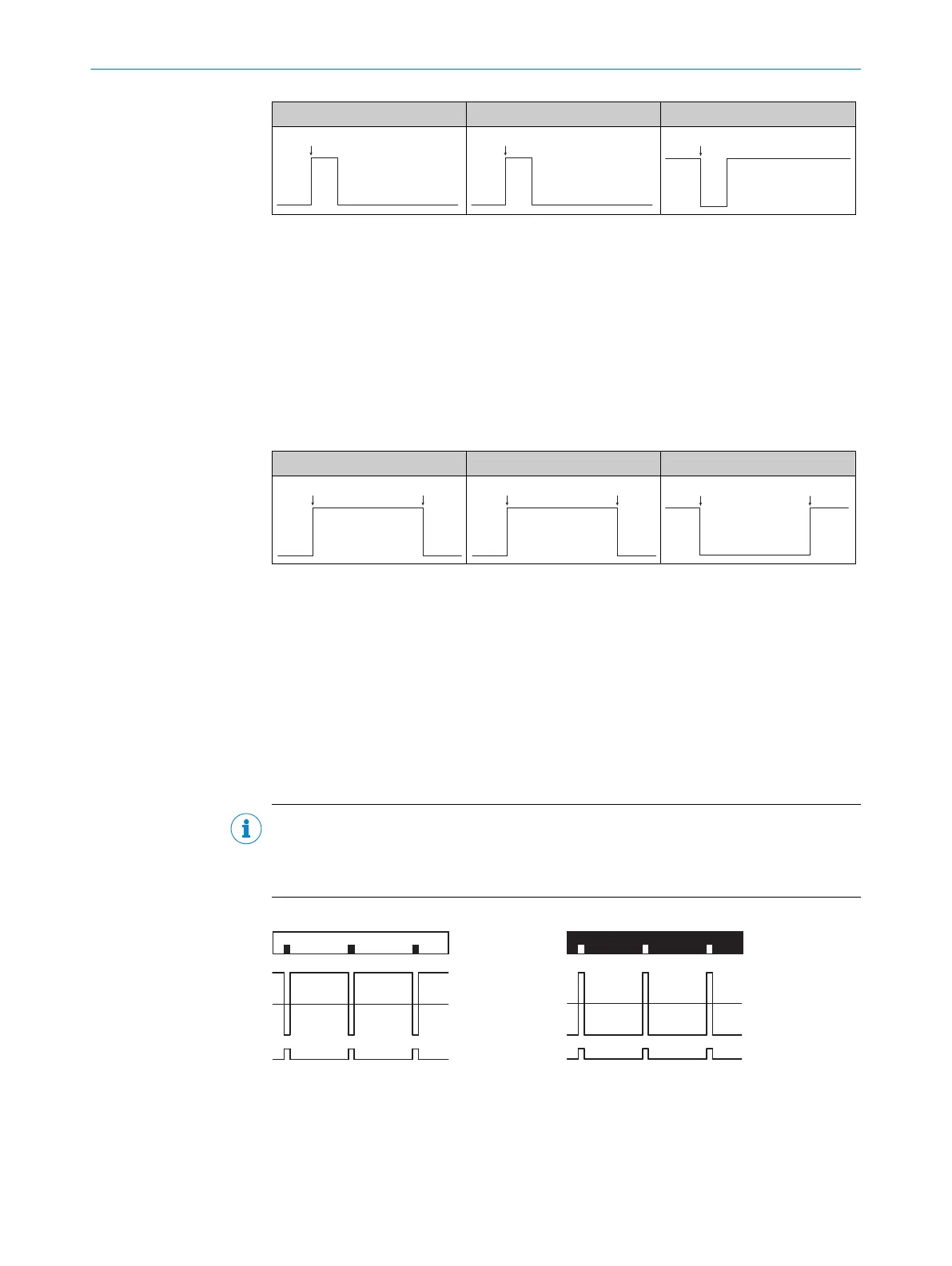
Push-pull PNP NPN
1
Teach point
7.7.3.3 Dynamic teach-in
Suitable for teaching in moving objects.
1. Activate teach-in via the control cable (ET) and hold.
2. Position the background or the mark under the light spot.
3. One repeat length is sufficient for a web length between 0 m/s and 2 m/s. At least
2 - 3 repeat lengths are recommended.
4. Deactivate teach-in via the control cable (ET).
5. The teach-in process is complete.
Push-pull PNP NPN
1
Start teach-in
2
Stop teach-in
7.8 Pro level (advanced settings)
You can use the advanced settings to adapt the device to the particular
application conditions or to configure additional values and functions.
7.8.1 Adjusting the switching logic (light/dark)
The “AUTO” switching logic is preset (factory setting). Light or dark switching is detected
automatically by the sensor.
NOTE
With external dynamic teach, the light/dark (L/D) switching via the factory settings
is used by PIN2. PIN2 must be manually configured to nF (no function) to use the
automatic light/dark regulation of the sensor.
Dark switching Light switching
1
Internal received signal
2
Switching threshold
3
Output Q
1. Press the SET pushbutton.
2. Use the plus or minus pushbutton to select Pro.
7
OPERATION
26
O P E R A T I N G I N S T R U C T I O N S | KTS Core 8026298/2021-08-11 | SICK
Subject to change without notice














 To Next Page