7 Commissioning
7.1 Operation using SOPASair
The browser-based SOPASair software can be used to parameterize the device and for
service and diagnostic purposes.
To parameterize the device, you will require a computer with a web browser installed
and a free Ethernet connection. Alternatively, the connection can be established via a
USB connection using an Ethernet USB adapter.
7.1.1 Opening user interface
Before opening the user interface, perform the following work steps:
•
Connect the device to the computer via Ethernet.
•
Set up the voltage supply for the device.
•
Ensure that the computer and device are located in the same network.
•
Ensure that the computer uses a different IP address than the device, but is in the
same IP address range (e.g. 192.168.0.xxx)
Opening user interface:
1. Open web browser (recommendation: Google Chrome).
2. Enter the device IP address into the address line. The standard IP address is:
192.168.0.1
✓
The SOPASair user interface is displayed.
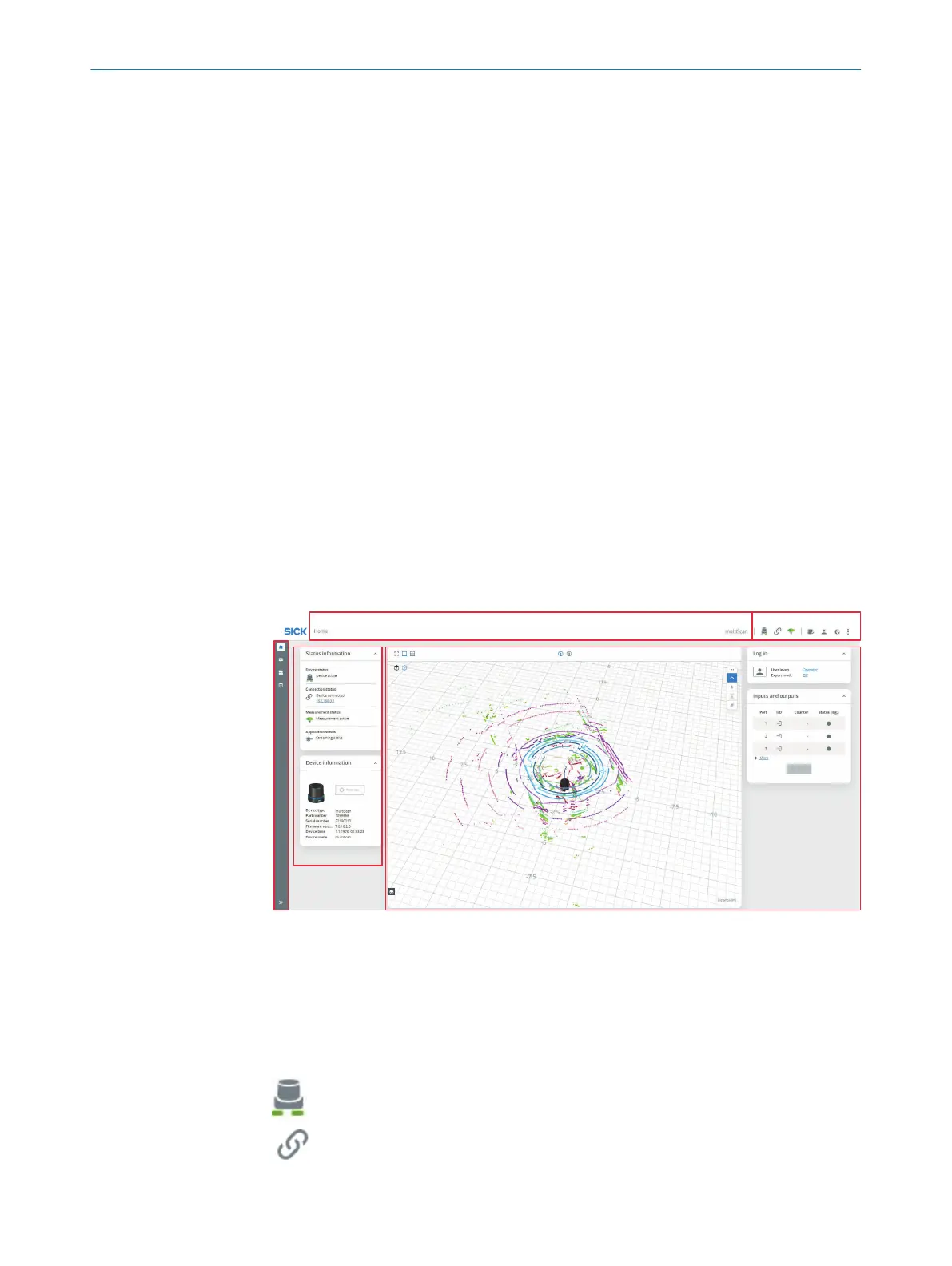
7.1.2 Overview
1
Show and hide menu bar
2
Menu path for opened menu
3
Status indicators | toolbar
4
Menu panel Status information and Device information
5
Workspace with live image and menu panels
Status indicators
LED display
Device connection status
7 COMMISSIONING
46
O P E R A T I N G I N S T R U C T I O N S | multiScan136 8027119/0000/2022-11 | SICK
Subject to change without notice


 To Next Page