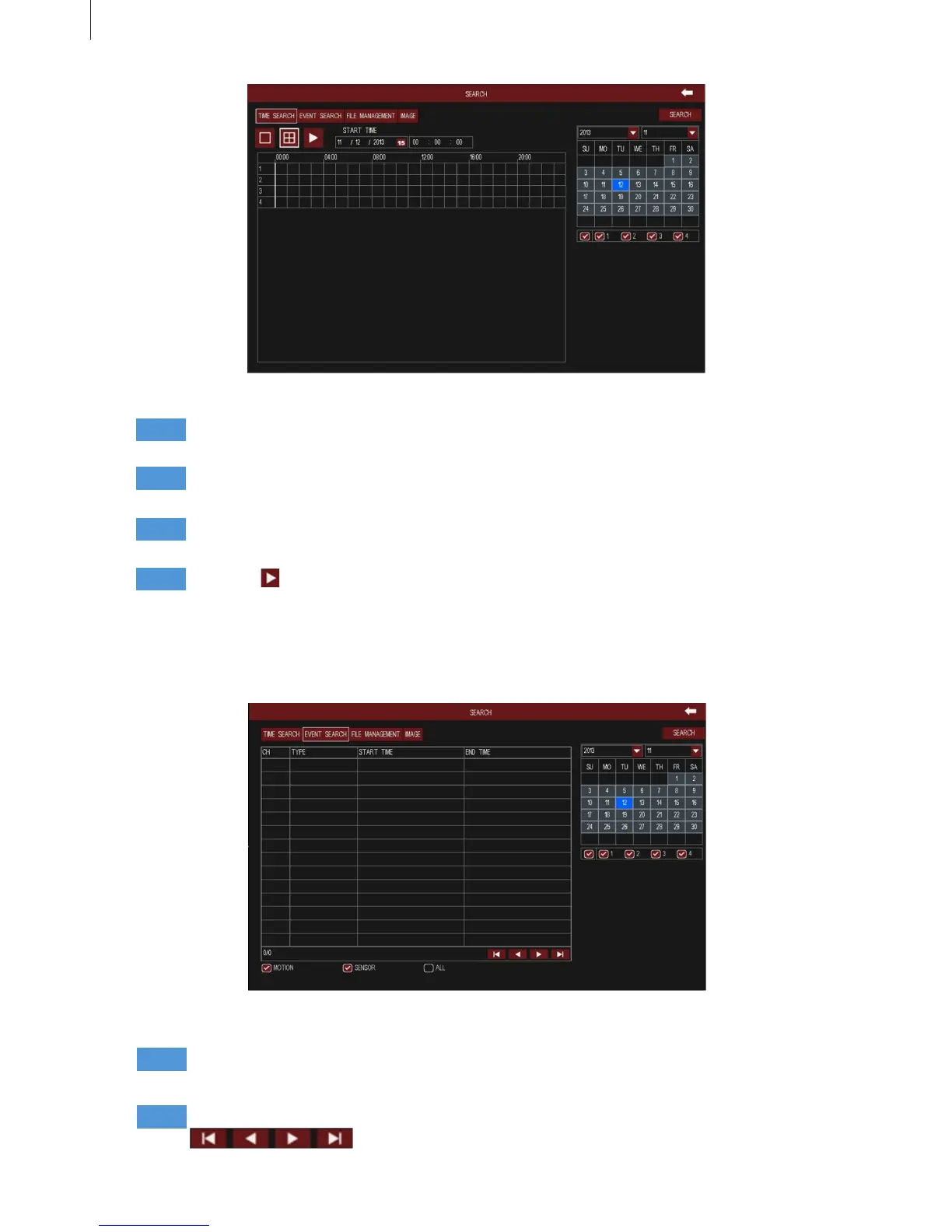
Fig 3-7
Fig 3-8
24
2.2.2 Event Search
Menu Setup Guide
Step1
Step2
Step3
Step4
Select a certain date and channels which need to search video. The highlight date in the calendar
means have record data.
Press Search button, the searched record information will be displayed in the timeline panel. The
red grid means have record.
Set the screen display mode; click time grid to set the playback start time, or input this time
manually.
Click Play button to playback video from the selected time. Click the relevant buttons on the
screen to control playback.
Step1
Step2
Select a certain date, event type (motion, sensor) and channels which need to search video. The
highlight date in the calendar means have record data.
Press Search button, the searched event information will be displayed in the event list. Click
buttons to turn the page.



 To Next Page