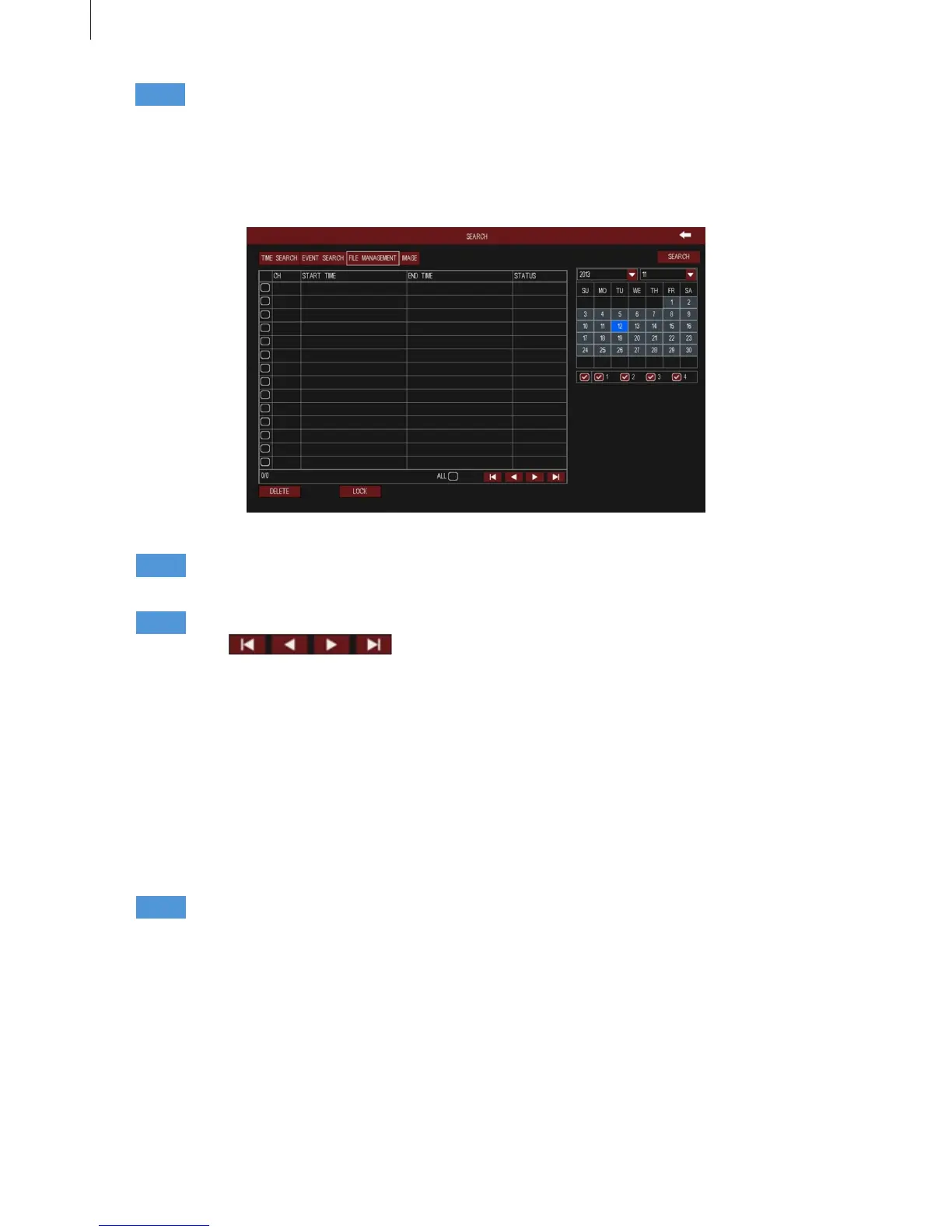
Fig 3-9
2.3 Quick Setup (WIZARD)
Click “Quick Setup” button to open the WIZARD window, it will also start once the DVR has loaded. It will
walk you through some of the more important settings of your DVR, such as device name, language, date
format, system time, network parameters, record bitrate, disk management, etc.
25
2.2.3 File Management
Menu Setup Guide
Step3 Double click an event le to playback. Click the relevant buttons on the screen to control
playback.
Step1
Step2
Step3
Select a certain date and channels which need to search video. The highlight date in the calendar
means have record data.
Press Search button, the searched le information will be displayed in the le list.
Click buttons to turn the page.
Double click a le to playback. Click the relevant buttons on the screen to control playback.
Lock: Select a le and click “Lock” button, then click OK button in the pop-up message box to lock this
le, after that, that le will not be deleted or covered.
Once the le is locked, it will not be hidden or deleted, but format will clear the locked le.
Unlock: Select a locked le and click “Lock” button again, then click OK button in the pop-up message
box to unlock this le.
Delete: Select an unlocked le and click “Delete” button, then click OK button in the pop-up message box
to delete this le.
Tick off “All”, user can lock/unlock or delete all les.



 To Next Page