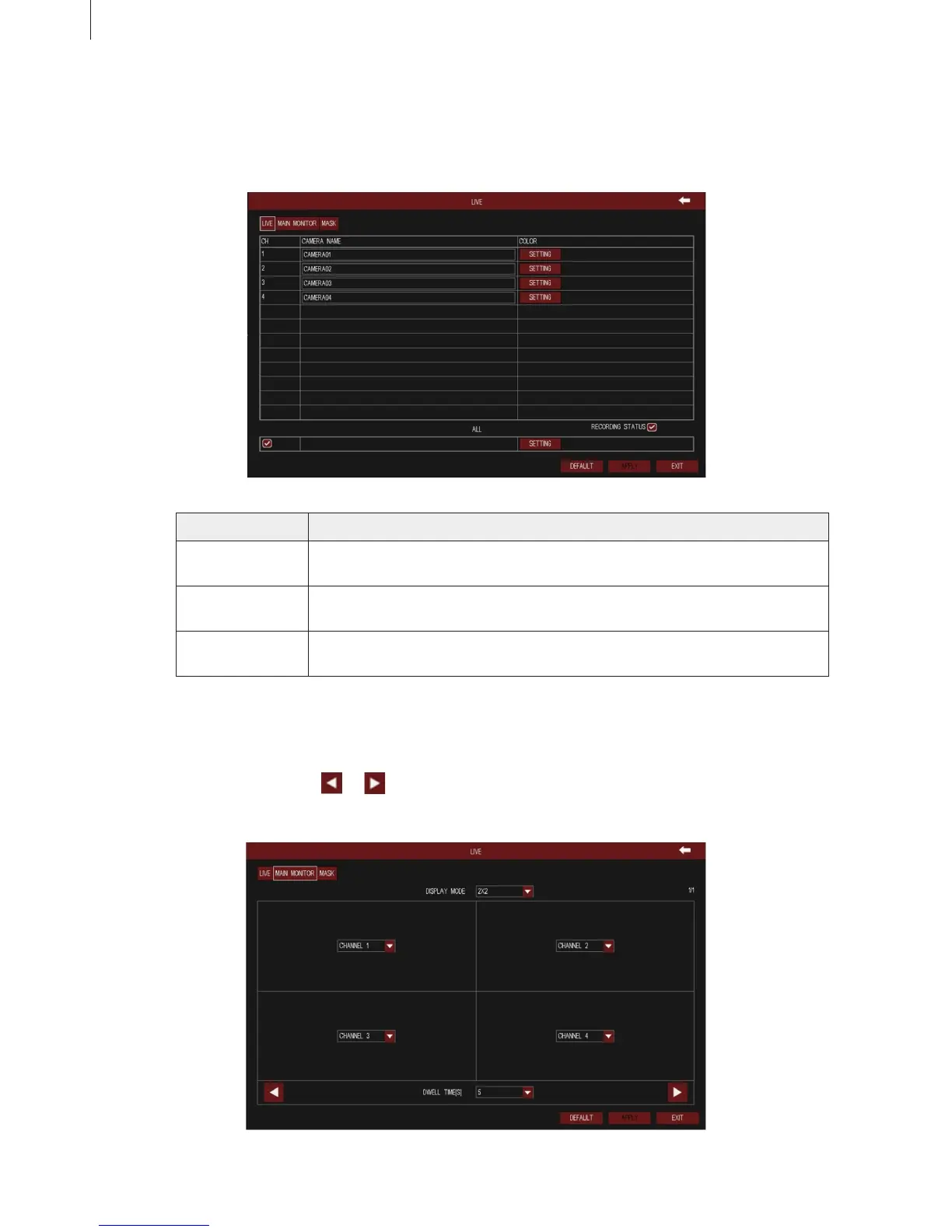
Fig 3-33
Fig 3-35
37
2.4.4 Device
(1) Live
1) Live
Parameter Meaning
Camera Name User can self-dene the channel name. Click camera name to pop up a soft
keyboard, click Shift key to switch the input state.
Color Click “Setting” button to enter the color adjustment window. User can adjust
the brightness, hue, saturation and contrast of channel video.
Recording Status Tick off it, the screen will appear a status icon when manual recording or
trigger recording.
2) Main Monitor
User can set the channel combination for dwell. Select the display mode and channel combination
of current group, click or button to set the previous/ latter channel group of dwell pictures;
set dwell time: the time interval for a certain dwell picture switching to next dwell picture. As shown
in Fig 3-35:
Menu Setup Guide



 To Next Page