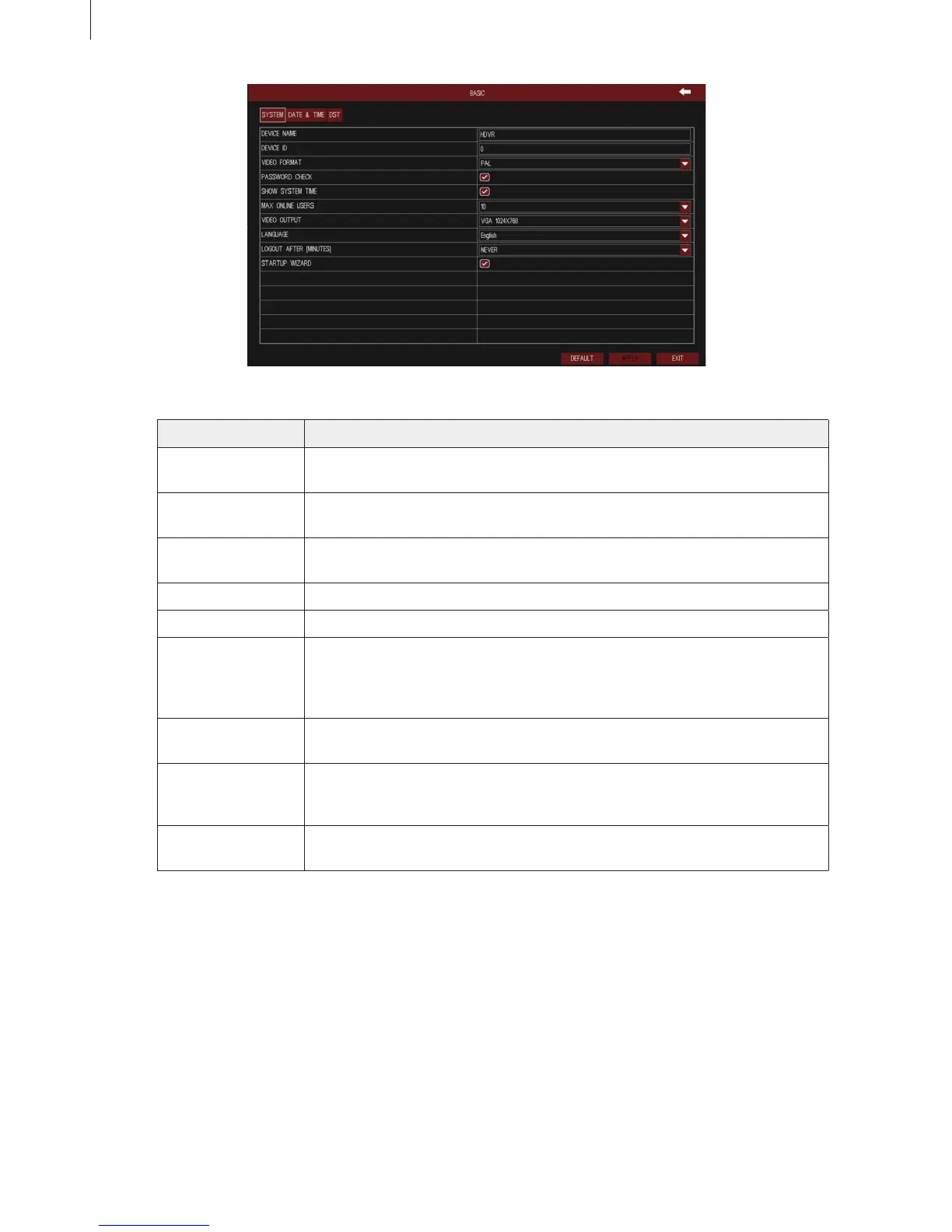
Fig 3-10
27
Menu Setup Guide
Item Description
Device Name/ID The name/ID of device. It may display on the client end that help user to
recognize the device remotely. ID range: [0~65535].
Video Format Two modes: PAL and NTSC.
Note: Change the video format, system will reboot.
Password Check Enable this option. User needs to enter the user name and password for
authentication, and do operations with the relevant right.
Show System Time Enable this option to display time in live display.
Max Online Uses Set the maximum number of network connected users.
Video Output The resolution and menu output of live display, range from: CVBS,
VGA800*600, VGA1024*768, VGA1280*1024 and HDMI.
Note: When switching among BNC,VGA and HDMI, it will change the menu
output mode, please connect to the corresponding device for control.
Language Select the menu language; built-in multi-languages.
Note: Change the language or video output, the device needs to login again.
Logout After Set the screensaver interval time. If there is no any operation within the
period specied, the device will automatically logout and return to login
interface.
Startup Wizard Enable this option to display a wizard window when powered up for the next
time.
Click “Default” button to restore the default setting; click “Apply” button to save the setting; click “Exit”
button to exit current interface.
(2) Date & Time
User can set the date format, time format and time zone of DVR; enable “Sync Time With NTP Server”
and click “Update Now” button to synchronize system time with NTP server (optional); or manually set
the system time of DVR and click “Save Now” button. As shown in Fig 3-11:



 To Next Page