Hicom 150 E Office and optiset E
8
Hicom 150 E Office and optiset E
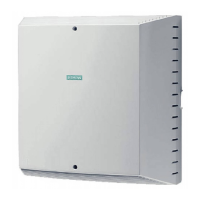
Hicom® 150 E Office is a state-of-the-art commu-
nication system with system-based optiset E®
telephones that feature outstanding user-friendli-
ness.
It is connected to the public network via ISDN and/
or conventional analog trunks.
A new, patented system of self-explanatory user
prompts greatly simplifies the operation of the op-
tiset E standard, optiset E comfort, optiset E con-
ference, and optiset E memory system tele-
phones.
You follow the self-explanatory display texts that
are offered to you automatically (interactively),
such as “US:Consult UK:Enquiry”, confirm your
selection by pressing , or press or
to scroll to the next option.
Features and functions that are not offered auto-
matically appear only after you press the
key (
Æ
32).
With this new type of user prompting, a user man-
ual describing detailed procedures is not needed.
Accordingly, this manual contains only an explana-
tion of the features and functions and how they
can be activated. The user prompting on the dis-
play takes over from there. The user prompts are
based on examples.
Operating principle/user prompting (
Æ
22)
Example of the operating sequence for a confer-
ence (
Æ
31)
Use function keys and codes to operate system
telephones without displays (optiset E entry and
optiset E basic).
Program/Service







 To Next Page
