Maintenance and service
12.3 Separating the control unit from the computer unit
SIMATIC Panel PC 877
Operating instructions, Release 07/2006, A5E00877780-01
12-5
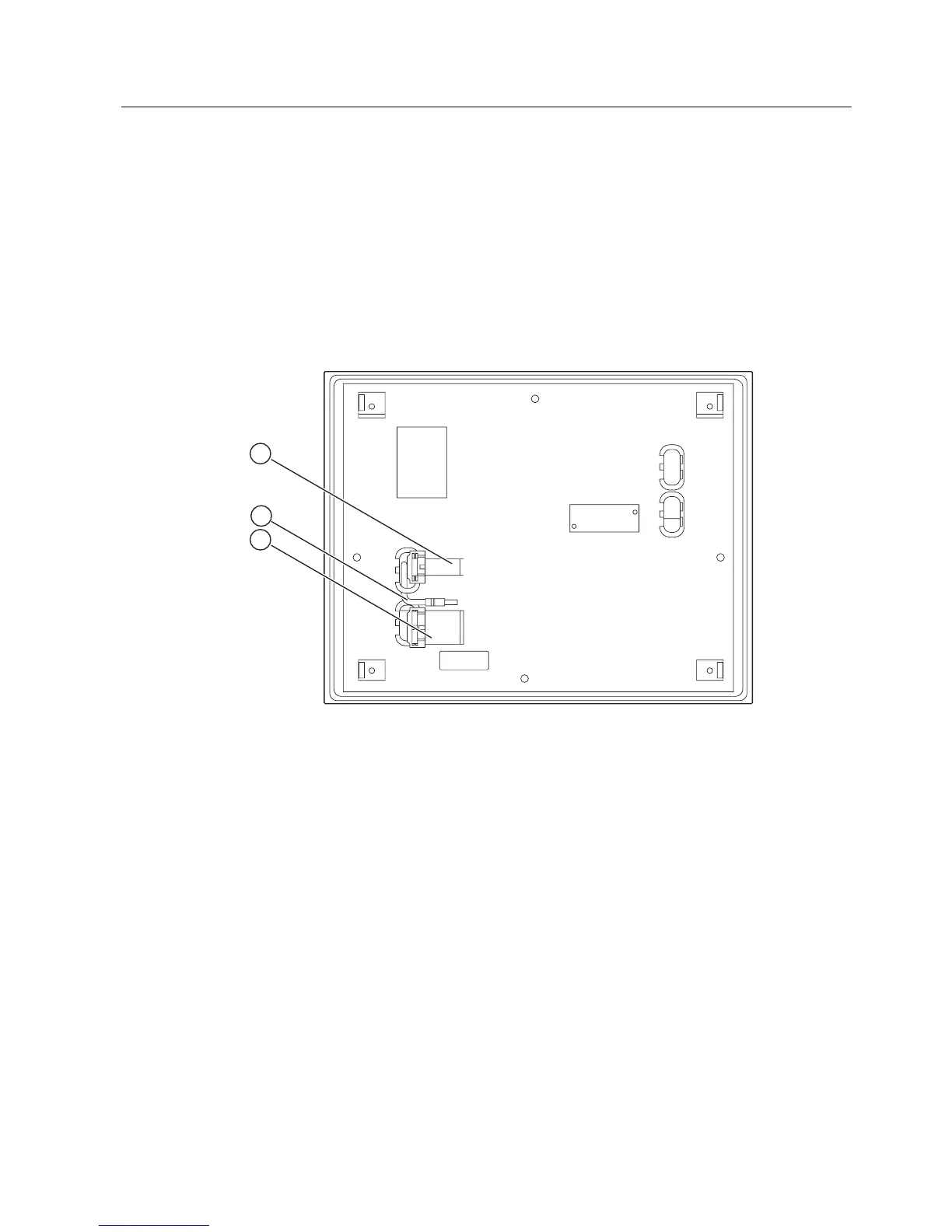
5. Loosen cables K1 to Kx and the USB cable between the computer unit and the control
unit
6. Two mounting rails are screwed onto the computer unit whose angled ends (4) are
located in the corresponding recesses in the computer unit. Lift the computer unit
vertically out of these recesses
7. Put the computer unit down carefully.
8. Where necessary, also remove the control unit depending on its design: Secure the
control unit against falling out and unscrew it. Or remove the clamps which secure the
control unit to the installation wall, as shown in the mounting cut-out in the dimensions
diagram.
Figure 12-2 Other interfaces on the computer unit
1 Display cable K2 and display cable K3
*)
2 USB cable
3 IO/USB cable K1
*) Only for 19" touch panel fronts.











 To Next Page