Maintenance and service
12.4 Installing and removing hardware components
SIMATIC Panel PC 877
12-22 Operating instructions, Release 07/2006, A5E00877780-01
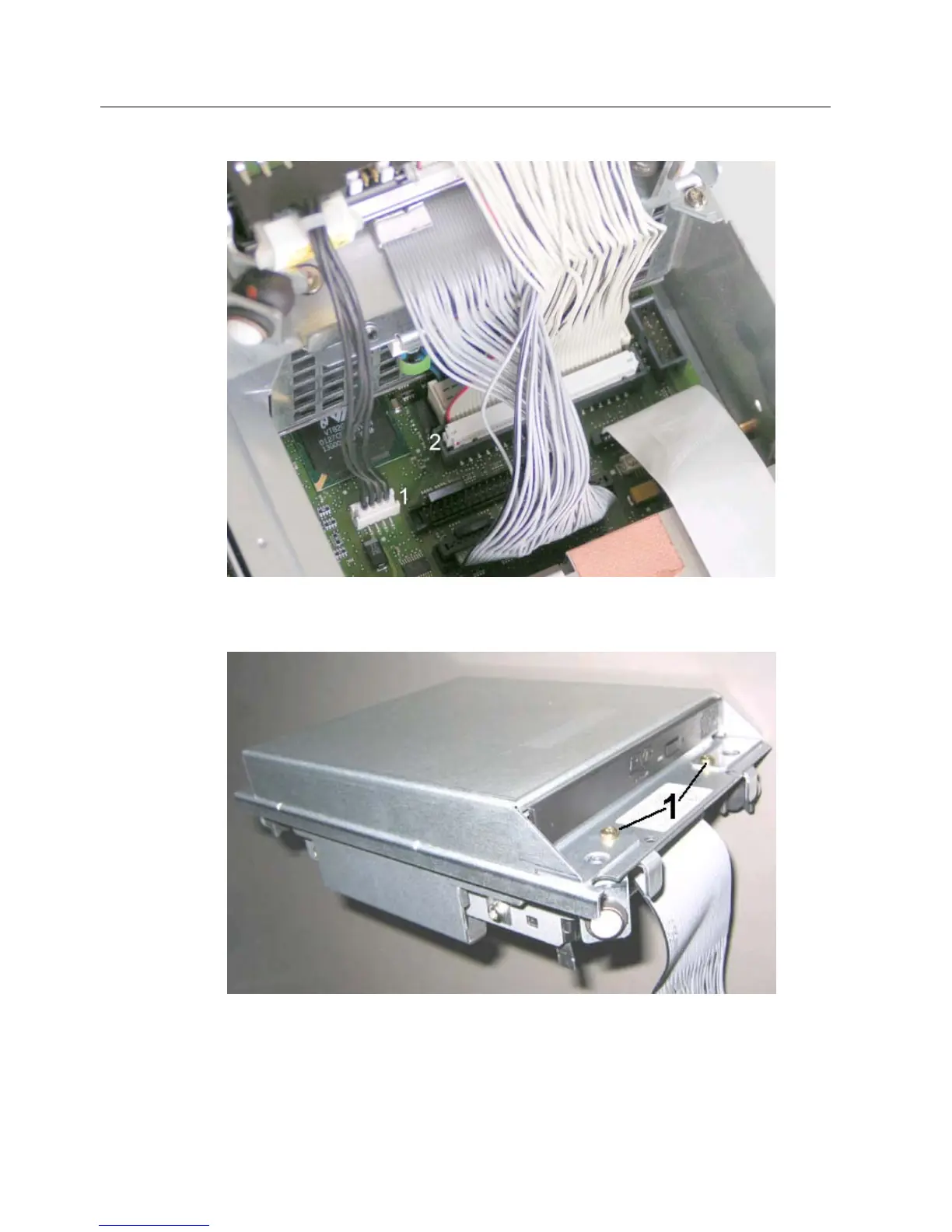
Figure 12-5 Drive connectors
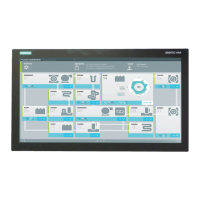
2. Loosen the 2 screws (1) of the drive housing.
Figure 12-6 Drive with housing
3. Flip up the housing cover (1) 90°.











 To Next Page