Maintenance and service
12.4 Installing and removing hardware components
SIMATIC Panel PC 877
Operating instructions, Release 07/2006, A5E00877780-01
12-23
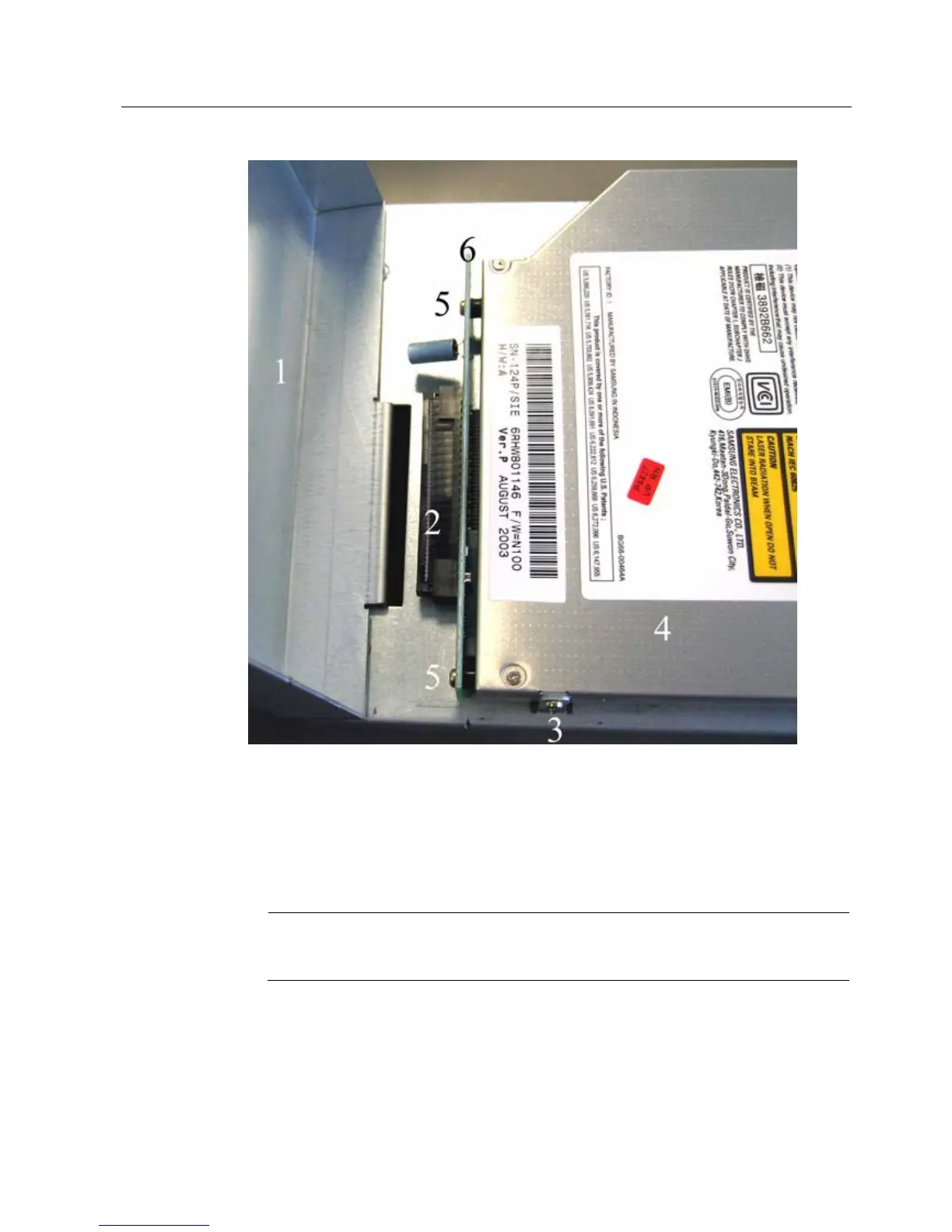
Figure 12-7 Drive removed, housing flipped up
4. Remove the connector of the ribbon cable from the socket (2).
5. Loosen the 3 screws (3) with a TX6 key.
6. Remove the drive (4) from the bracket.
7. Loosen the 2 screws (5) on the board (6).
Notice
Loose spacer bolts are located between the housing and the board. When loosening the
board, hold the spacer bolts in place.
8. Remove the board (6).
Reverse the procedure to install the drive.











 To Next Page