6.9.4 Loading Plus
+
Site Layout Configuration
The ST950 Plus
+
controller requires a Plus
+
Site Layout configuration to be loaded for correct
operation. The configuration is loaded as follows;
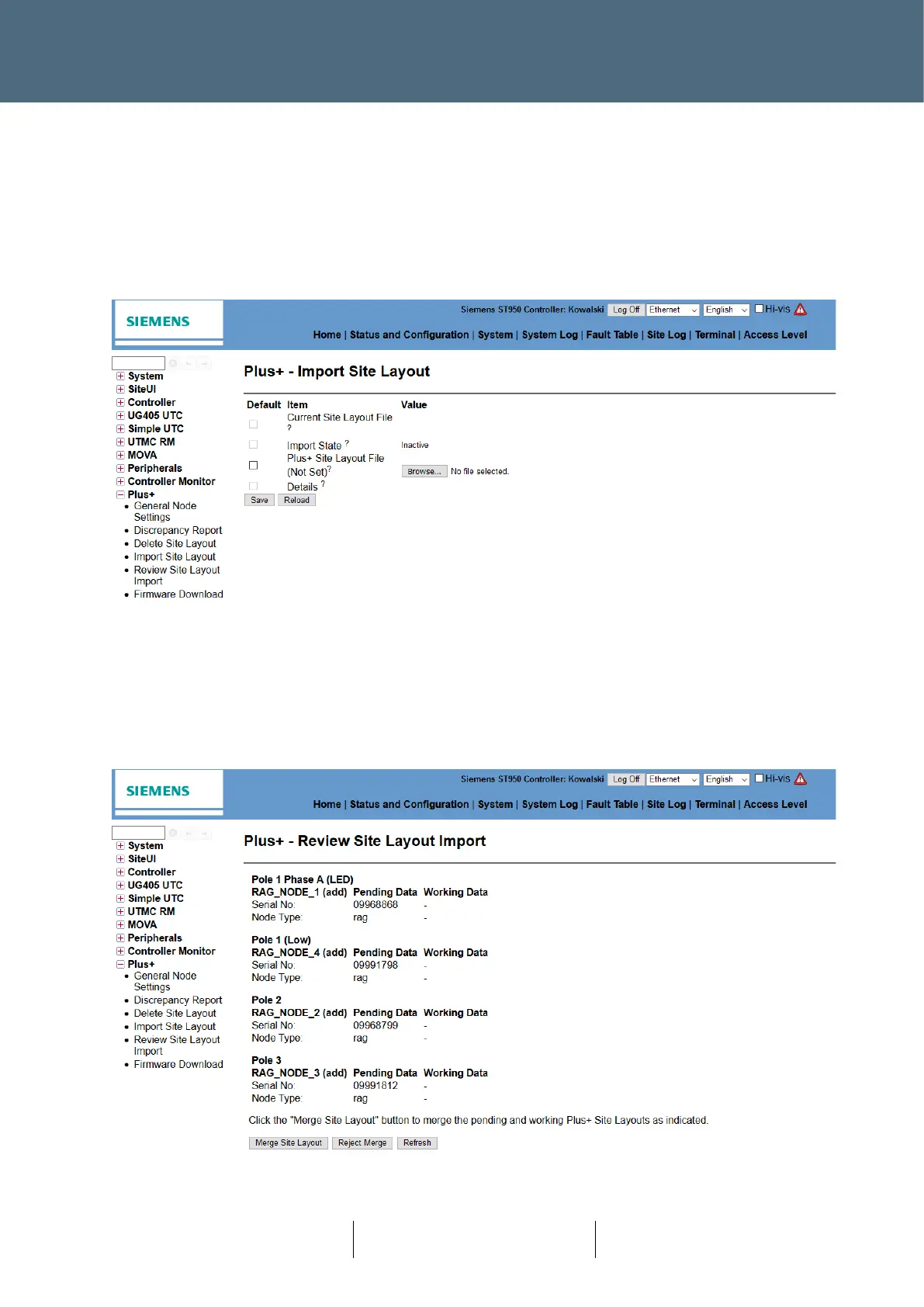
First select the configuration file using the Status and Configuration → Plus
+
→ Import Site Layout
web page:
• Select the configuration to be imported using the Browse button.
• Press the Save button to load the configuration.
Review the changes which would be applied to the system by the new configuration using the
Status and Configuration → Plus+ → Review Site Layout Import web page:
• Press the Merge Site Layout button to accept the changes.
• Press the Reject Merge button to reject the change.








 To Next Page