9.3.9 Intermittent Faults/Problem Sites
If a site has an intermittent fault or a fault which keeps repeating, then first the appropriate
procedure for the fault should be followed as most paths have more than one suggested area to
check for the fault.
If the fault is still intermittent, do the following:
• Gently - try and move/flex each card whilst in situ to check for any intermittent connections.
• If any intermittent connections are found, replace appropriate card.
• Gently move cables and wiring looms to check for any intermittent connections.
• Switch controller ‘off’ and withdraw all cards. Check security of any ICs mounted in sockets
on the CPU Card.
• Re-fit cards and re-check operation of controller.
9.3.10 Faults with Handset
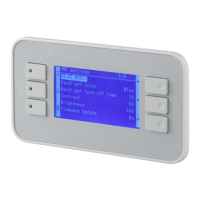
If the handset does not operate correctly when plugged into the handset port on Main CPU Card,
do the following:
• Check that the Handset +5V supply fuse (F1) on the CPU Card is intact.
• Check that there is a +5V supply on pins 9 and 10 of the handset socket (0V is on pins 1, 7,
18 and 19). With the handset plugged in check the ripple voltage on 5V supply.
• (This supply powers those handsets that do not have their own supplies.)
• To fully investigate, this supply may require the use of an oscilloscope.
• Switch off controller and withdraw Main CPU Card. Check security of ICs mounted in sockets
of the above card. If no loose ICs are found, replace Main CPU Card.
• Replace Main CPU Card and re-check to see if handset now operates correctly.








 To Next Page