9.4.11 Replacement of the Manual Panel Card
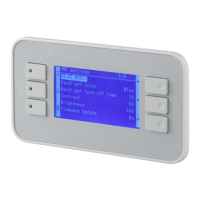
First unplug the cable connecting the panel to the CPU Card.
The panel is retained by a number of screws to the main cabinet assembly. (Mounting methods
may vary in different cabinets).
After removal of these screws the panel may remain stuck in place by the gasket. Ease the panel
away from the housing, gradually working from one corner taking care not to scratch or otherwise
damage it.
The replacement panel should be mounted with a new gasket to prevent water ingress. After
fitting, reconnect the cable to the CPU Card.
An Internal Manual panel (where fitted) can be removed directly by removal of the screws holding
it to the 19 inch panel; it may be easier to remove the 19" panel from the rack first. As there is no
gasket on an internal Manual Panel, no sealing is required on refitting.








 To Next Page