SIGLENT
SSA3000X User Manual 45
2.3.1.7 Off
Turn off the marker currently selected. The marker information displayed on the screen and
functions based on the marker will also be turned off.
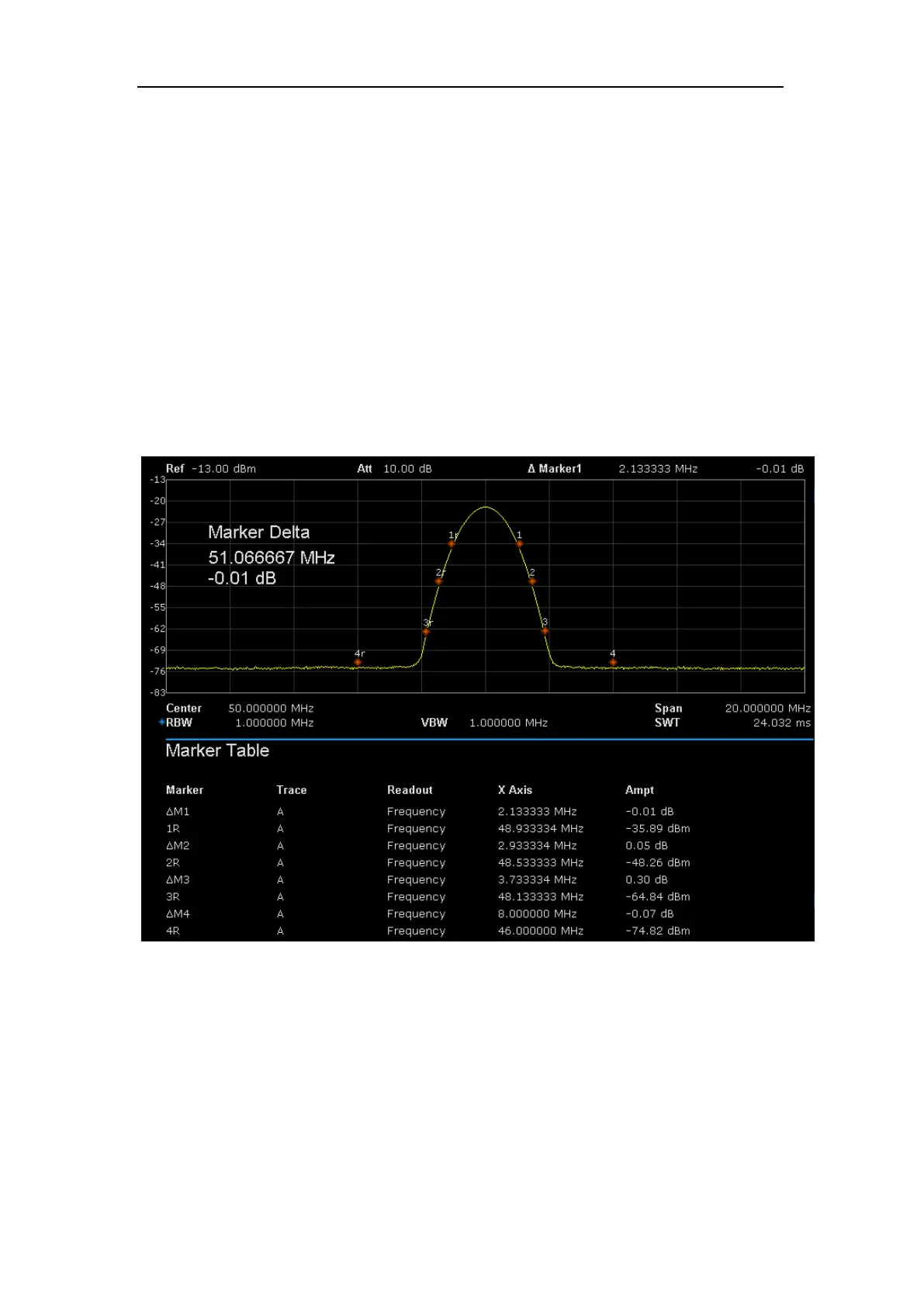
2.3.1.8 Marker Table
Enable or disable the Marker Table.
Display all the markers enabled on the lower portion of the screen, including marker number, trace
number, marker readout type, X-axis readout and amplitude. Through this table you can view the
measurement values of multiple points. The table allows for up to eight markers to be displayed at
one time.
Figure 2- 7 Marker table
2.3.2 Marker ->
2.3.2.1 M->CF
Set the center frequency of the analyzer to the frequency of the current marker.
If Normal marker is selected, the center frequency will be set to the frequency of the current



 To Next Page