39
Picture 2-28
32K/40K/2Mpts memory depth Series operate steps:
(1) Press the “HORI MENU” button to enter the “Horizontal menu”.
(2) Turn the “S/div” knob to change the main timebase scale.
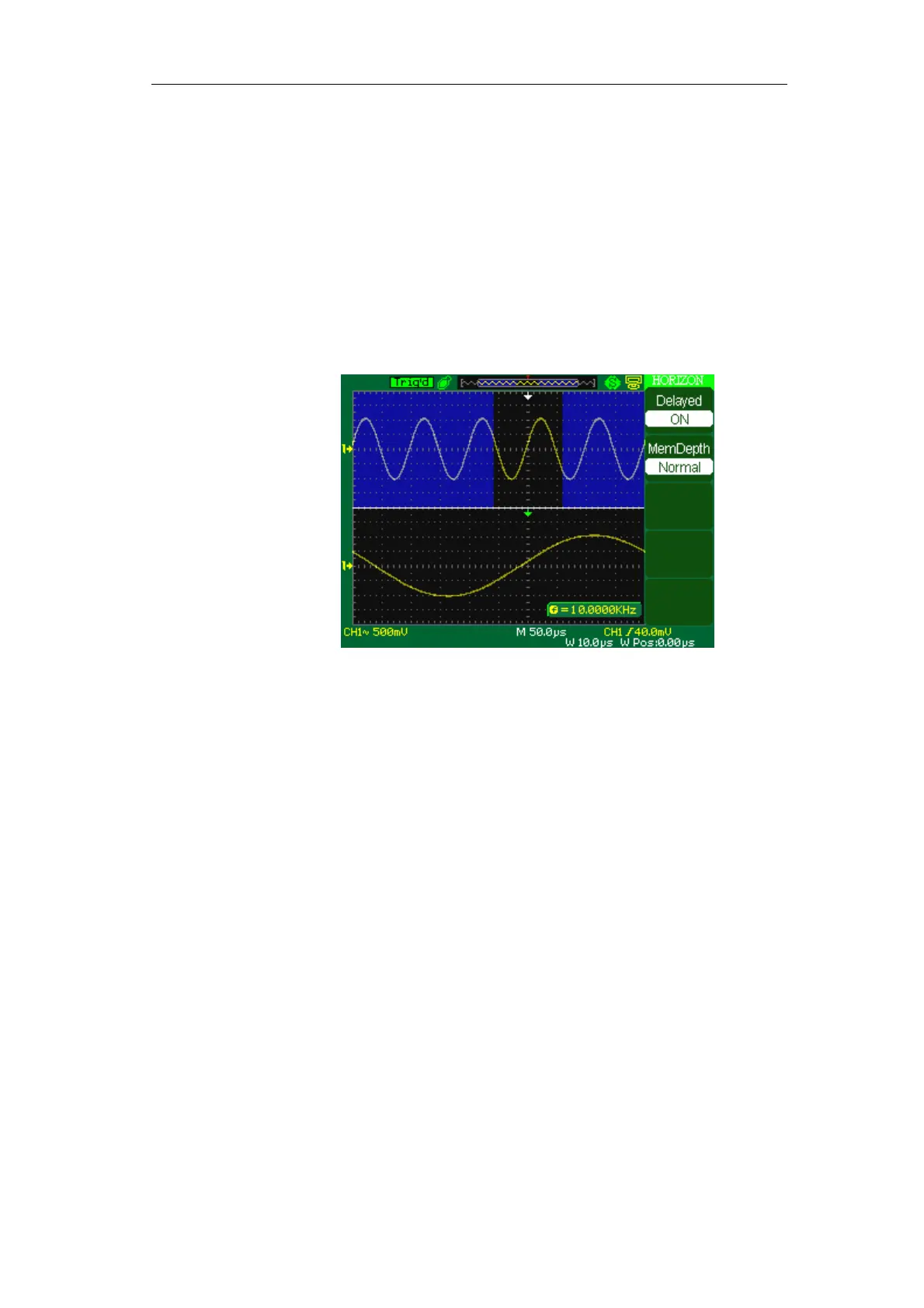
(3) Press the “Delayed” option button to select “On”.
Turn the “Horizontal Position” knob (adjust window’s position) to
select the window that your need and expanded window waveform
display on the below half screen at the same time(See picture 2-28-1)
Picture 2-28-1
Notes:1GSa/s real-time Series:200MHz Bandwidth DSO memory depth only 5K/CH









 To Next Page