41 of 50
V 11.21_EN
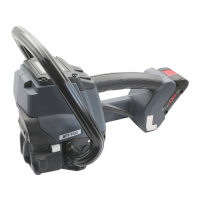
SIGNODE BPT-H32
CAUTION
When tensioning, the strap can tear and whip away. Do not stand in the alignment of the
strap. Wear eye protection.
► Press the tensioning button (6) with the
thumb of your right hand.
– The tool pulls it over the seal and the
strap is tensioned until the desired strap
tension is reached. When the tensioning
force is reached, a short green light on the
control panel will indicate this.
– In addition, the set tensioning force and
the status indicator bar with the achieved
tensioning force in relation to the set
tensioning force is displayed.
– The tensioning process is completed
when the status indicator bar is complete-
lylled.
► The tensioning button (6) can now be re-
leased.
► Press the sealing button (7) with the thumb of
your right hand until the seal is notched and
thestrapiscuto.
If the operating lever is pulled too ear-
ly, the display appears orange with
error code and pulsating acoustic
signal (Section 6.7).
– Duringthesealingofthesealthelled-in
dots of the status indicator light up in
sequence and then go out again.
– The end of the sealing process is indi-
cated by an acoustic signal and green
control panel.
1
6
2
7


 To Next Page