2-9
Chapter 2 Basic operations
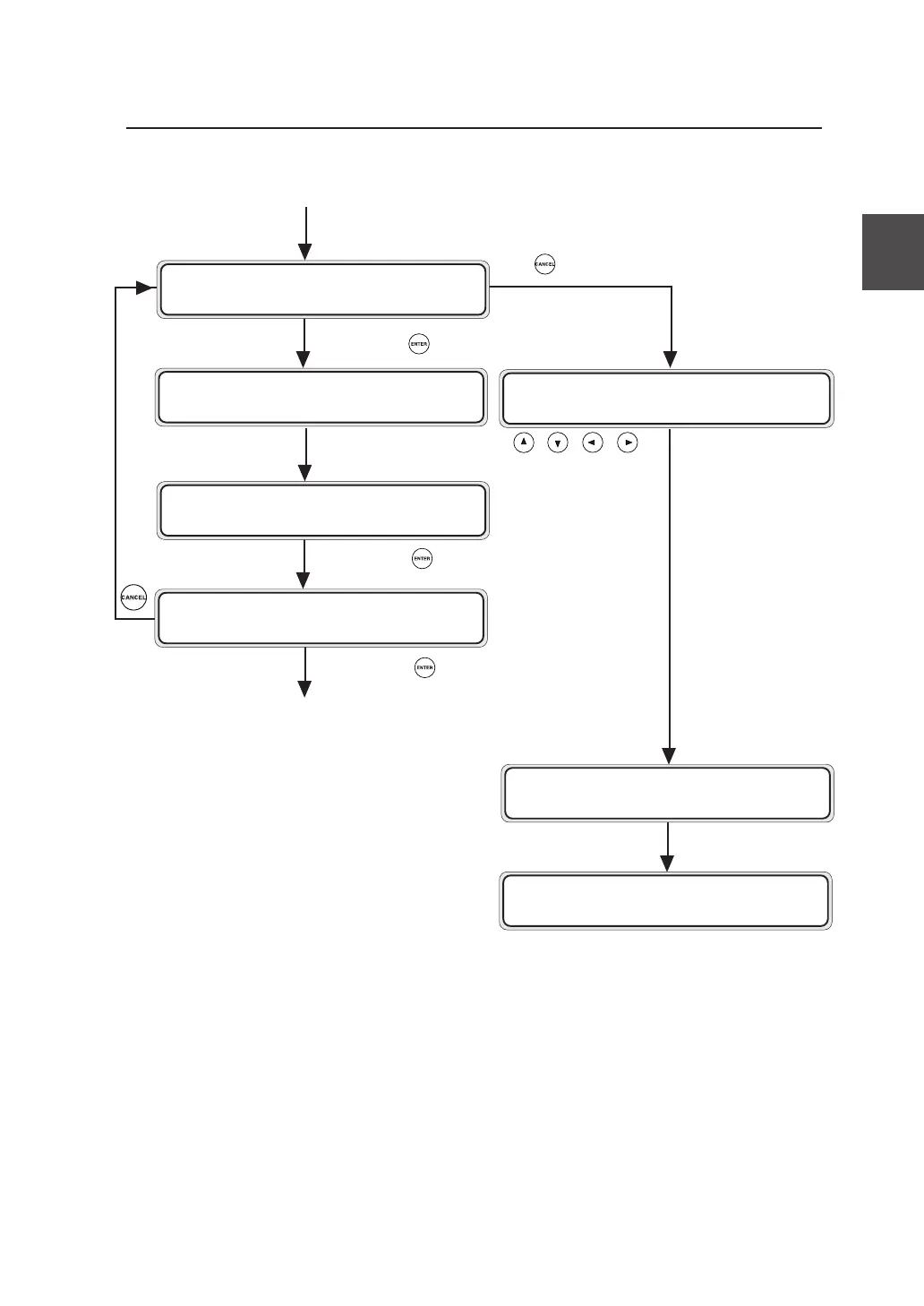
DISPLAYING NEXT?
Y=ENTER N=CANCEL
Continued from the preceding page
The device will be automatically
rebooted.
Press the key.
Input the values using the , , , ,
keys.
Press the key to go to the confirmation
screen.
Press the key to determine the selection.
US I NG NETWORK?
Y=ENTER N=CANCEL
I P ADDRESS?
✽ 000 . 000 . 000 . 000
IP ADDRESS?
✽ 192.168 . 123 . 123
I P ADDRESS?
✽ 192.168 . 123 . 123 OK?
SYSTEM VERS I ON
01A
PR I NT READY
▼Installation operations


 To Next Page