2-32
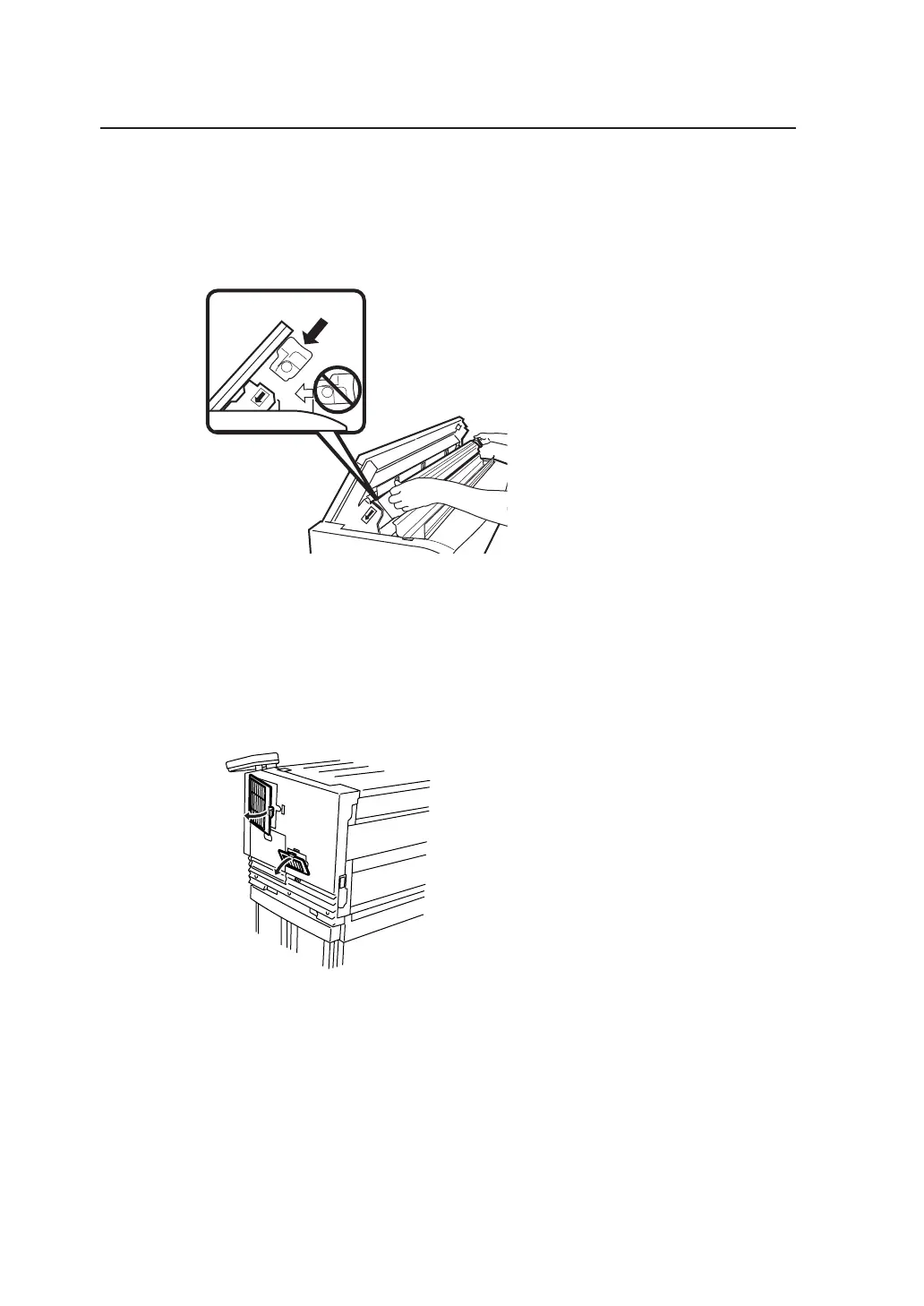
6 Insert the Process cartridge.
To insert the Process cartridge, align the
Process cartridge with the angle of the open top
cover and insert it in the direction of the
alignment arrows (three points/green).
After insertion, remove the protective cover
from the top of the cartridge.
7 Close the top cover.
8 Remove the filter cover.
Pull out the filter covers at 2 points on the right
side of the main unit as it faces you, and remove
them.



 To Next Page