Introduction
1-5
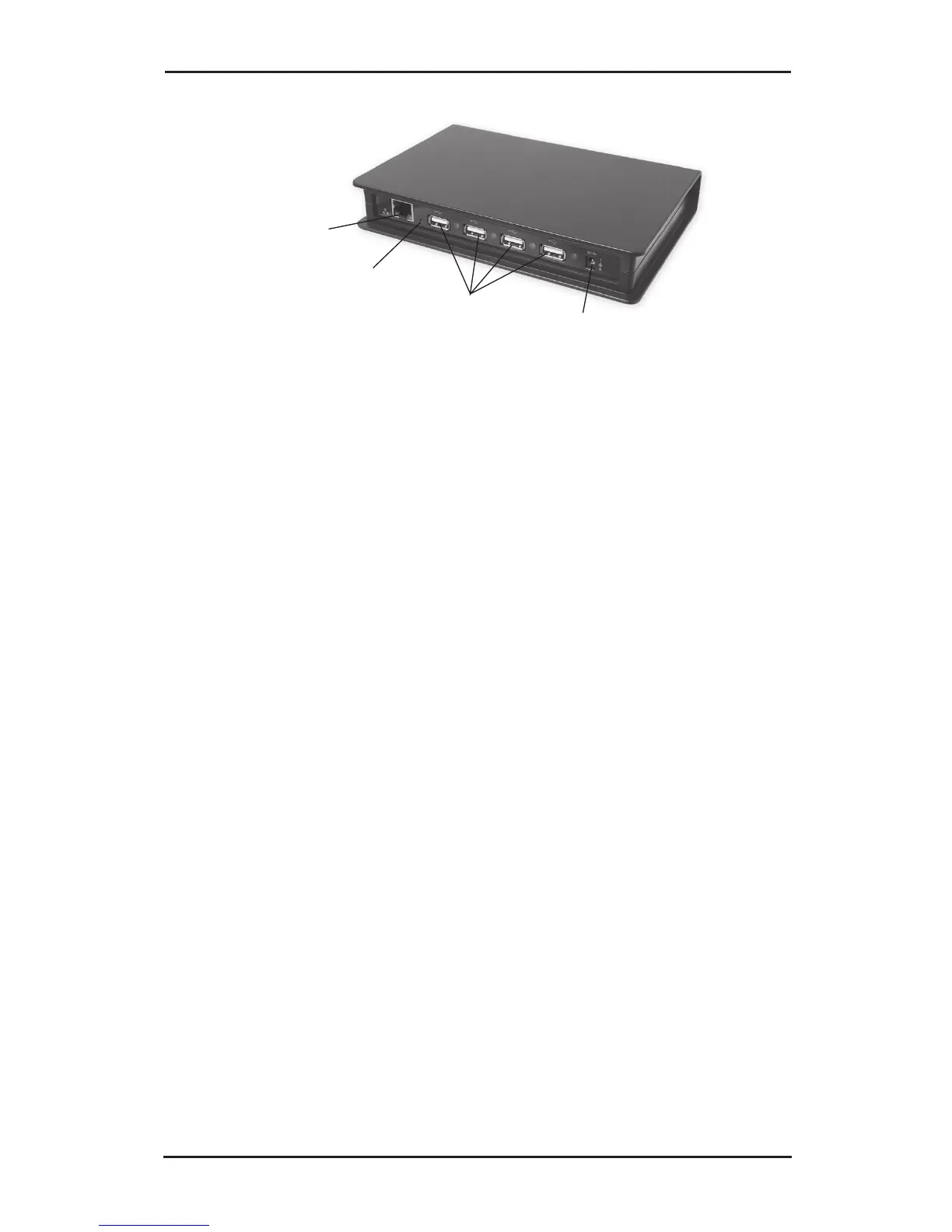
Ethernet Port
Power Adapter Jack
USB Ports
Reset Button
Figure 2: Back Layout
• Reset Button: Use this button to restore the default
settings of the USB over IP. Using a paper clip, pen
tip or similar size object, press in and hold down
the button for 5-10 seconds. The default settings
are: SIIG (Server Name), 192.168.3.22 (IP) and
192.168.3.1 (Gateway)
• Ethernet Port: connects the USB over IP to you
network using a CAT 5 or better cable
• Power Adapter Jack: connect the switching power
adapter here
• USB Ports: plug in your USB devices here



 To Next Page