User's Manual
4-2
4-2 Using the USB Over IP Admin
The USB over IP Admin is used to connect to your USB
devices and configure your USB Over IP server.
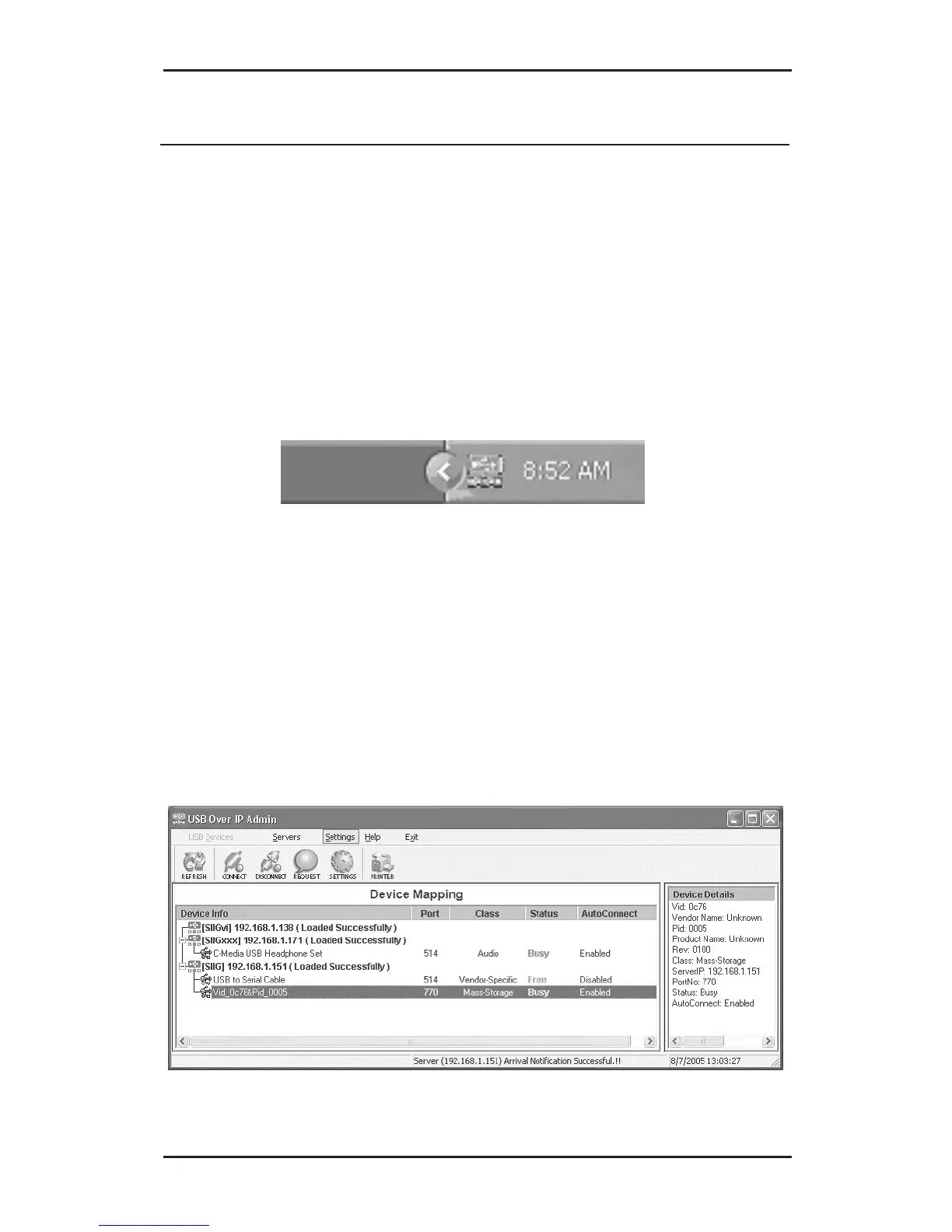
4-2.1 Quick Start Icon
The USB Over IP Admin Quick Start Icon installs
automatically during driver installation and is located
on the right side of the taskbar by the system clock.
Double click the icon to open the USB Over IP Admin.
4-2.2 USB Devices
The USB Devices window is divided into two sections,
Device Mapping and Device Details. Device Mapping
shows all detected USB devices, Device Details shows
information about the USB device or USB Over IP servers.



 To Next Page