Home
SIIG
Server
USB Over IP
Page 36
SIIG USB Over IP - Page 36
72 pages
Manual
Save Page as PDF
To Next Page
To Next Page
To Previous Page
To Previous Page
Loading...
Driver Installation
3-21
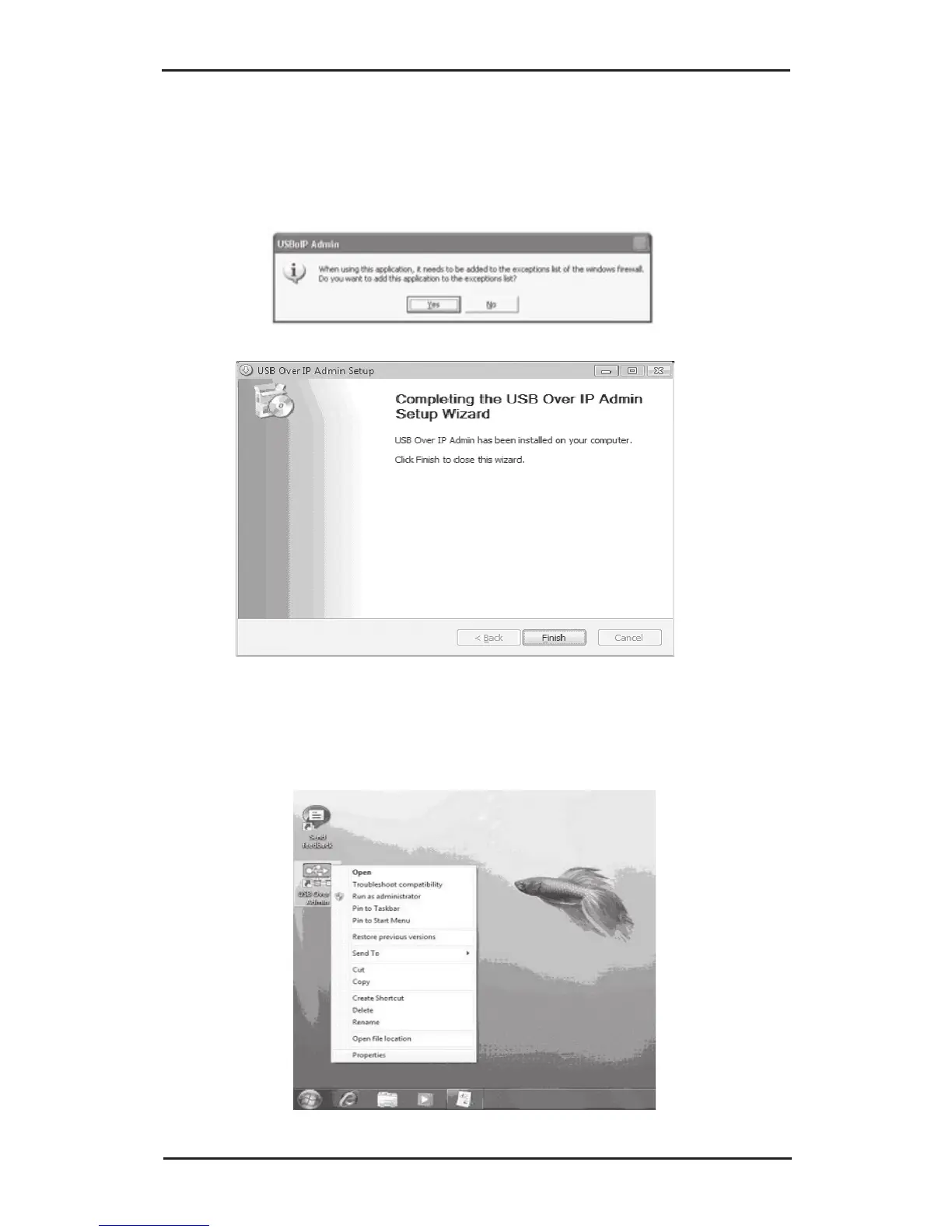
8.
Click
Yes
to add the application to Windows
Firewall exceptions list, then click
Finish
to
complete the installation.
9.
Right click the
USB Over IP Admin
icon located on
the desktop, click
Properties
.
35
37
Table of Contents
Main Page
Default Chapter
1
Product Registration
1
Table of Contents
3
Technical Support and Warranty
5
Chapter 1: Introduction
6
Unpacking the USB over IP
6
1-1.1 Static Electricity Precaution
7
1-1.2 Record the Serial Number
7
Introducing the USB over IP
8
1-2.1 Features and Benefits
8
1-2.2 System Requirements
9
1-2.3 Layout
9
Chapter 2: Hardware Installation and Device Compatibility
11
Hardware Installation
11
Device Connection
11
USB Device Support
12
2-3.1 USB Device Interoperability List
12
Chapter 3: Driver Installation
16
Driver Installation
16
3-1.1 Windows XP (32-/64-Bit)
16
3-1.2 Windows Server 2003 (32-/64-Bit)
21
3-1.3 Windows Server 2008 (32-Bit)
26
3-1.4 Windows Vista (32-Bit)
29
3-1.5 Windows 7 (32-Bit)
33
To Verify Installation
39
Set IP Address
40
3-3.1 Change Subnet Address
40
3-3.2 IP Config - Discoveryutility
42
Chapter 4: USB over IP Admin
45
Introducing the USB over IP Admin
45
Using the USB over IP Admin
46
4-2.1 Quick Start Icon
46
4-2.2 USB Devices
46
4-2.3 Servers
47
4-2.3.1 Servers Function Buttons
48
4-2.4 Global Commands
48
4-2.4.1 Settings
48
4-2.4.2 Help
49
4-2.4.3 Exit
49
4-2.5 Notes
49
How To's
50
4-3.1 Device Mapping
50
4-3.1.1 How to Connect - Status Free
50
4-3.1.2 How to Connect - Status Busy
51
4-3.1.3 How to Disconnect
52
Disable Auto Connect
53
4-3.1.5 Printer Sharing
54
4-3.2 Server Manager
55
4-3.2.1 Setup (Server Configuration)
55
Unlock Server & Reset Password
55
4-3.2.3 Refresh (Refresh Servers)
60
4-3.2.5 Upgrade (Upgrade Firmware)
63
Chapter 5 : Technical Support and Warranty
69
Overview
69
Technical Support
69
Technical Support and Warranty
70
Related product manuals
SIIG CN-GP1021-S1
8 pages



 To Next Page