Operating manual - English REKORD
Copyright Silca 2 007 25
8.9 Replacing motor/condenser
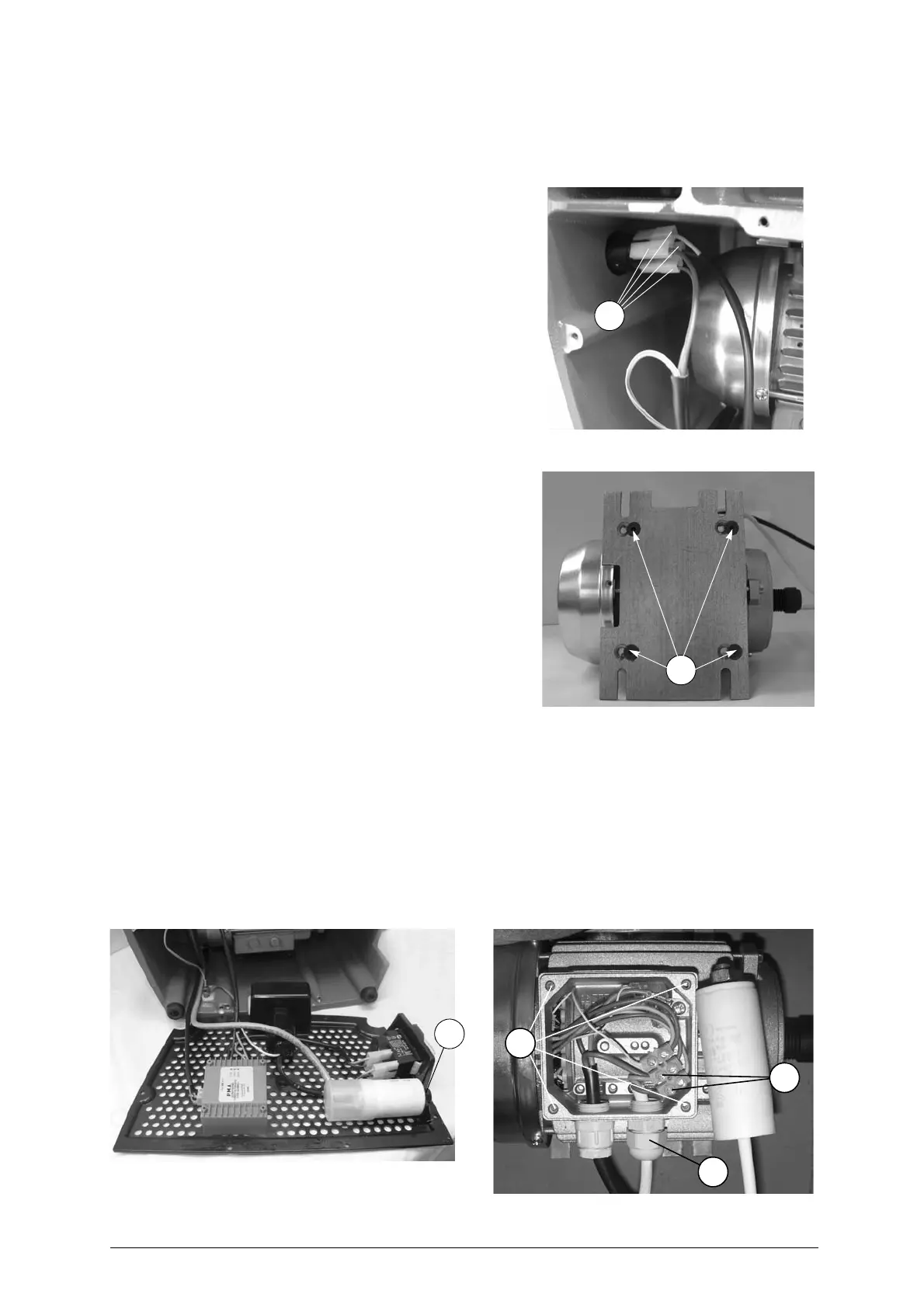
Motor
ATTENTION:
remove the mains plug
.
1) Remove the two protective pads (Q).
2) Loosen the 3 screws (M1) and remove the top cover
(M
).
3) Detach the 4 co nnectors (S2
) from the mo tor o n
switch.
4) Loosen the 4 screws (S1) ( fig. 22 ) on the motor
fixing plate and remove the belt.
5) Loosen completely only the 2 lower screws (S1) the
motor fixing plate and pull downwards.
Fig. 30
Condenser
ATTENTION:
remove the mains plug
.
- Access the bottom part (see ch. 8.7)
- Remove the motor (see ch. 8.9 - Replacing motor)
- Loosen the nut (Z) (fig. 32) and remove together with
the washer.
- Loosen the 4 screws (S4) on the motor box and re-
move.
- Loosen the 2 condenser connection screws (X1).
- Loosen the nut on the wire grommet (X) and remove
the conde
nser.
- Fit the new conden ser, ta
king the wire through the
nut (X) replace the motor box and secure with the 4
screws (X1).
- Tighten the grommet nut (X), rep lace the motor box
and secure with the 4 screws (S4).
- R
eplace the condenser (see points 9 to 13).
- Loosen the 4 screws (S3) on the motor fixing plate.
- Secure the new motor on the fi xing pla te with th e
screw (S3).
- Replace the motor.
Fig. 31
6) Place the machine in position on the work bench.
7) Install the belt and tighten the 4 screws (S1) (fig. 22) of the plate motor.
8) Connect the 4 connectors (S2) (fig. 30) to the motor on switch and fit the earth wire to its screw with
the nut (S5) (fig. 34).
9) Replace the condenser and secure with washer and nut.
10) Replace the bottom grate and secure with the screws (Y) (fig. 28).
11) Place the machine in position on the work bench.
12) Replace the top cover and secure with the 3 screws (M1).
13) Replace the protective pads (Q).
Fig. 32
Fig. 33
S2
S3
Z
X
X1
S4



 To Next Page