EasyManua.ls Logo

Silca UC 199 - User Manual

Silca UC 199
107 pages
Print Icon
To Next Page IconTo Next Page
Loading...
Operating Manual
Original Instructions
D441737XA
vers. 1.0
EN
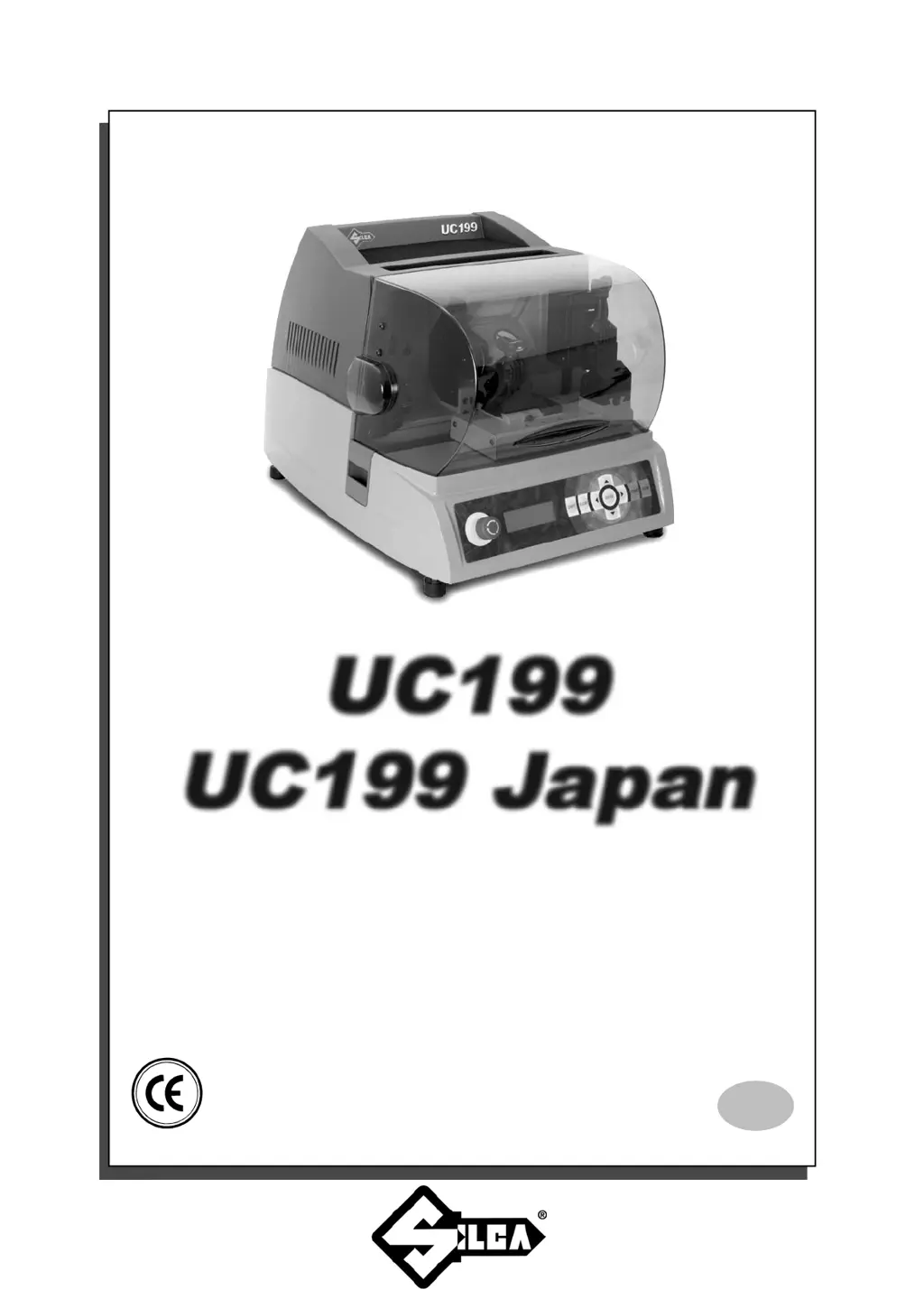
UC199
UC199
UC199 Japan
UC199 Japan

Table of Contents

Questions and Answers

  • A
    Anthony IngramAug 17, 2025
    What to do if my Silca UC 199 machine is on but the display is blank?
    • P
      Patricia AriasAug 17, 2025
      If your Silca Cutter machine is on but the display shows no message, here are a few things to check: * Ensure the emergency button is not activated. * Check the general fuses in the power socket. * Inspect fuse F3 on the electronic control board. * Verify the connection wire between the display and the electronic circuit board is secure. * The display itself may be defective.
  • Q
    qnelsonAug 20, 2025
    Why is the cutter motor not working on my Silca UC 199 Cutter?
    • J
      Joseph HolmesAug 20, 2025
      If the cutter motor on your Silca Cutter isn't working, it could be due to several reasons: * The protective shield might not be making proper contact with the safety microswitch. * The F1 fuse on the electronic control board may be faulty. * The motor wire might not be properly attached to the connector. * The electronic control board could be defective. * The motor cut-off may be activated due to inappropriate or heavy use or a fault with the motor. In this case, DO NOT USE THE MACHINE and call Technical Silca Dept. to determine the cause.
  • A
    Amanda LeeAug 23, 2025
    What does “I/O POWER ALARM check fuse F4” mean on my Silca UC 199 display?
    • D
      Dr. Amanda HoganAug 23, 2025
      If your Silca Cutter displays the message “I/O POWER ALARM check fuse F4”, it indicates: * The fuse F4 on the electronic control board may be faulty. * There might be a short circuit on the inlets or outlets. To identify the problematic inlet or outlet, disconnect the J4-5-7-8-12-14-15-20 connectors one at a time and check if the alarm disappears after each disconnection.
  • R
    Rachel MillerAug 26, 2025
    How to fix “CUTTER MOTOR ALARM - check fuse F1” on Silca UC 199 Cutter?
    • J
      John RossAug 26, 2025
      If your Silca Cutter displays the message “CUTTER MOTOR ALARM - check fuse F1”, the possible causes are: * The fuse F1 on the electronic control board is faulty. * The cutter microswitch on the protective cover is triggered or disconnected. * The cutter motor wiring is disconnected. * There is an internal fault on the electronic control board.
  • M
    Madison LewisAug 28, 2025
    Why are the X, Y, and B axes motors not working on my Silca UC 199?
    • J
      jennifer92Aug 28, 2025
      If the X, Y, and B axes motors are not working on your Silca Cutter, consider the following possibilities: * If none of the motors are working: the fuse F2 on the electronic control board may be faulty, the wiring between the transformer and electronic control board may be loose, or the electronic control board may be defective. * If only one motor is not working: the connection wires between the motor and the electronic control board may be loose, or the electronic control board may be defective.
  • M
    Michael WilsonAug 31, 2025
    What does “DIGITAL OUTLET PROTECTION ALARM - turn the machine off” mean on Silca Cutter?
    • E
      Elizabeth MartinAug 31, 2025
      If your Silca Cutter displays the message “DIGITAL OUTLET PROTECTION ALARM - turn the machine off”, it could be due to: * A short circuit on the outlets. To determine which outlet is causing the error, disconnect the J4-5 connectors one at a time and check if the alarm disappears after each disconnection. * An internal fault on the electronic control board.
  • M
    Melanie RossSep 3, 2025
    Why does my Silca UC 199 Cutter display “close shield” when the protective shield is closed?
    • R
      Ricardo JordanSep 3, 2025
      If your Silca Cutter displays “close shield” even when the protective shield is closed, it may be because: * The closed protective shield is not making proper contact with the microswitch. * The F4 fuse on the electronic control board is faulty.
  • K
    kjohnsonSep 5, 2025
    What to do if the keyboard is not working on my Silca Cutter?
    • R
      Rebecca MooreSep 5, 2025
      If the keyboard on your Silca Cutter is not working (partially or completely), it might be due to: * The keyboard connector not being properly connected to the interface board. * The wiring between the keyboard/display unit and electronic control board not being properly attached to the relative connectors. * A defective keyboard. * A defective electronic control board.
  • C
    Crystal GrahamSep 8, 2025
    Why won't my Silca UC 199 communicate with the computer?
    • K
      Katie JohnsonSep 8, 2025
      If your key-cutting machine fails to communicate with the computer, check the following: * The wiring between the 9-pin serial port and electronic circuit board is not seeded properly or disconnected. * The serial cable between the key-cutting machine and the computer is faulty. * The computer serial port is not functional. * The electronic control board is defective.
  • L
    Lindsey WolfSep 12, 2025
    Why is the optical reader not working on my Silca UC 199?
    • W
      wnelsonSep 12, 2025
      If the optical reader on your Silca Cutter is not working, consider the following: * The glass lens on the optical reader might be dirty. * The wiring between the optical reader and the electronic control board might not be seeded properly. * The optical reader may be defective. * The electronic control board may be defective.

Summary

General Warnings

Safety Regulations

Essential safety rules for operation and maintenance.

Machine Description

Safety

Protective shield, emergency stops, and laser warning information.

Technical Data

Machine specifications, dimensions, power, and laser reader details.

Machine Installation and Preparation

“Set Up” and Use of the Machine

Cutting Operations

Procedures for cutting various keys, including cruciform keys and using the loader unit.

Operating Guide

Key Copying Procedures

Detailed steps for copying keys from originals, with or without adjustments.

Calibrations

Procedures for calibrating clamps, cutters, and adapters for accuracy.

Maintenance and Testing

Performing system tests, setting machine zeroes, and general maintenance.

Maintenance

Assistance

Silca UC 199 Specifications

General IconGeneral
BrandSilca
ModelUC 199
CategoryCutter
LanguageEnglish

Related product manuals