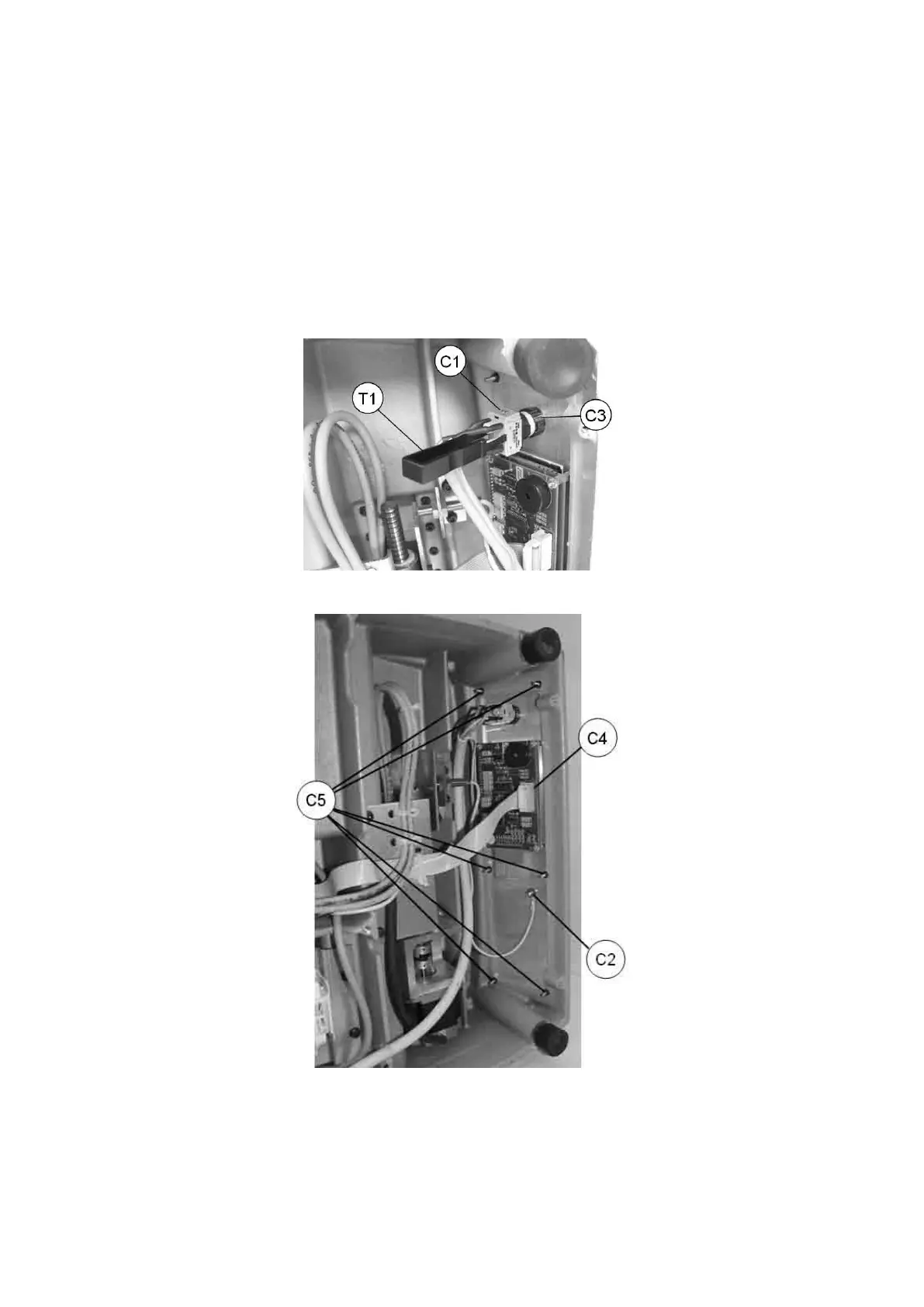
7.10 KEYBOARD / DISPLAY REPLACEMENT
1) turn off the machine and disconnect from the power supply.
2) gain access to the bottom compartment (Ch. 7.4).
3) use the special utensil (T1) to detach the emergency button terminal strip, remove the connector (C1) and
loosen the nut (C2) in order to remove the earthing wire from the keyboard (Fig. 86).
4) loosenthekeyboardxingnuts(C5)andremovethekeyboardfromitssupport.
5) disconnect the connector (C4).
6) loosen the ring nut (C3) on the emergency button and remove.
7) totthenewkeyboard/displaycarryouttheoperationsdescribedabove,inreverseorder.
Fig. 86
Fig. 87
Operating Manual UC199
Copyright Silca 2012
79



 To Next Page