5.6 QUEUE FROM PC
• USING THE MACHINE WITH A PERSONAL COMPUTER
The UC199 key-cutting machine can be used with the SILCA KEY PROGRAMS program, which can be used to
transmit cutting and decoding jobs.
Cutting jobs transmitted to the machine by a PC remain in the memory even when the key-cutting machine is
turned off.
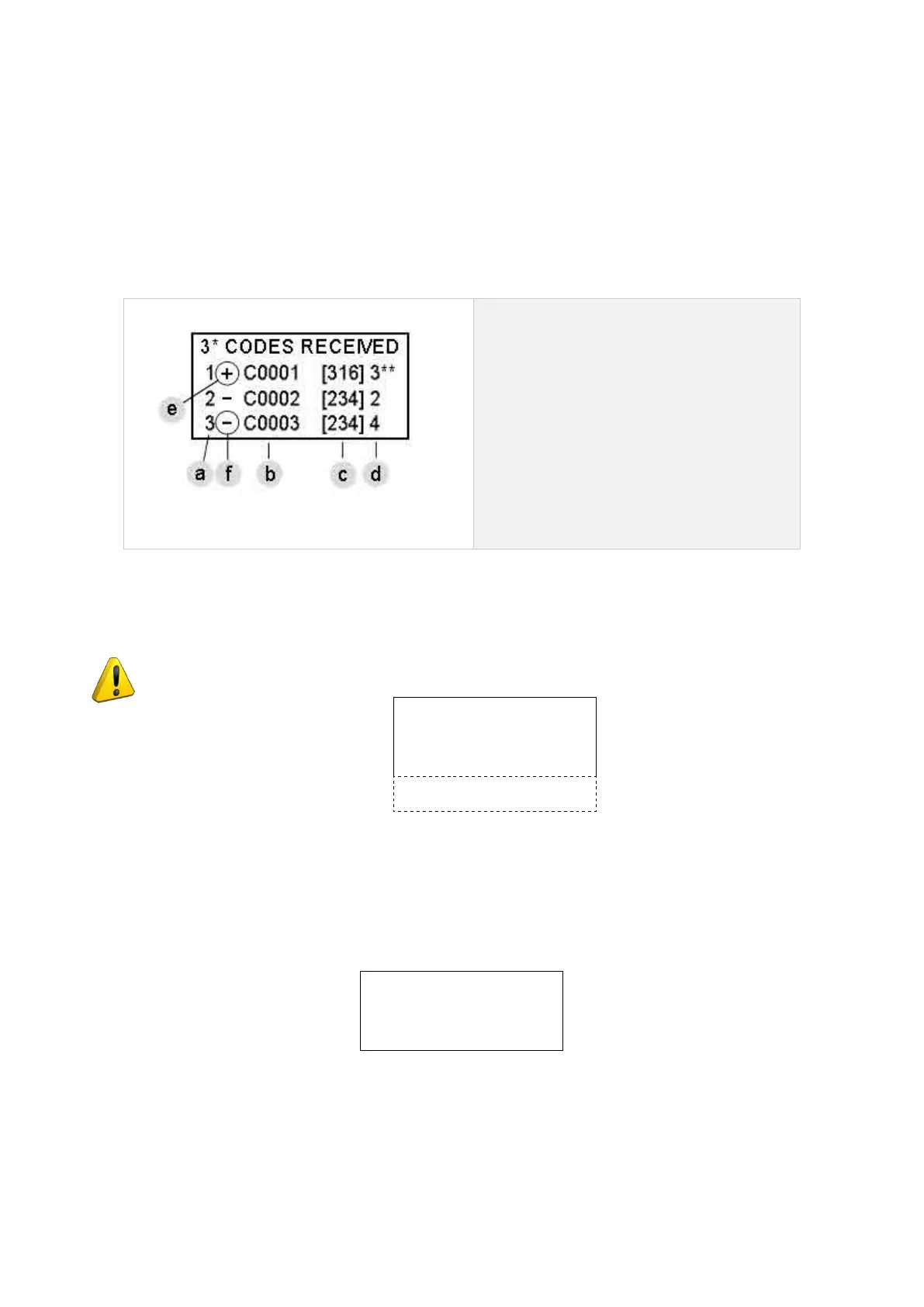
Data received from a PC appear in the form of a list (example in Fig. 49):
a - No. of jobs received
b -
indirect cutting code
c - Silca cutting card No
d - No. of pieces to be cut
e -
sign “+” indicates that the key set up
has been cut.
f -
sign “-” indicates that none of the keys
set up has been cut.
Fig. 49
Byusingthearrowkeys(up/down)theusermayselectthejobtobecarriedoutandconrmwithENTER.
ATTENTION: job data received from a PC program CANNOT be altered on the machine.
1- Copy from original
2- Copy with adjust.
3- Queue from PC
4- Calibrations >>
5- Maintenance
6- Options
Place the cursor on position 3 and press ENTER.
Select the job to carry out and press ENTER.
• IF A STANDARD CLAMP IS INSTALLED:
Side: 1
Clamp: L1 / A Pos.: 0
Cutt.: U01W /
Pcs.= 1 / 3 [START]
Press START to cut the key.
Operating Manual UC199
Copyright Silca 2012
38



 To Next Page