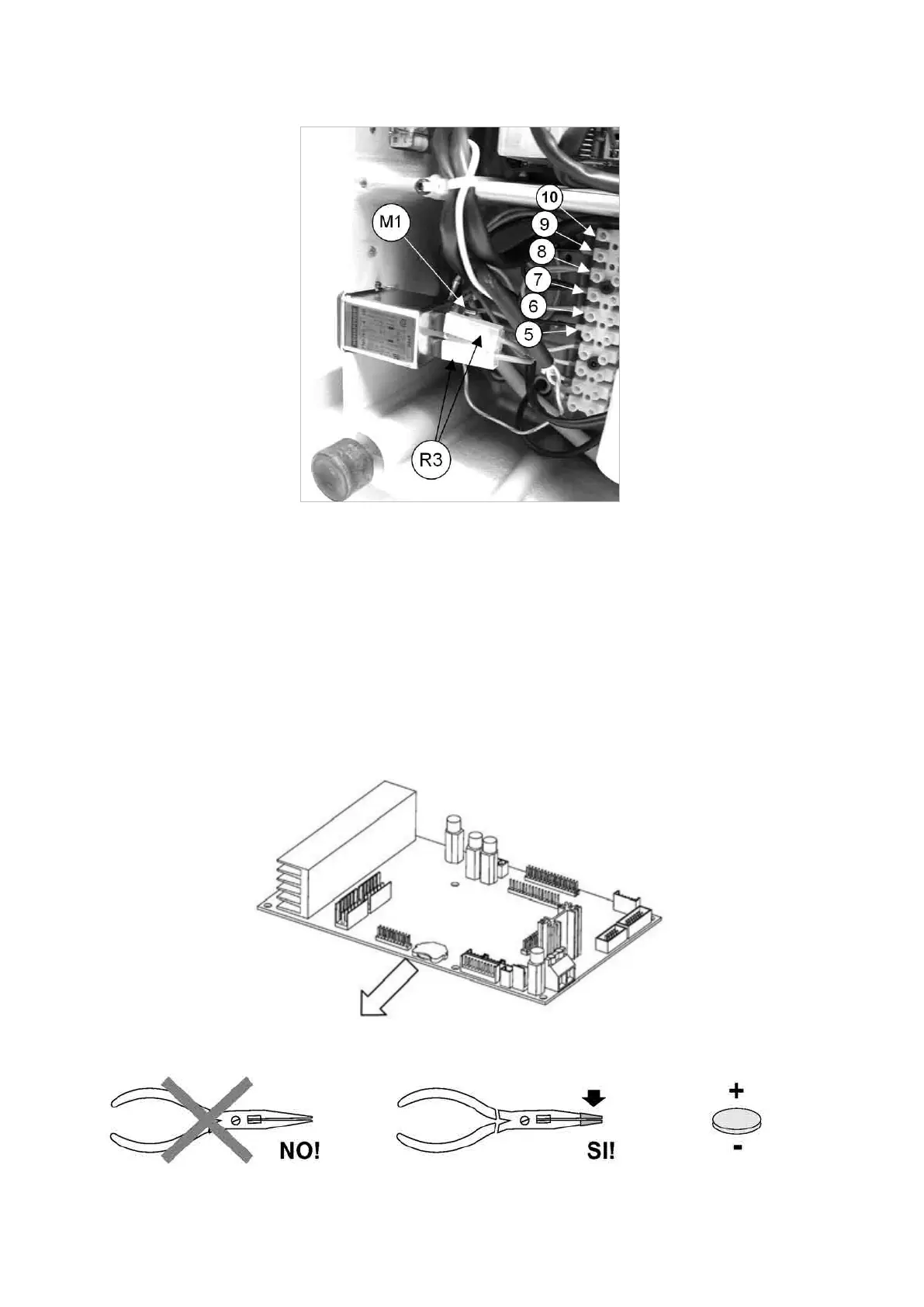
Fig. 101
7.16 CLOCK BATTERY REPLACEMENT
1) turn off the machine and disconnect from the power supply.
2) gain access to the bottom compartment (Ch. 7.4).
3) loosenthe6boardxingnuts(Y1)diinordertoreachthebattery(Ch.7.9).
4) useinsulatedlong-nosedplierstoremovetheatbattery(
Fig. 102
), or push out from the back.
5) use insulated long-nosed pliers to insert the new battery into its seat, paying attention to the poles (Fig. 103).
6) secure the board by tightening the 4 nuts.
7) repeat the above operations in reverse order to gain access to the bottom compartment.
Fig. 102
Fig. 103
insulated points
with adhesive tape
Operating Manual UC199
Copyright Silca 2012
86



 To Next Page