7.9 ELECTRONIC CIRCUIT BOARD REPLACEMENT
Proceed as follows:
1) turn the machine off and unplug it from its power supply cable.
2) remove the bottom panel (Ch. 7.4).
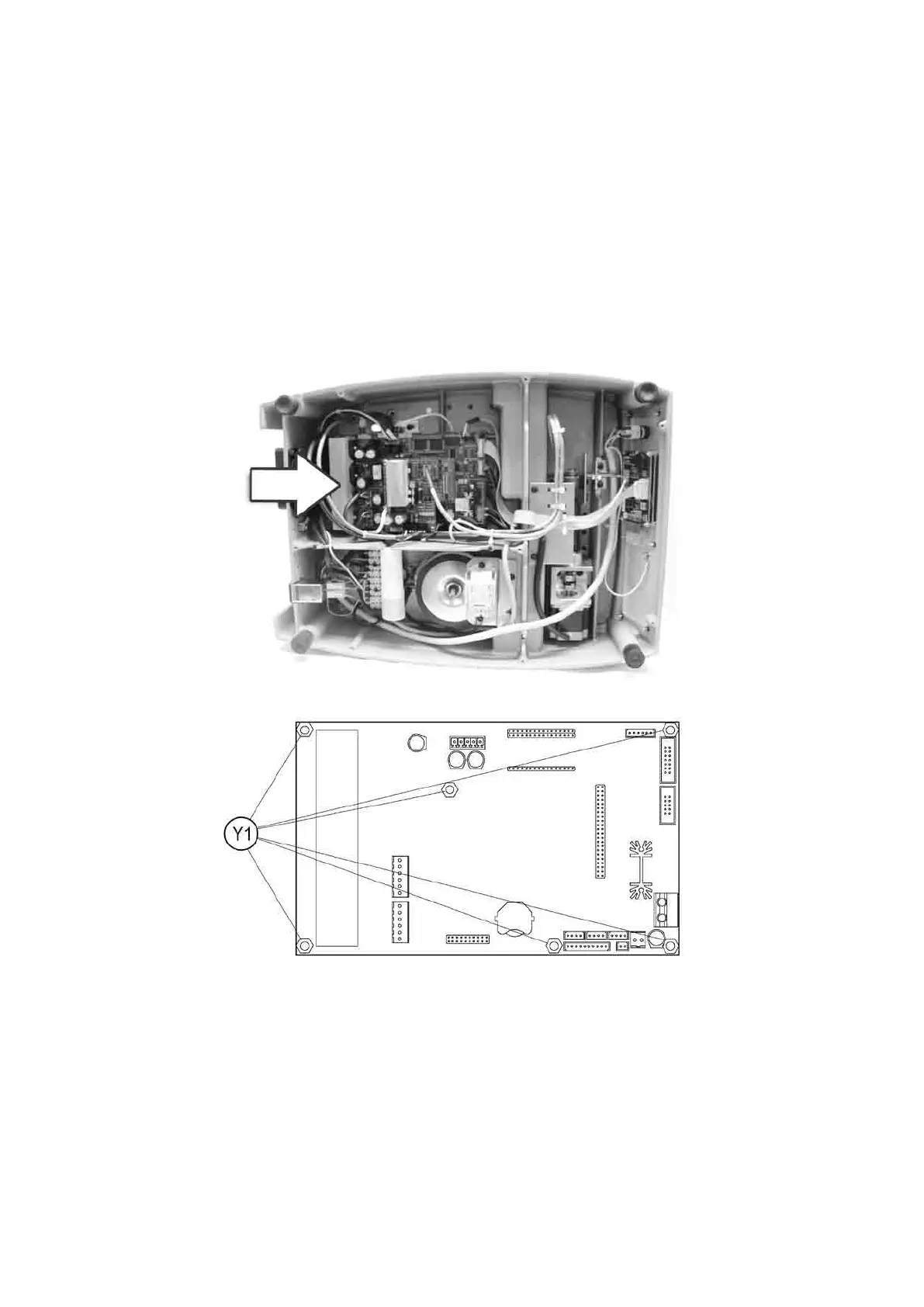
3) disconnect all cable (connectors) from the electronic circuit board (Fig. 84).
4) take the electronic circuit board off by unscrewing the 6 nuts (Y1) (Fig. 85).
5) mount the new electronic circuit board and re-connect all cables (all cable connections are polarised therefore
cannot be connected incorrectly).
6) re-tthebottompanelandre-positionthemachineonitsworkbench.
7) to transmit the software, turn on the machine and launch the WIN-TRANSFER program from the PC.
Fig. 84
Fig. 85
Operating Manual UC199
Copyright Silca 2012
78



 To Next Page