5.4 [2] COPY WITH CORRECTIONS
- STANDARD CONFIGURATION -
Function used to correct (on the copy) any imperfections in the depth and/or cutting pitch on the original key
(generally used for very worn keys).
Operational keys: use the arrow keys [Up/Down] to move the cursor to the option required and press ENTER.
1- Copy from original
2- Copy with adjust.
3- Queue from PC
4- Calibrations >>
5- Maintenance
6- Options
1) With the pointer on position 2, press ENTER to select the function.
Original on right
[START]
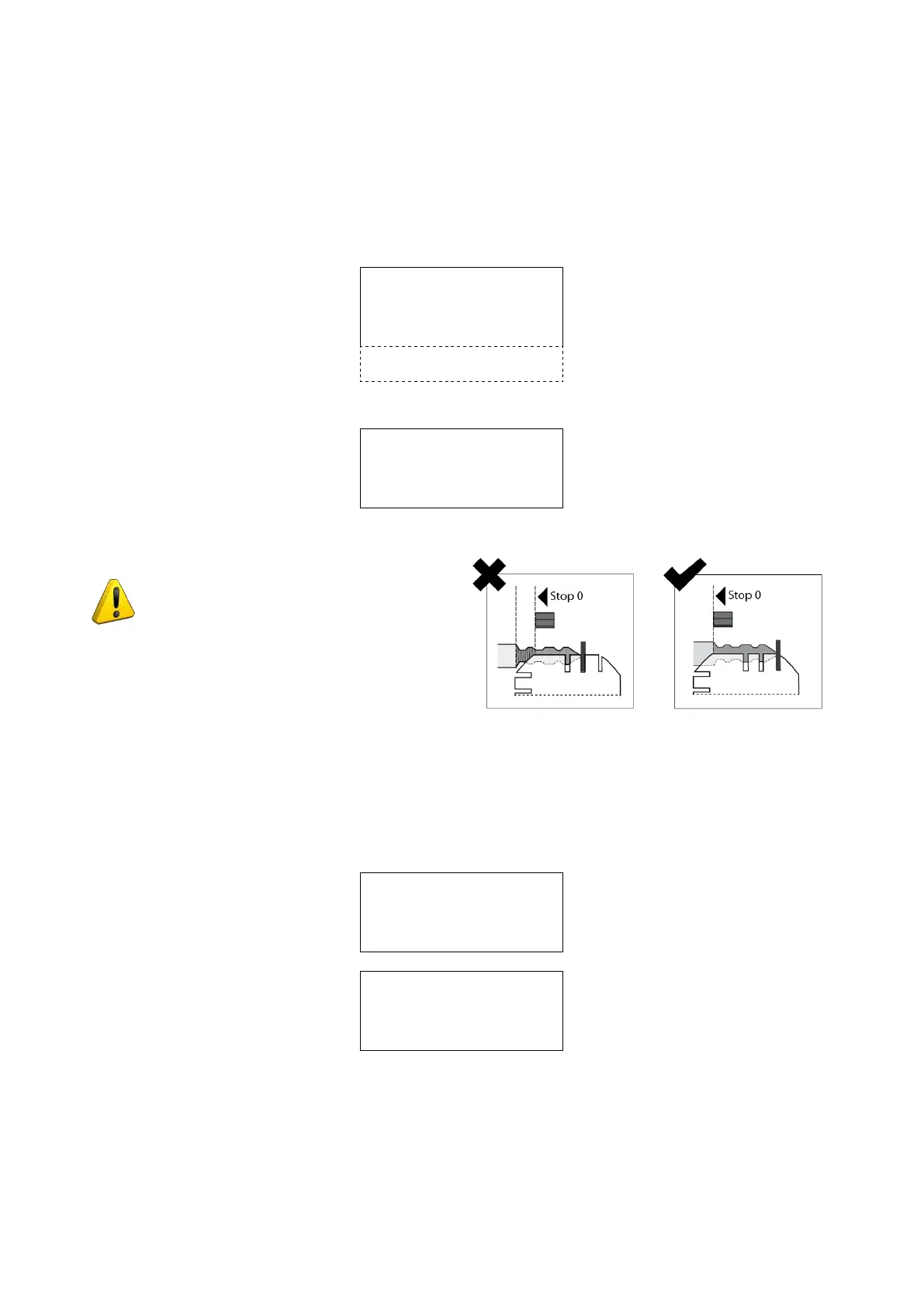
ATTENTION: keys with cuts that
begin before Stop 0 cannot be cut.
Fig. 43
2) Insert the original key in the right-hand clamp (remember to lower the gauge or remove the stop bar, if
applicable).
PressSTARTtoseeonthedisplayatrst:
Reading in progress
and then:
Key blank on left
Depth adj. = +00
Spaces adj. = +00
Pcs: 1 / 1 [START]
3) place the key blank into the L/h clamp (remember to remove the stop bar, if applicable. The gauge may be
left up as it will automatically release itself during carriage motion). If a loader unit is used the keys must be
inserted with their backs towards the operator.
4) Make the necessary adjustments to copy the key as required.
Operating Manual UC199
Copyright Silca 2012
33



 To Next Page