• Data alteration
The operator may alter the ‘depth’ and ‘space’ parameters.
Operational keys: to increase or decrease the parameters use the arrow keys [< >] or combination of the keys
SHIFT + [>] or SHIFT + [<].
Depth: (from -30 to +30 hundredths of a mm)
-
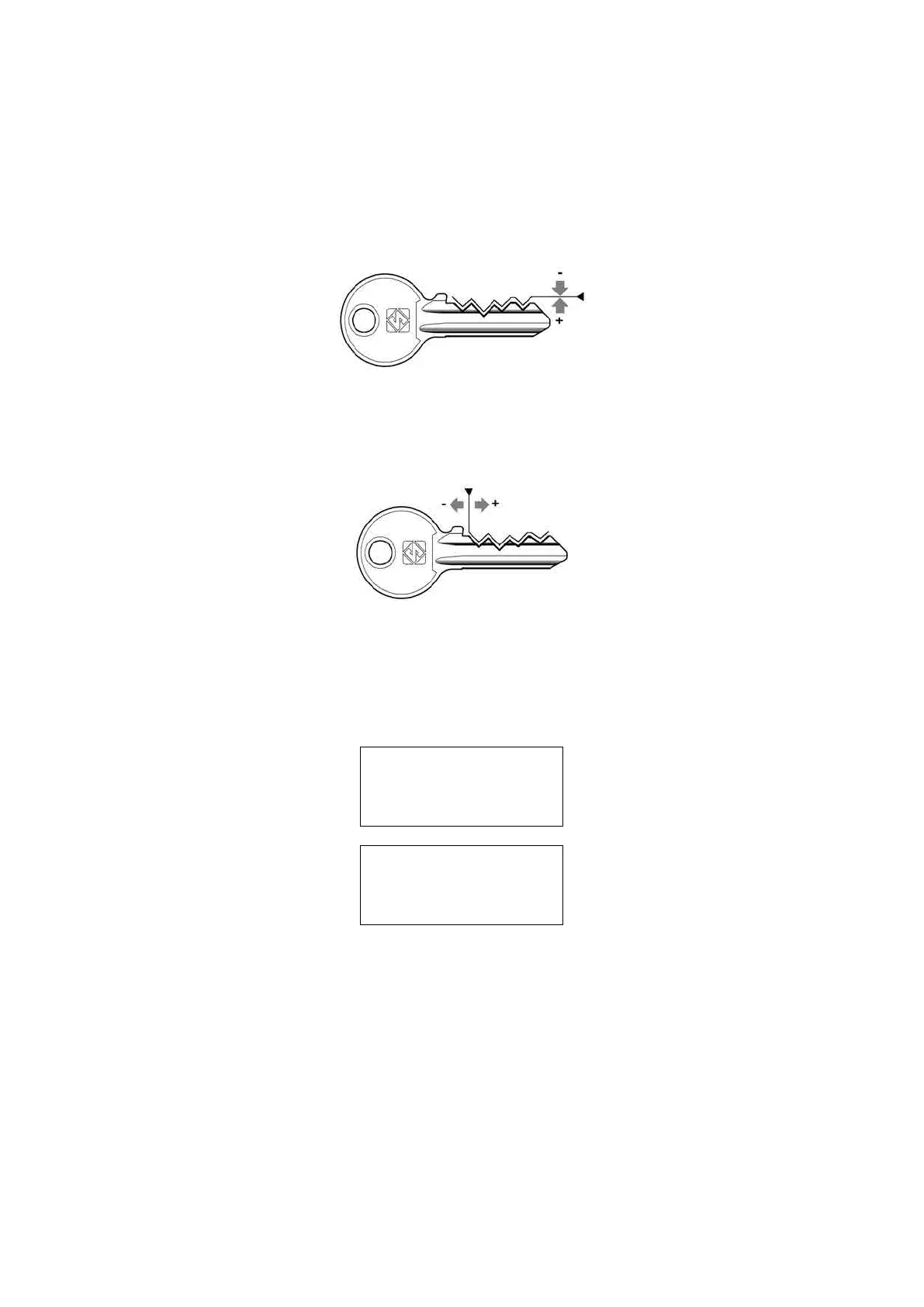
Enter the value (positive or negative) to raise or low er all the cuts.
Fig. 44 - DEPTH ADJUSTMENTS
Spaces: (from -30 to +30 hundredths of a mm)
-
Enter the value (positive or negative) to move all the cuts closer to or farther from the key stop.
Fig. 45 - SPACES ADJUSTMENTS
5) Set the number of keys to be cut.
Operational keys: press the keys [< >] to enter the quantity of keys to be cut.
PressSTARTtoseeonthedisplayatrst:
CUTTING IN PROGRESS
Copy: 1 of: 1
Then:
Copy: 1 of: 1
Finished.
Morecopies?
NO=STOP Yes=ENTER
Press STOP to return to the main menu.
Operating Manual UC199
Copyright Silca 2012
34



 To Next Page