5.2 [1] COPY FROM AN ORIGINAL
- UC199 WITH STANDARD CONFIGURATION -
Operational keys: use the arrow keys [Up/Down] to move the cursor to the option required and press ENTER.
1- Copy from original
2- Copy with adjust.
3- Queue from PC
4- Calibrations >>
5- Maintenance
6- Options
Place the pointer on position 1, press ENTER to select the function; the display will show:
Original on right
Key blank on left
Adaptor:
Pcs: 1 / 1 [START]
-
Insert the original key in the right-hand clamp (remember to lower the gauge or remove the stop bar, if applicable).
-
insert the key blank into the left-hand clamp (remember to remove the stop bar, if applicable. The gauge need
not be lowered because it will automatically release itself when the carriage moves).
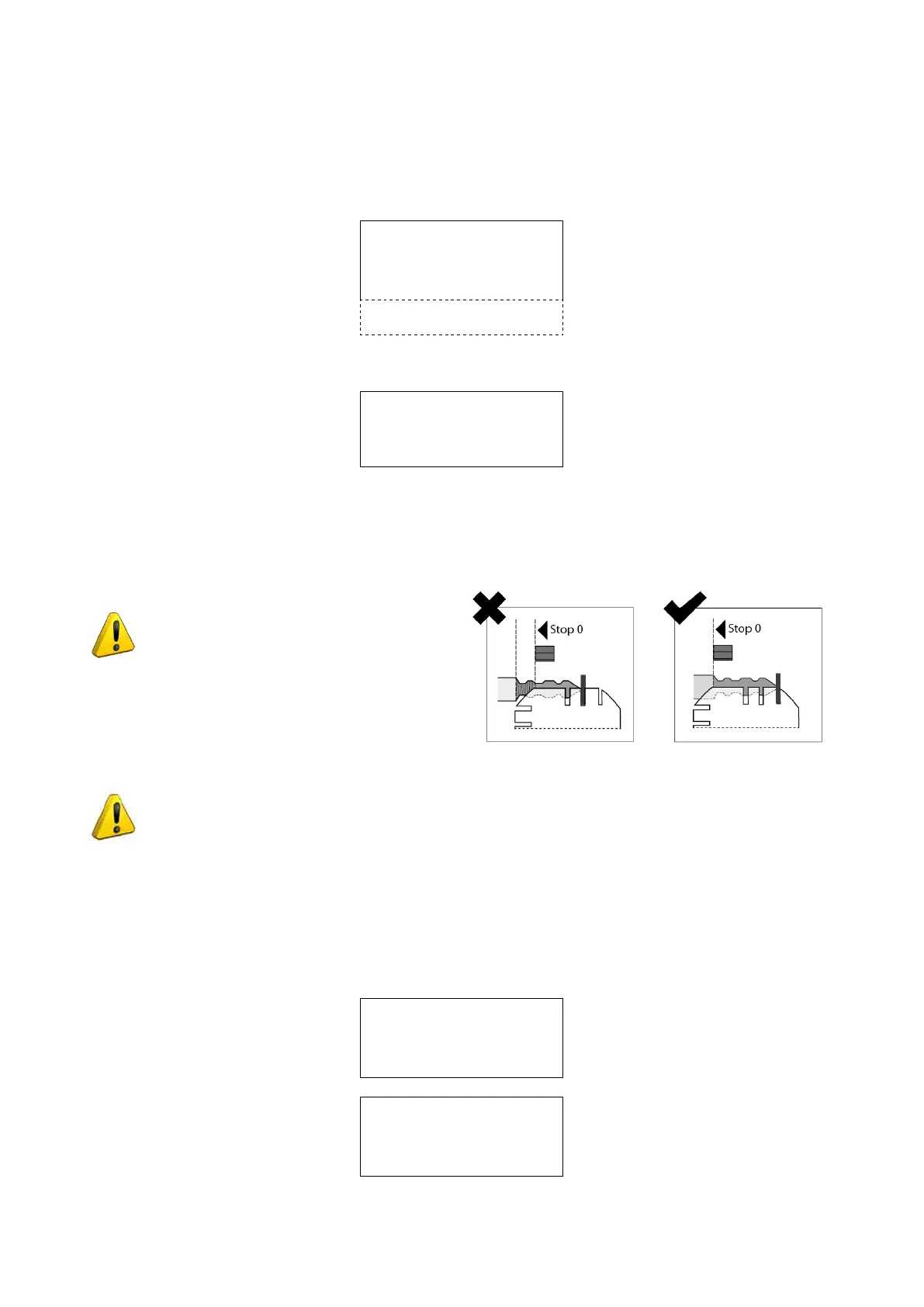
ATTENTION: keys with cuts that
begin before Stop 0 cannot be cut.
Fig. 41
ATTENTION: usethesamesideandstoppositionasthekeyttedtotheL100opticalreader
side clamp.
Set the number of keys.
Operational keys: press the keys [< >] to enter the quantity of keys to be cut. To increase or decrease the
values more quickly, press the keys SHIFT+ [>] or SHIFT+ [<] (the max. value is 255).
Close the protective shield. Press START.
-
if the shield is not lowered, when the START button is pushed the following warning message appears:
Close
shield !
otherwise:
Reading & cutting
in progress
Operating Manual UC199
Copyright Silca 2012
29



 To Next Page