7.2 MAINTENACE OPERATIONS
• Access to the top compartment
• Access to bottom compartment
• Cutter replacement
• Belt replacement and tension adjustment
• Replacement of the set of jaws on the Automatic clamp (Optional)
• Fuse check and replacement
• Electronic circuit board replacement
• Keyboard/display replacement
• Sensor replacement
• Motor replacement
• Lamp replacement
• Condenser (motor) and/or feeder (lamp) replacement
• Master/emergency switch replacement
• Clock battery replacement
• Win-Transfer program for loading/updating the machine program
7.3 ACCESS TO THE TOP COMPARTMENT
To gain access to the top compartment, proceed as follows:
1) turn off the machine and disconnect from the power supply.
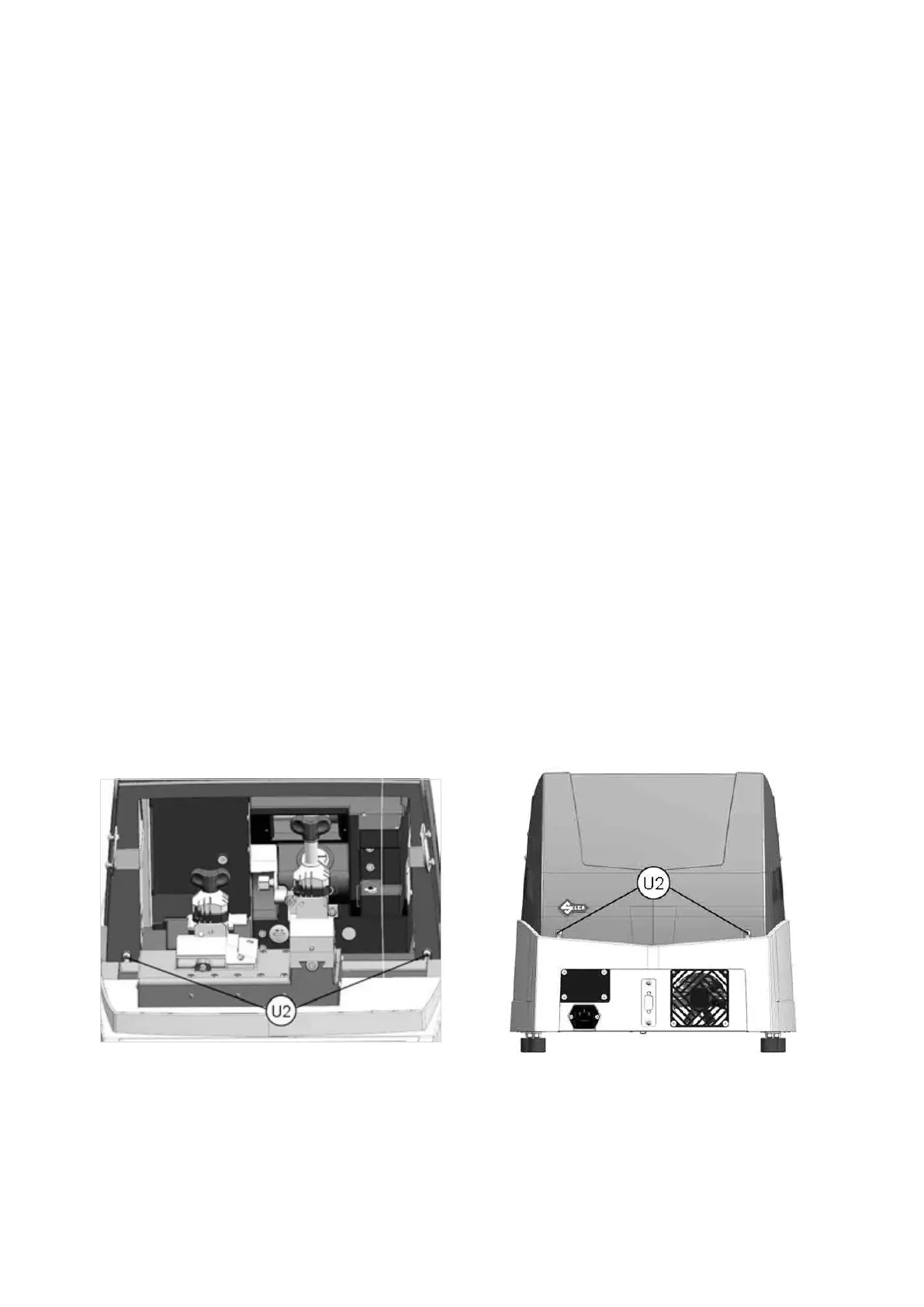
2) loosen the 4 screws (U2) securing the top cover, then lift the cover off (Fig. 74).
Fig. 74
Operating Manual UC199
Copyright Silca 2012
72



 To Next Page