EasyManua.ls Logo

Sim2 SuperCube - Picture>>Advanced Menu

Sim2 SuperCube
59 pages
Print Icon
To Next Page IconTo Next Page
To Previous Page IconTo Previous Page
Loading...
21
English
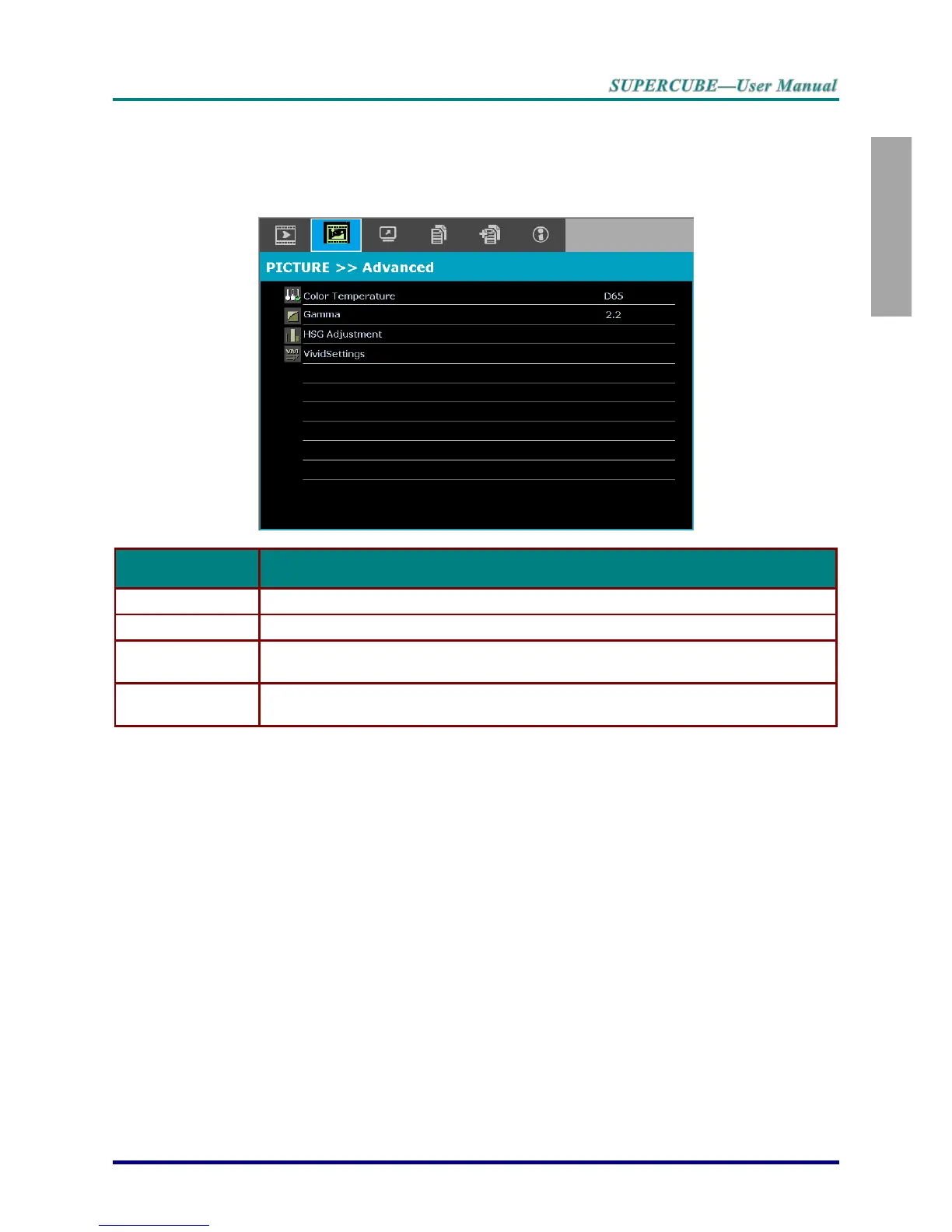
PICTURE>>Advanced Menu
Press the MENU button to open the OSD menu. Press the cursor ◄► button to move to the
PICTURE>>Advanced menu. Press the cursor ▲▼ button to move up and down in the
PICTURE>>Advanced menu. Press ◄► to change values for settings.
ITEM
DESCRIPTION
Color Temperature
Press the cursor ◄► button to set the Color Temperature.
Gamma
Press the cursor ◄► button to adjust the gamma correction of the display.
HSG Adjustment
Press the ENTER button to enter the HSG Adjustment sub menu.
See HSG Adjustment on page 22.
VividSettings
Press the ENTER button to enter the VividSettings sub menu. See VividSettings on
page 23.

Table of Contents

Related product manuals