16
of your choice. Press the SETUP button once to exit
from the MOON MiND menu. Press the SETUP again
to exit the SETUP menu.
Setting the power up volume level
You can specify the volume level for your 240i when
you power it up.
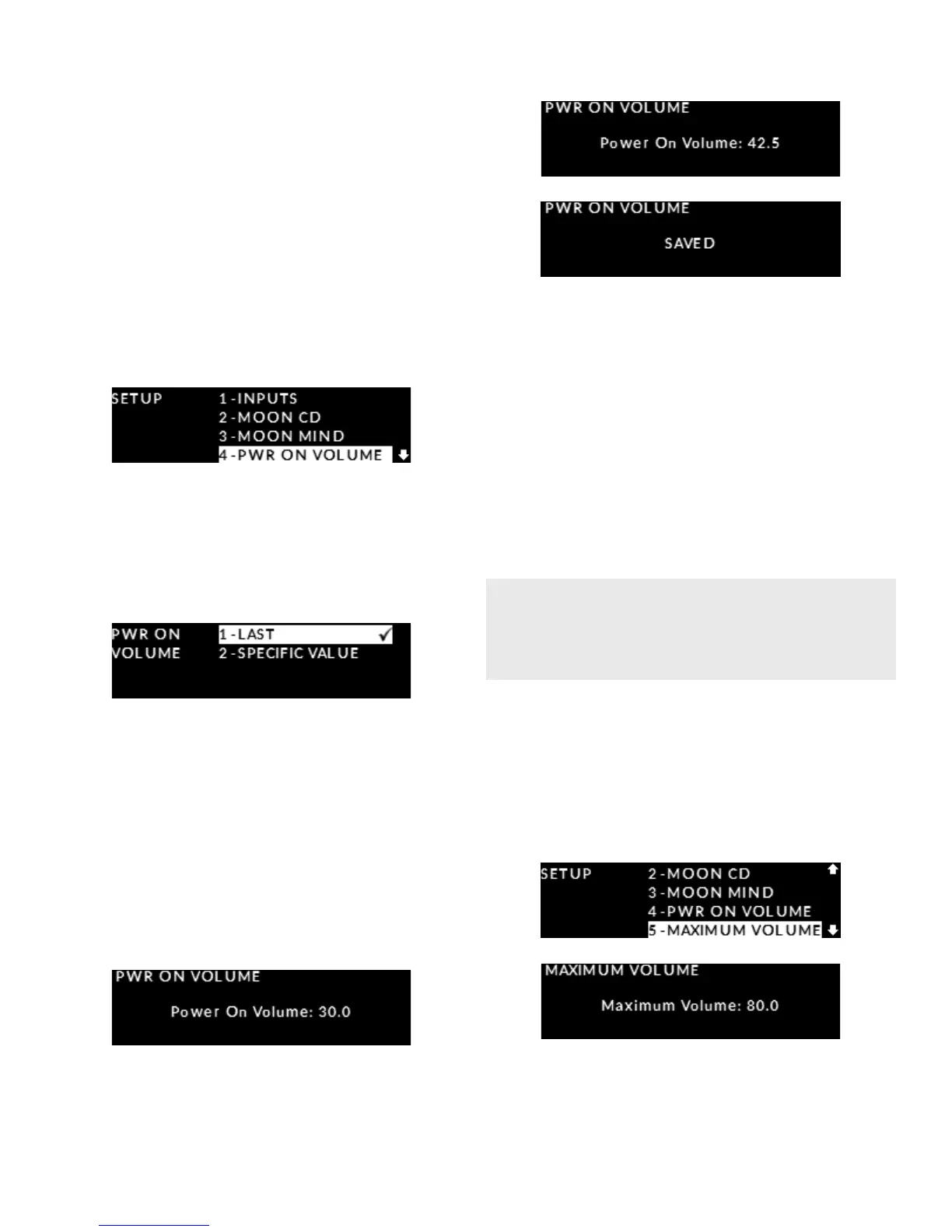
Enter the Setup mode by pressing the “Setup” button.
Rotate the volume control until “PWR ON VOLUME”
is highlighted on the display. Then press “OK”:
Rotate the volume control to highlight either “LAST”
or “SPECIFIC VALUE”. The “LAST” option (default
setting) will use the exact same volume level from
the last time you used the 240i. To accept this option,
press “OK”.
The “SPECIFIC” options allows you to specify
an exact volume level at power up. The default
setting is 30.0dB. This adjustment occurs in 0.5dB
increments and the range is from 0dB to 60dB;
To increase the “SPECIFIC” volume level rotate
the volume control clockwise. To decrease the
“SPECIFIC” volume level rotate the volume control
counter-clockwise. Once you nd your desired
volume level, 42.5dB in this example, press ”OK”
and “SAVED” will appear on the display:
Press the “SETUP” button once to exit from the
“PWR ON VOLUME” menu and return to the main
“SETUP” menu. Press the “SETUP” button again to exit
from the “SETUP” menu.
Setting up a maximum volume (all inputs)
The “MAXIMUM VOLUME” setting applies to all
nine (9) inputs on the 240i. It is an eective way
to protect high sensitivity speakers from being
damaged at an excessively loud volume setting.
Enter the Setup mode by pressing the “Setup” but-
ton. Rotate the volume control clockwise until “MAX-
IMUM VOLUME” is highlighted on the display. Press
“OK” and the factory default of “80.0dB” will appear
on the display; this is also the 240i’s maximum
possible volume level.
To decrease the “MAXIMUM VOLUME” value, rotate
the volume control counter clockwise. The
“MAXIMUM VOLUME” adjustment occurs in 0.5dB
Another benet of this feature is when you have
young children who can inadvertently tamper
with the volume control.


 To Next Page